
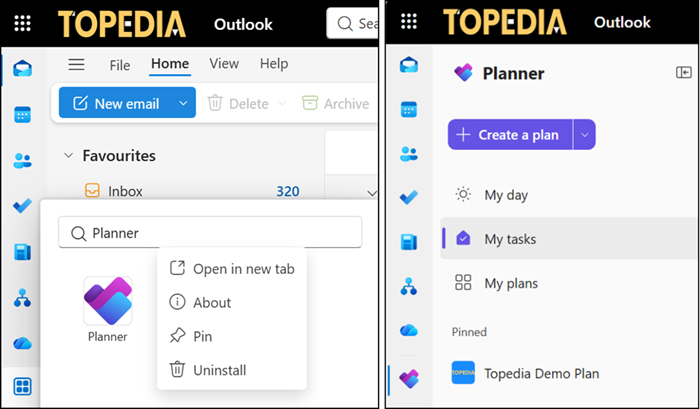
Microsoft Planner is now available in Outlook, so users no longer need to switch apps to track what they need to get done. Users can view and manage their personal tasks and shared plans alongside their email and calendar, all in one familiar place. Planner in Outlook should reduce jumping back and forth and free up more time to actually get things done.
Planner in Outlook is a pre-installed app that users can pin or uninstall.
Incident MO1430019:
Some users may have seen this app already in July. An incident affected some users, as described in report MO1430019 from mid-July. Microsoft accidentally published this Planner app too early.
Users were shown the Microsoft Planner app in Outlook and Office hubs.
We’ve identified that while deploying the Microsoft Planner app to our testing environment, it was unintentionally made available to the affected users despite the feature not being released. We’re reversing our deployment of the app to remove it from users’ Outlook and Office hubs.
The Planner app is now officially available to all users on standard Microsoft 365 plans that include Outlook and Planner. Users find the app in Outlook on the web and the new Outlook for Windows.
- Access to the Planner app in Outlook does not require a Microsoft 365 Copilot subscription.
- Users with a Microsoft 365 Copilot subscription can also use the Planner agent in Outlook.
