
Microsoft will release the Planner Agent to general availability in the next few weeks, currently in the Frontier program, bringing Planner work management directly into Copilot experiences. Users can create, update, and manage personal tasks and shared basic plans in Copilot Chat without switching context, and receive insights on priorities, deadlines, and at-risk work.
With general availability, the Planner agent will be automatically preinstalled for all users with a Microsoft 365 Copilot license. The option to restrict the agent to specific users is no longer supported (like with the Researcher and Analyst agents).
Timeline
The rollout to general availability should be completed by the end of June 2026. The Planner agent will be available for all users with a Microsoft 365 Copilot license.
How does this affect your Copilot Premium users?
Users with a Microsoft 365 Copilot license will find the Planner agent available across Copilot experiences and can add it from the Copilot agent store.
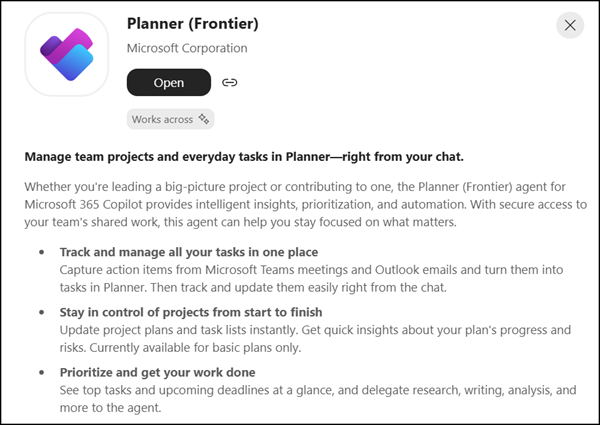
Once added, users can create, view, and update personal tasks and shared basic plans, generate structured plans with goals, buckets, and task hierarchies, and work with a plan selection experience when managing multiple plans. Additional task fields are supported for plan and task management.
The agent uses interactive task cards to present suggested updates, requiring users to review and confirm changes before they are applied. It also surfaces insights such as priorities, deadlines, and at-risk work.
- The Planner agent is now also available in Planner Basic plans, in addition to its previous availability in Planner Premium plans.
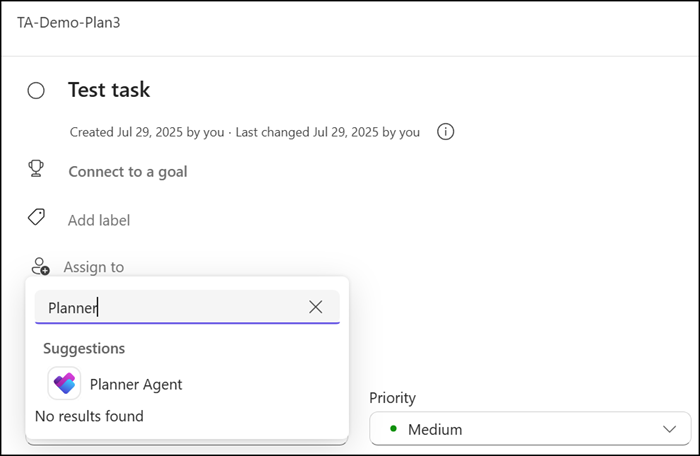
- Users with a Planner Plan 1, Planner and Project Plan 3, or Planner and Project Plan 5 license will have access to additional Planner Premium features.
- Users without a Microsoft 365 Copilot license can collaborate on plans, but cannot interact with the Planner agent, such as assigning tasks to it.
The Planner agent is automatically preinstalled for all users with a Microsoft 365 Copilot license as part of the rollout to general availability. Restricting the agent to specific user groups is no longer supported. You can block the agent for all users to restrict availability.
More information
- Planner Agent in Microsoft 365 Copilot (Copilot license required)
- Access Planner Agent | Microsoft Support
- What is Planner Agent in Copilot? | Microsoft Support
- Frequently asked questions about Planner agent | Microsoft Support
- Planner Agent brings work management directly into Microsoft 365 Copilot | Microsoft Community Hub
