
Retirement of the Admin App in Teams, Outlook and Microsoft 365

Microsoft will retire the Admin app, which was designed to help very small businesses manage administrative tasks directly in Teams, Outlook and Microsoft 365.com.

Timeline
  • Phase 1, started in August 2026: The Admin app is no longer pre-pinned or pre-installed in Teams (in small business organizations).
  • Phase 2, scheduled for October 2026: The Admin app will no longer be supported or available to all customers in Teams, Outlook, or Microsoft 365.com.


How does this affect your organization?

If you haven’t already, Teams administrators should disable the Teams Admin app. The app ID is b47c7387-2807-440c-9fc2-7c8f46147a20.
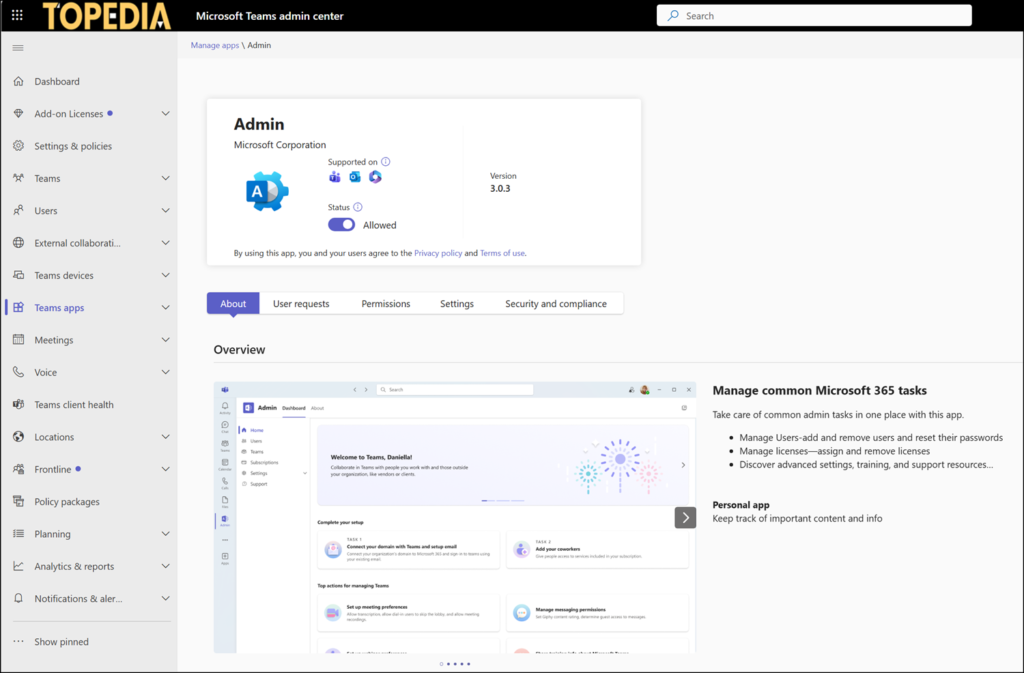
Disable the Teams Admin app in the Teams Admin Center

This is also a reminder:
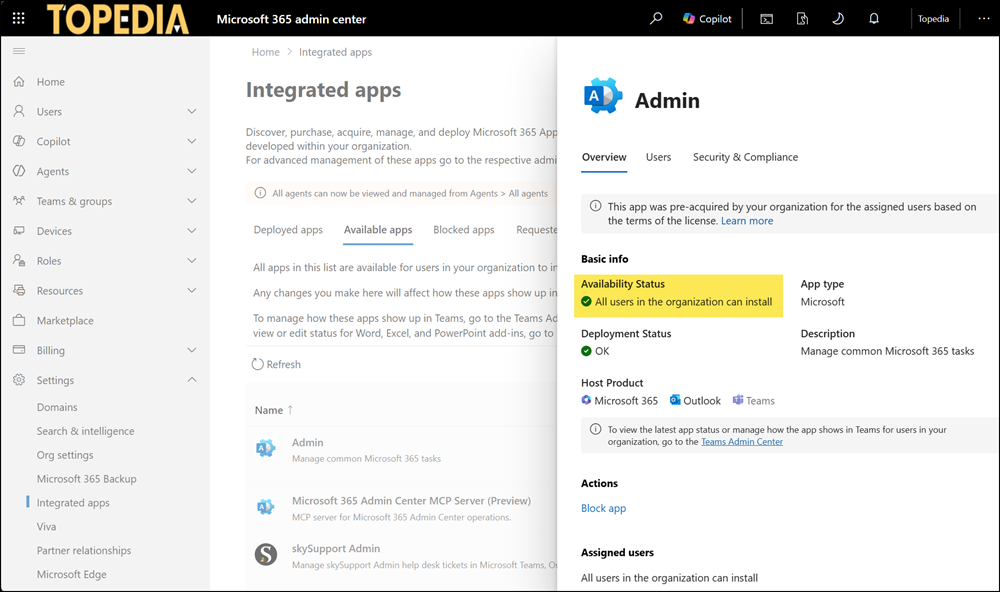
Organizations that have not yet migrated to Unified App Management should also disable or block the app in Integrated Apps in the Microsoft 365 admin center, as it’s a cross-platform app.
Read:  Moving to Unified App Management across the Microsoft 365 and Teams Admin Center
Don't forget the Integrated Apps
Don’t forget the Integrated Apps

Microsoft recommends using the Microsoft 365 Admin Agent as an alternative to the Admin app.

Read:  The Microsoft 365 Admin Agent is now a Microsoft-managed agent

I recommend blocking this agent, as it’s useless. It costs more effort and causes more frustration than doing the task manually. I wouldn’t be surprised if Microsoft retires this agent in the future, too.

Avatar photo

Tobias Asböck

Tobias is a Senior System Engineer with more than 10 years of professional experience with Microsoft 365 products such as SharePoint Online, SharePoint Premium, OneDrive for Business, Teams Collaboration, Entra ID, Information Protection, Universal Print, and Microsoft 365 Licensing. He also has 15+ years of experience planning, administering, and operating SharePoint Server environments. Tobias is a PowerShell Scripter with certifications for Microsoft 365 products. In his spare time, Tobias is busy with updates in the Microsoft 365 world or on the road with his road bike and other sports activities. If you have additional questions, please contact me via LinkedIn or [email protected].

Leave a Comment