
According to various online reports, Microsoft has enforced updated OneDrive storage quotas for existing Microsoft 365 Developer subscriptions since at least this September. This already happened briefly in July, but Microsoft reverted it after a few days.
I noted this over the past weekend with my developer account. All users in such tenants are now limited to a 10 GB OneDrive quota (up to 25 users in developer tenants). This is also documented in the developer FAQs. It seems Microsoft now enforces these limits in existing developer tenants.
How much storage does the Microsoft 365 developer subscription provide?
Microsoft reserves the right to limit the storage on developer subscription licenses. Storage expectations are as follows:
- Tenant Storage Cap: Developer-only tenants are capped at 300 GB pooled storage.
- Zero Additional Storage: The Developer SKU contributes 0 GB SharePoint storage in mixed-license tenants.
- User OneDrive Limit: 10 GB per user for Developer SKU users’ OneDrive storage.
Updated:
It’s based on the license assignment; it’s not tenant-related. This change affects users with a developer license assigned, such as Office 365 E3 Developer or Microsoft 365 E5 Developer.
Until recently, the OneDrive quota was 1 TB.
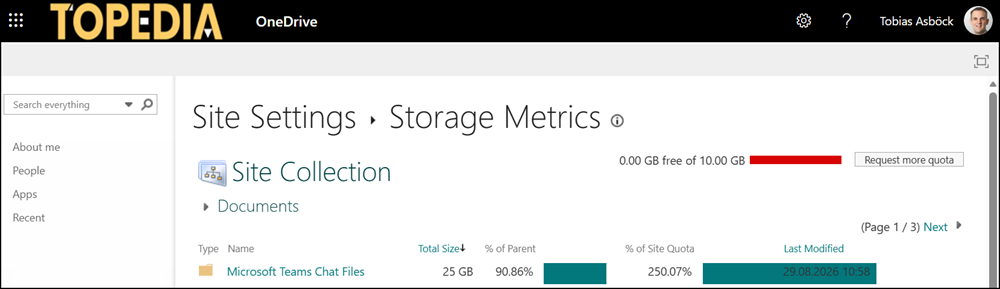
A few weeks ago, I tested asynchronous file uploads in Teams with a 25 GB file. Now the quota is limited to 10 GB. My 25 GB test file consumes the OneDrive storage.
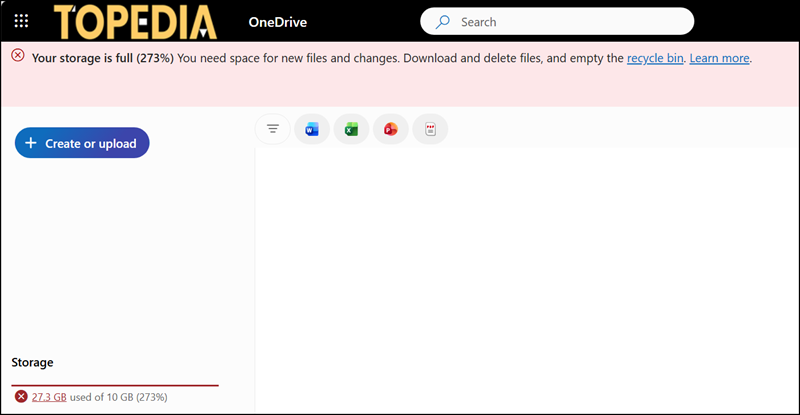
It’s also visible in the storage metrics from the OneDrive site.
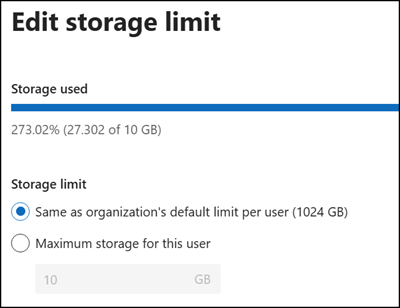
The Microsoft 365 admin center still shows a quota of 1024 GB per user, but Microsoft enforces the 10 GB limit.
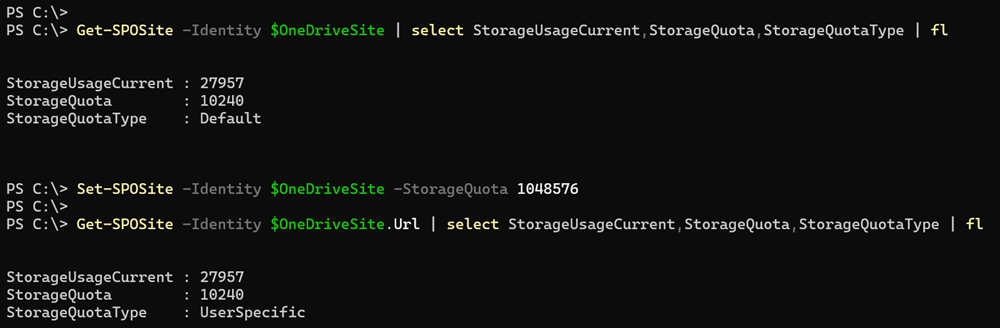
The system also does not accept a quota change via PowerShell.
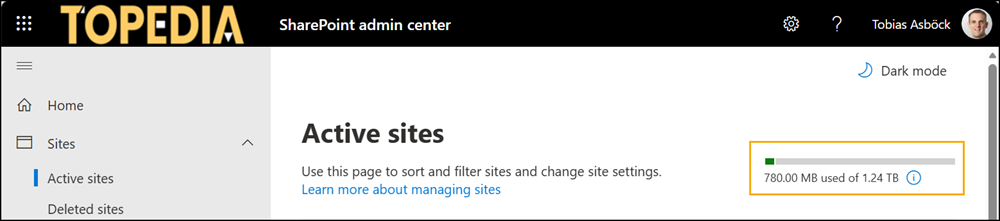
I expect Microsoft to reduce the pooled tenant storage to 300 GB soon, too. This already happened in July for a few days.
Reminder:
When cleaning up your OneDrive, don’t forget to empty the recycle bin (including the second-stage recycle bin). The system needs 24 hours to register the OneDrive storage clean-up.
