
In the past few days, Microsoft has enabled SharePoint storage enforcement for Microsoft 365 Developer tenants. Users in such tenants may get a storage error in OneDrive and SharePoint, as in my case, where the tenant storage was full. Several online posts from the past few days document the same behavior, confirming that Microsoft must have enabled this enforcement recently (for example here and here).
In OneDrive:
Your organization’s storage is full. Your OneDrive is read-only right now. Contact your IT department for more info.
In SharePoint:
Your organization’s storage is full. SharePoint sites are read-only right now. Contact your IT department for more info.
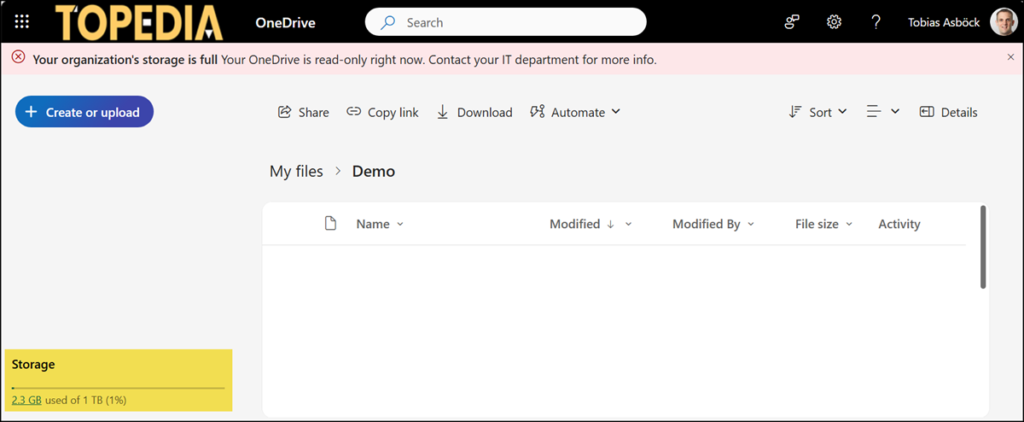
My used tenant storage is less than one GB, but the pooled storage is full.
Pooled storage provides a single pool of storage for each tenant, and spans OneDrive, SharePoint Online, and Exchange Online. The storage pool represents the maximum amount of collective storage for these three services and is shared across and consumed by all users within the tenant.
In the SharePoint admin center:
Your pooled storage is <xxx> TB over the limit and your trial will end on <Date/Time>. Trial-only tenants are limited to 30 days and 300GB of pooled storage. Purchase a license or manage storage to free up space to remove read-only restrictions.
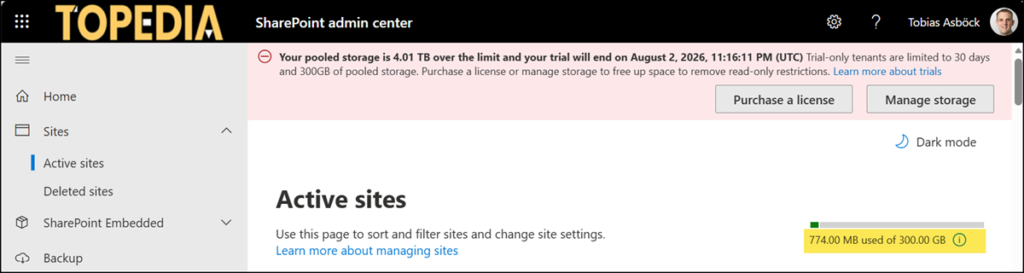
This is documented in the Microsoft 365 Developer FAQs.
How much storage does the Microsoft 365 developer subscription provide?
Microsoft reserves the right to limit the storage on developer subscription licenses. Storage expectations are as follows:
- Tenant Storage Cap: Developer-only tenants are capped at 300 GB pooled storage.
- Zero Additional Storage: The Developer SKU contributes 0 GB SharePoint storage in mixed-license tenants.
- User OneDrive Limit: 10 GB per user for Developer SKU users’ OneDrive storage.
The storage overview in the Microsoft 365 admin center shows OneDrive is using all the storage.
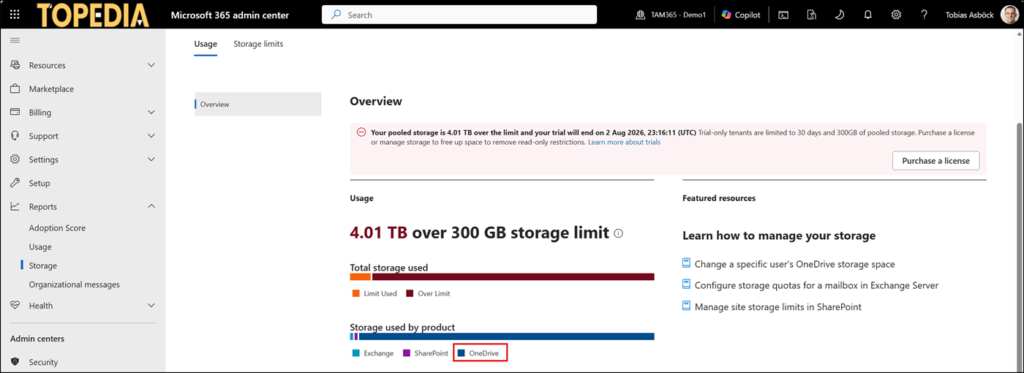
Next, I used the OneDrive usage report in the Microsoft 365 admin center to sort the used storage and found the account.
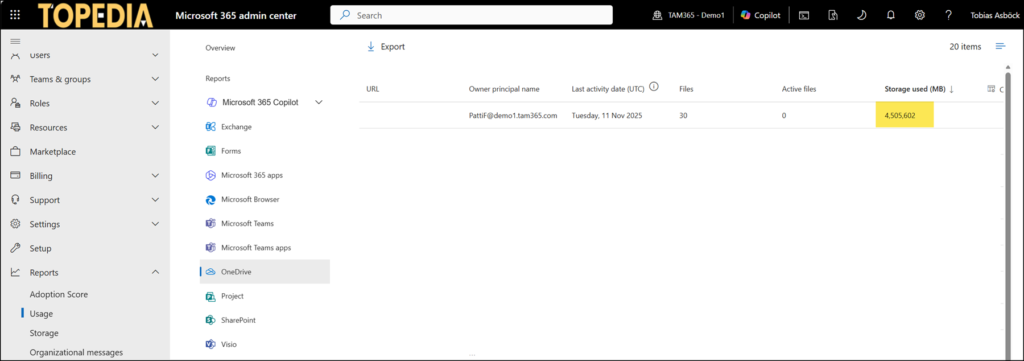
Checking PattiF’s OneDrive confirmed it. In 2021, I uploaded 4 TB to simulate something.
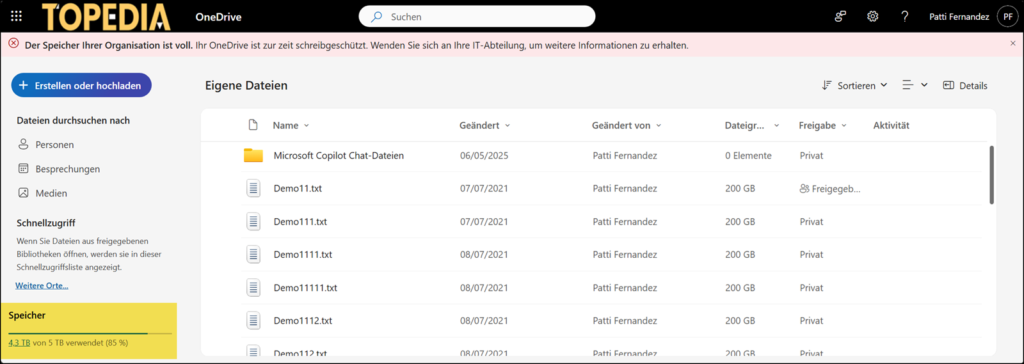
I deleted all the 200 GB demo files. Don’t forget the Recycle Bin and second-stage Recycle Bin.
Keep in mind:
The usage reports and SharePoint admin center do not update in real time. The system needs between 24 and 48 hours to register the clean-up, so you must wait until the system recalculation has been completed.

Hi Tobias,
My Microsoft 365 Developer tenant only is using 30GB of data, it has the same banner you were seeing but it was for 30th July. now everything is in read mode and it says “Your trial has ended Trial-only tenants are limited to 30 days and 300GB of pooled storage. Purchase a license to remove read-only restrictions”. Is this something you are experiencing your end?
Hello ST, not since my last check. The banner in my tenant showed 2 August a few days ago. I checked again just now, and the banner is gone. What is strange is that I have lost access to the storage overview page. It now shows that I am not using a trial or Education tenant and have no access to the information. It is pretty strange. I suspect Microsoft either has a misconfiguration or is preparing something for Developer tenants.
Checked now, the banner disappeared, the storage section as well, and I was able to upload a test file (few bytes) to both my accounts (admin and non-admin one). I’m trying to understand Microsoft since the first time I touched a PC, I still haven’t achieved that.