
Calendar synchronization between Microsoft Teams and Google Workspace will be retired

Microsoft will retire the feature to sync calendars between Microsoft Teams and Google Workspace in October 2026. The feature was introduced in April 2025 for organizations with up to 50,000 users per tenant (see MC1058265). The retirement affects all users in organizations with this calendar sync feature turned on.

If you don’t know where to find the Google Workspace integration. This configuration is part of the Teams Admin app. Now, you may remember, this app will also be retired in October 2026.
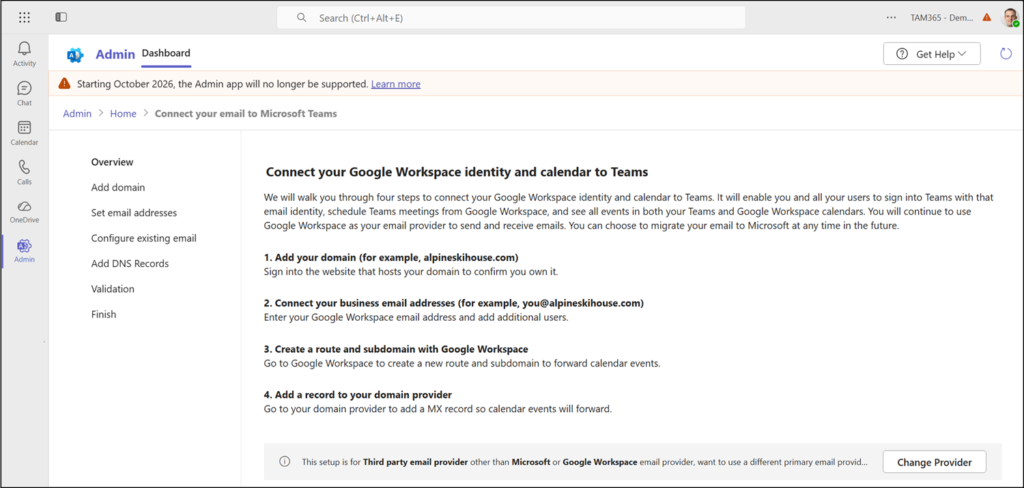
Configuring the Google Workspace integration in the Teams Admin app (will be retired in October 2026)
Read:  Retirement of the Admin App in Teams, Outlook and Microsoft 365

If users have calendars synced across both products, this connection will stop working, and previously matched calendars will no longer update automatically between Microsoft Teams and Google Workspace. After retirement, users will need to check both calendars separately or use another supported method to keep meetings visible across products, since the calendars in the two services will no longer reflect each other’s updates.

Microsoft recommends the Teams Meeting add-on for Google Workspace as an alternative.

More information
Avatar photo

Tobias Asböck

Tobias is a Senior System Engineer with more than 10 years of professional experience with Microsoft 365 products such as SharePoint Online, SharePoint Premium, OneDrive for Business, Teams Collaboration, Entra ID, Information Protection, Universal Print, and Microsoft 365 Licensing. He also has 15+ years of experience planning, administering, and operating SharePoint Server environments. Tobias is a PowerShell Scripter with certifications for Microsoft 365 products. In his spare time, Tobias is busy with updates in the Microsoft 365 world or on the road with his road bike and other sports activities. If you have additional questions, please contact me via LinkedIn or [email protected].

Leave a Comment