
Channel members can now add a new Planner plan to Private and Shared Teams channels. Members can plan and track work in the same channel where the team is already collaborating, rather than in a separate app or tab elsewhere. This can be especially useful for channels that include people from outside the usual team membership, such as guests (in Private channels) or contacts from other organizations (in Shared channels).
Previously, a Planner plan was available in Standard channels. If members of a Private or Shared channel wanted to work on a Planner plan, they had to create a new Microsoft 365 group just for that plan.
Within a Private or Shared channel, channel members can now select the plus icon to add a new tab, then choose Planner.
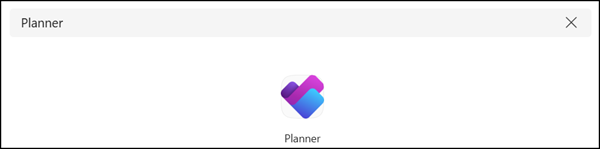
They can create a new plan for the channel or attach an existing plan already associated with the channel.
Currently, these plans support Planner Basic features. Planner Premium capabilities should be introduced later.
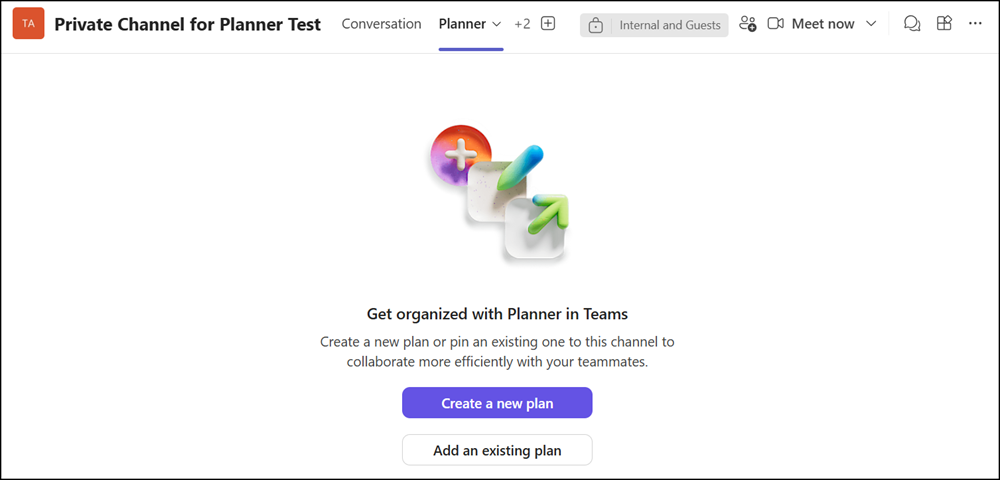
A Microsoft Graph check confirms the plan is directly associated with the Teams channel.
If users add attachments to a task, they are uploaded to the document library of the SharePoint channel site. Members can also attach existing channel files.

I was interested in what happens with the plan if someone deletes and restores the Private or Shared channel. Theoretically, as the plan is directly associated, it should be deleted too.
- The Private or Shared channel is deleted
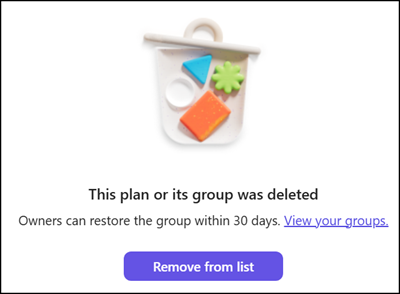
The plan is also deleted, unfortunately with a generic, group-related message.
- The Private or Shared channel is restored within 30 days
Teams also restores all associated plans within 60 minutes. Be patient, as the system needs time to restore the plans.
Planner in Private and Shared channels is available to all users with a Planner and Microsoft Teams service plan.
Note:
Planner plans for Private and Shared channels are still in rollout. The plans may not yet be available in Teams Web, although they are available in the Teams desktop app.

Interesting!
I tried using the new functionality in Private Channels. I had no issue when creating a new plan. However, it seems to not properly work when trying to add an existing plan. It says that no plans are available, even though Standard Channels in that same Team do see available plans.
When creating a new plan, it links the Plan directly to that channel’s name. However, when I try sharing an existing plan, that channel’s name is not available and only the Team’s name is.
Have you faced a similar issue?
Hello Seb, adding an existing plan only works for plans that already belong to that Private channel. The Private channel has no information about the plans from the parent team, and the Standard channels of the parent team have no access to the plans from the Private channel. It’s completely separated.
Try adding a second Planner app to your Private channel. You will find your first plan, but you won’t find the plans from the parent team.
Also, you will find no plans from other Private channels. The Private channels are an isolated island.
how to copy existing plan to this private channel plan easier?
Hello Calvin, I haven’t tested this yet to see if it’s possible or supported.
HI, I am struggling to have the planner seen by other members of the Sharer Channel. I have create the plan directly in the Shared Channel, there is a tab, but my invited members from other organisation experience, that they cannot access it even though they see the tab in the channell..it says that it has been either removed or deleted. Any experience with that?
The shared channel would be otherwise a perfect feature!
Hello Zuzana, thanks for that interesting experience. I have not tested this yet. I will try this with one of my setups.
I have the same issue. It would be great to know how to fix that.