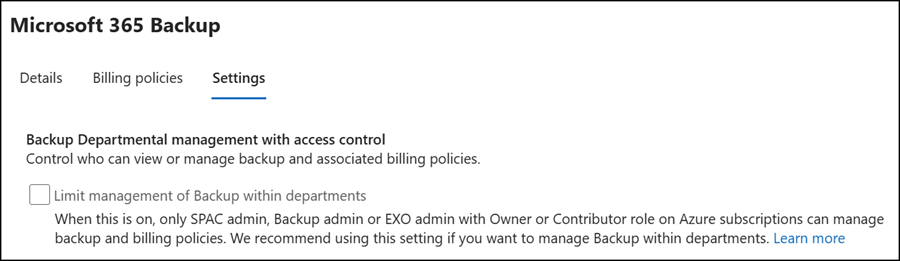
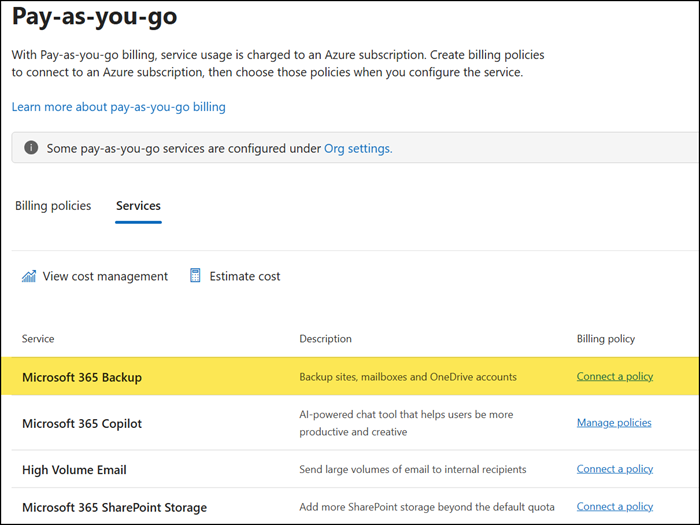
Microsoft has published a new Pay-as-you-go service in the Microsoft 365 admin center: Microsoft 365 Backup.
It’s a curious situation, since this service is not new. Microsoft 365 Backup has been GA since the end of July 2024. However, administrators who check the old configuration in Org Settings will now see a message to migrate to a new billing experience.
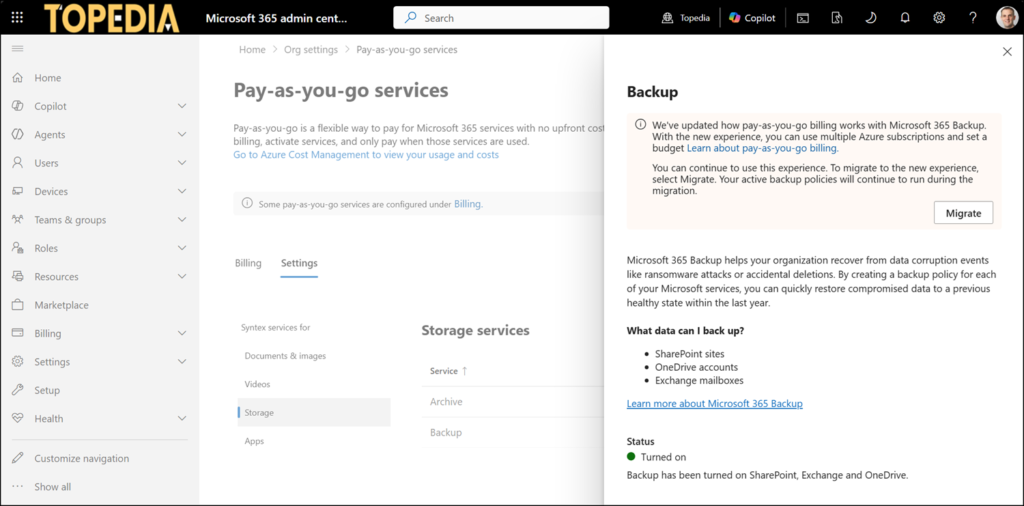
In a usual case, this is a one-click migration. Microsoft migrates the current backup configuration to the new Microsoft 365 Backup PAYG service.
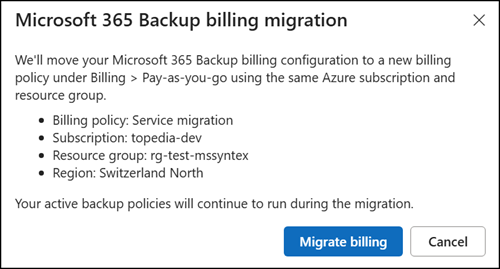
In a usual case, not in my case. The migration returned an error.
We couldn’t migrate your billing policy. Please try again later.

Having followed the PAYG services for all these years, I quickly identified the root cause.
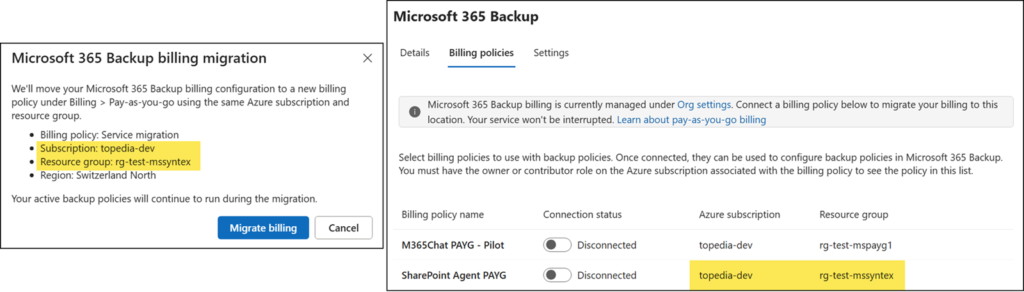
When configuring a new billing policy in the Microsoft 365 admin center, you cannot create two policies with the same Azure resource group. The system does not allow it. In my case, the SharePoint Agent PAYG configuration used the same resource group as the backup service, so the Microsoft 365 Backup migration process could not create a new billing policy in that RG.
From the history:
SharePoint Agent PAYG and Microsoft 365 Backup PAYG were previously both part of Microsoft Syntex (also known as SharePoint Premium); see my post from January 2025. In June 2025, Microsoft moved SharePoint Agent PAYG from Microsoft Syntex to Microsoft 365 PAYG, which can now produce the simulated conflict.
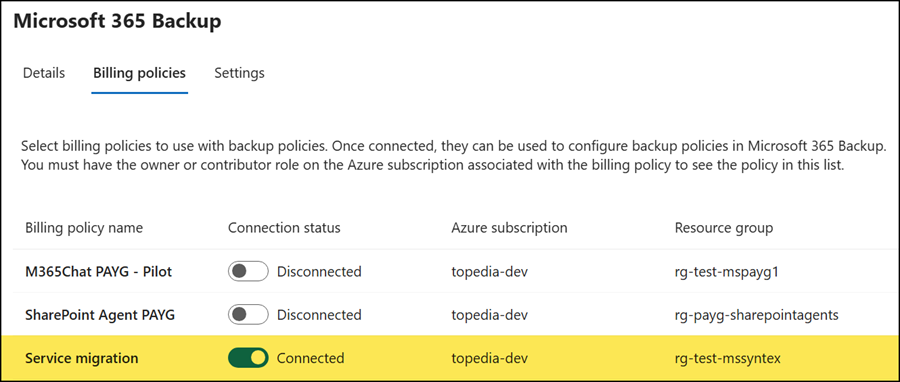
Simply recreate the SharePoint Agents PAYG billing policy and connect it to another Azure resource group. The Azure RG cannot be updated after a billing policy has been created. The Microsoft 365 Backup migration will then work.
The migration service creates a new billing policy named “Service migration” and uses the previous Azure configuration that had the conflict. The policy name can be updated in the billing policy overview.
The new Microsoft 365 Backup billing service now supports departmental billing, which I simulated in another post.