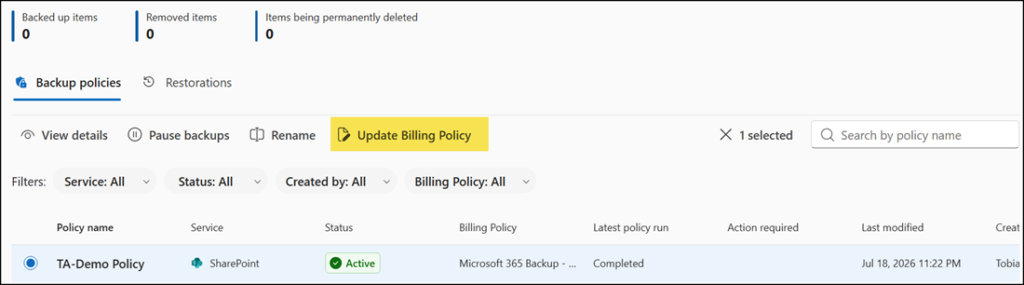
Microsoft has introduced Departmental Billing for Microsoft 365 Backup, letting organizations create multiple billing policies for different teams or departments.
Previously, only a single billing policy was supported, making it difficult for organizations to separate backup costs, as all storage charges were lumped into a single Azure resource group.
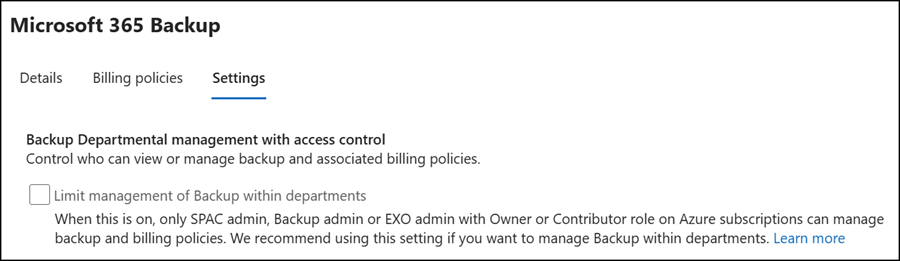
Departmental billing is also important for those who manage backups. It supports Role-Based Access Control (RBAC) for users with the following Microsoft Entra admin roles, preventing admins from other departments from incurring unapproved backup charges.
- Microsoft 365 Backup Administrator
- SharePoint Backup Administrator
- SharePoint Administrator
- SharePoint Advanced Management Administrator
- Exchange Backup Administrator
- Exchange Administrator
- Global Administrator
According to Microsoft:
To limit admins who can manage Backup within a department or group, every backup admin should also have an Owner or Contributor role on the subscription. This way only an approved admin who is given spending power on a subscription can create and edit backups and cause consumption to the department’s Azure subscription. If you’re an owner for the department’s subscription, we recommend giving the lower privileged ‘Contributor’ role to backup admins in your department if they don’t need privileges to add other admins to the subscription.
Departmental billing is available in the new Microsoft 365 Backup PAYG service. Organizations already using Microsoft 365 Backup must first migrate to the new billing policies.
Next, enable departmental billing in the Microsoft 365 Backup settings.
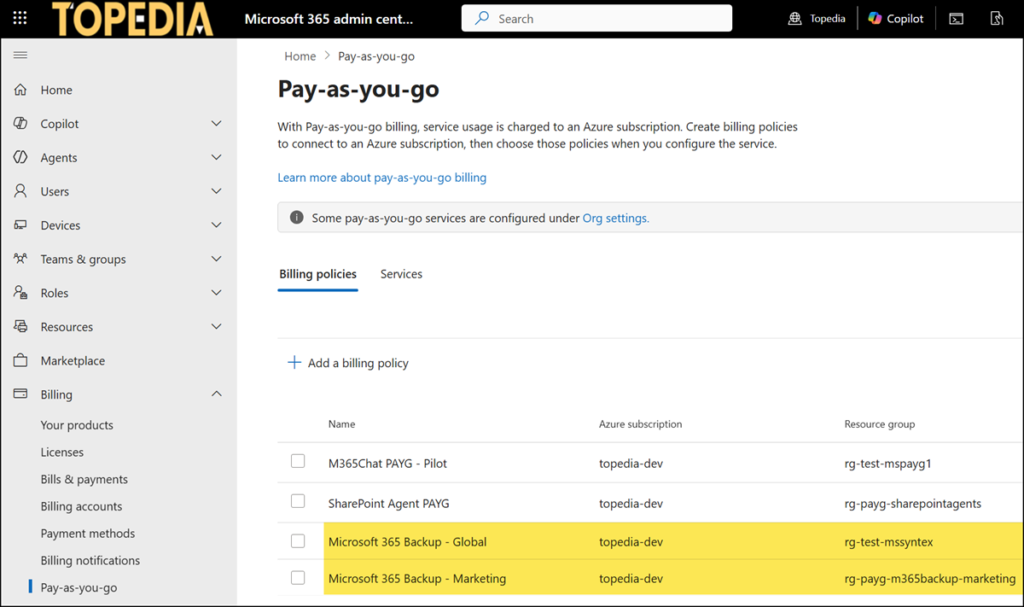
Create a second billing policy for Microsoft 365 Backup.
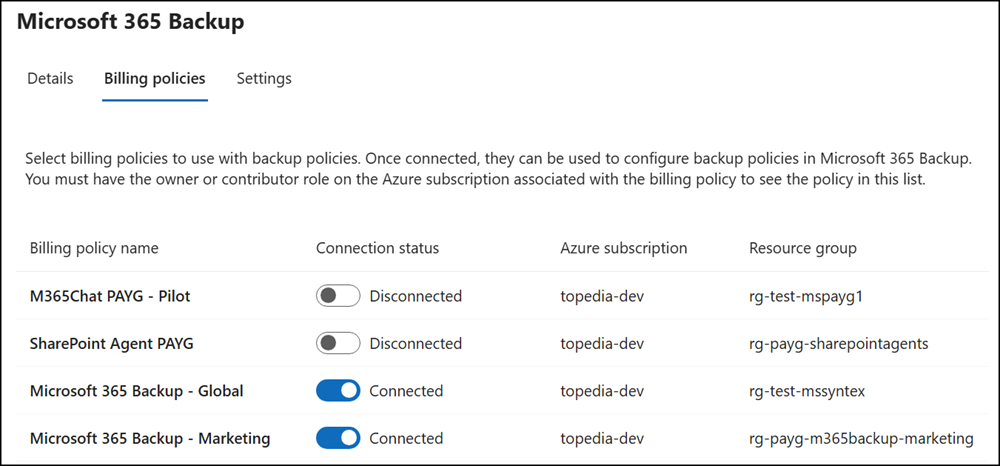
Multiple billing policies can now be connected to the Microsoft 365 Backup service. Up to 50 policies are supported.
This is the difference between departmental billing on or off. If the setting is off, only one billing policy can be connected to the backup service.
That’s it. When you create a new backup policy for SharePoint, OneDrive, or Exchange, you can now select the billing policy at the end of the configuration.
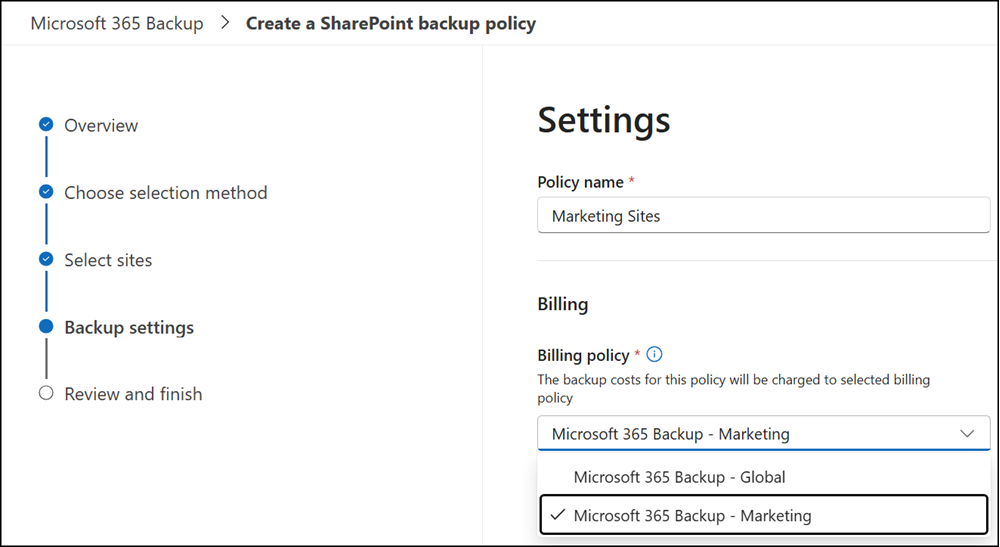
Existing backup policies can also be updated with one of your new billing policies.