Microsoft 365 Backup now supports Full Workload Backup, a new capability that lets backup administrators protect an entire workload (SharePoint, OneDrive, or Exchange) with a single policy. A full workload backup automatically includes all existing and newly created objects that are not already covered by custom backup policies.
- This update applies to organizations currently using Microsoft 365 Backup and does not affect existing backup policies.
- Full Workload Backup is currently in Public Preview for SharePoint Online, OneDrive for Business, and Exchange Online objects.
Timeline
- Public Preview is available for organizations using Microsoft 365 Backup.
- General availability is scheduled for October 2026.
How does this affect your organization?
When creating a new backup policy, Microsoft 365 Backup administrators can back up all objects within a selected workload. Full Workload Backup can be enabled separately for each workload (SharePoint, OneDrive, Exchange).
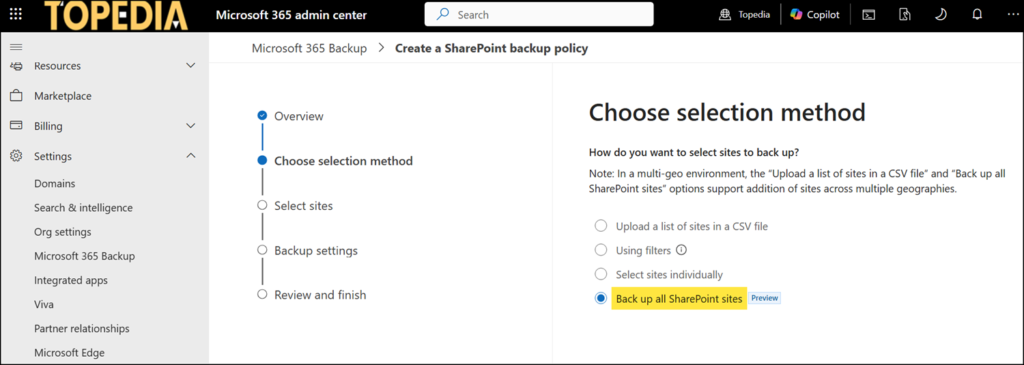
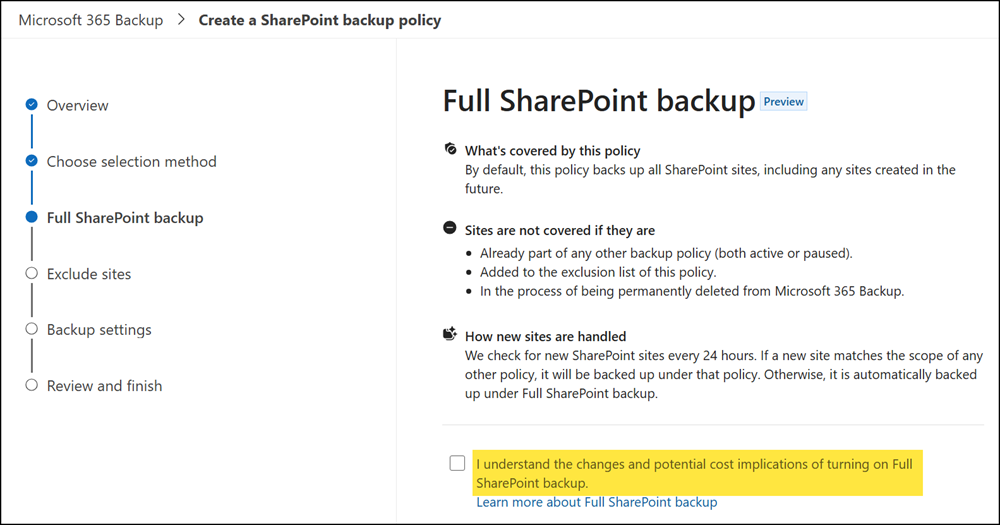
- Objects included in a custom backup policy always take precedence over Full Workload Backup. A protection object that is already included in a custom backup policy (in an active or paused state) will not be protected by the Full Workload Backup policy.
- New or existing objects for a Full Workload Backup are picked up automatically on subsequent runs. Microsoft 365 Backup checks for newly created SharePoint sites, OneDrive accounts, and Exchange mailboxes every 24 hours.
- A Full Workload Backup automatically protects all eligible protection objects, except for those that…
- are already included in a custom backup policy,
- have been added to the exclusion list or
- are in the process of being permanently deleted from Microsoft 365 Backup (included in a backup grace period).
Backup administrators must confirm they understand a full workload backup can have a high impact on monthly costs. Here are some tips on how to calculate estimated monthly costs.
Microsoft 365 Backup billing model:
$0.15 per GB per month for all data protected by Backup. Restores are free.
Remember:
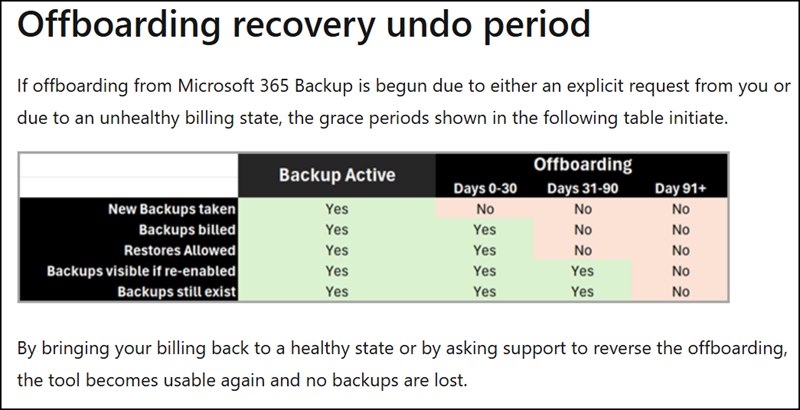
If a backup policy is deleted at a later point, for example because the monthly costs are too high, Microsoft 365 Backup includes a 90-day grace period before the backup data is permanently removed. Organizations must continue paying for the storage for at least 30 additional days.
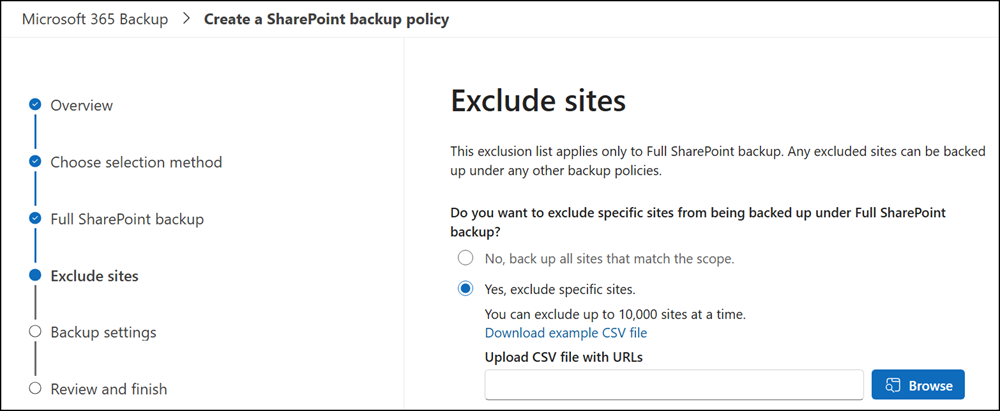
An administrator can exclude specific SharePoint sites, OneDrive accounts, or Exchange mailboxes from the backup.
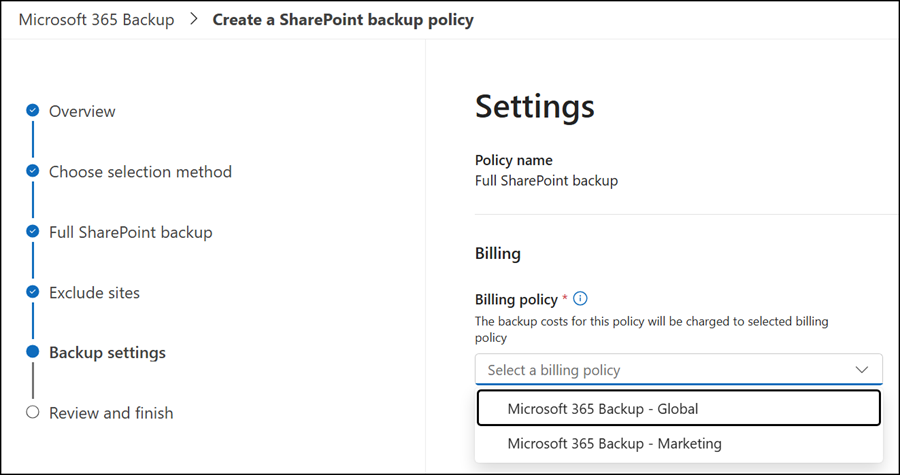
In the last step, administrators can choose a billing policy if the new departmental billing has been configured.