
Microsoft now supports Assistant information in the Organization section of a user’s profile card, including in Org Explorer, Outlook, and Teams.
When Assistant information is populated on a profile, users can view it directly in the Organization section, improving the discoverability within the Org Explorer and Teams.
This update affects only organizations currently populating the Assistant information on user profiles. If this information is not populated by your organization, no change will be visible.
Timeline
The rollout should be completed in August 2026.
How does this affect your organization?
With this update, the Assistant information will be included in the Organization section, so users no longer need to switch tabs to find it. Previously, Assistant information was restricted to some places in Outlook.
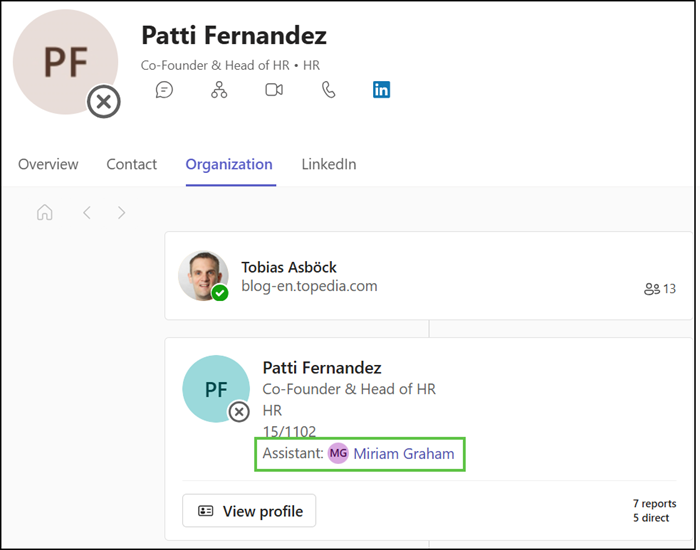
The Assistant information is now also included in the Org Explorer.
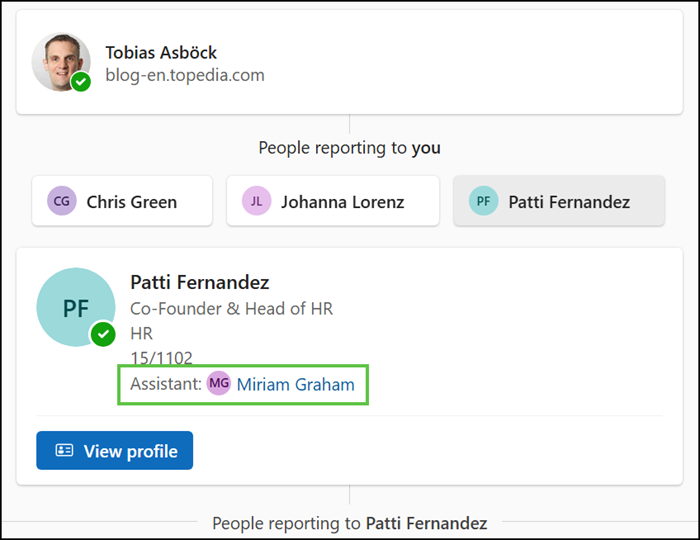
Or the Outlook profile card.
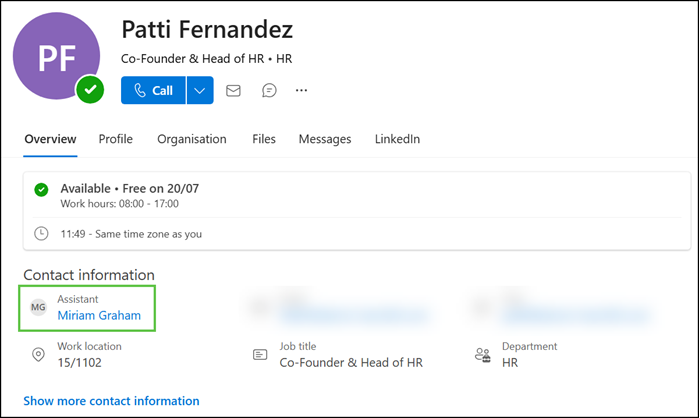
- The Assistant information will automatically appear wherever it is already populated.
- The Assistant designation remains informational only. It does not grant permissions, change reporting structures, or modify user roles. Its presence in the Organization section does not alter who can edit or view the field under existing tenant privacy settings.
How to update the Assistant information?
The Assistant information is provided by the SharePoint User Profile Service, not from Exchange Online. Note that the Assistant information is not yet included in the Profile resources of Microsoft Graph. It remains dedicated to SharePoint.
Users can manually update their Assistant information in the Microsoft 365 Profile > Contact (unless prevented by the SharePoint administrator). Only one Assistant is currently supported.
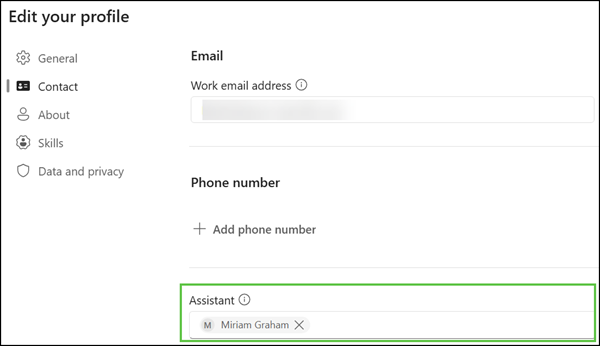
Alternatively, SharePoint administrators can automate this information via the SharePoint User Profile services.
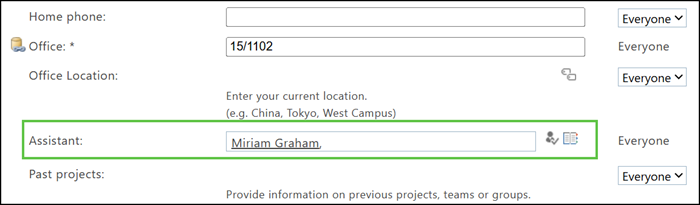
It’s the property Assistant with Set-PnPUserProfileProperty.
# Get the Assistant's account name and set it as the Manager's Assistant property
$AssistantAccount = Get-PnPUserProfileProperty -Account $AssistantUPN
Set-PnPUserProfileProperty -Account $ManagerUPN -Property "Assistant" -Value $AssistantAccount.AccountName