
Microsoft is introducing an enhancement for the new Teams Events experience. Users can now save their prepared events as a reusable template. A Teams Premium license is no longer required.
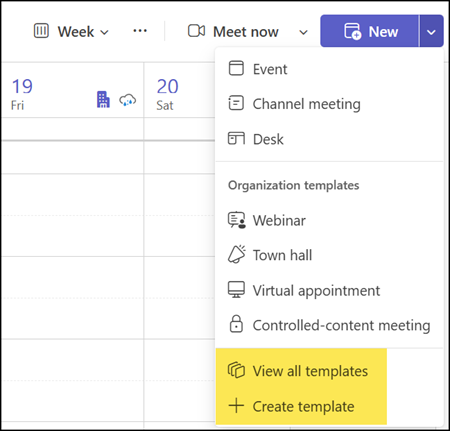
This option is already available in the Teams Calendar when creating a meeting, with two restrictions:
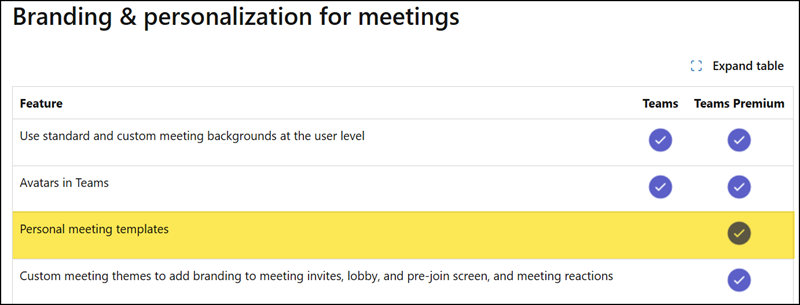
- A Teams Premium license is required.
- Other event types (such as webinars and town halls) are not supported for templates.
Here is an excerpt from the Teams Premium licensing documentation.
Microsoft has replaced the previous Meet app with a new Events app.
When users create an event in that app, they can now save it as a reusable template. This option supports saving meetings, webinars, and town halls as a template. A Teams Premium license is not required, at least not yet.
Keep in mind, the new Events app uses different event naming than the Teams Calendar.
- Broadcast (for Town Hall events with 3’000 to 100’000 interactive attendees, or 10’000 view-only attendees)
- Collaborative (for Meetings and Webinars with up to 1’000 interactive attendees; view-only attendees are not supported)
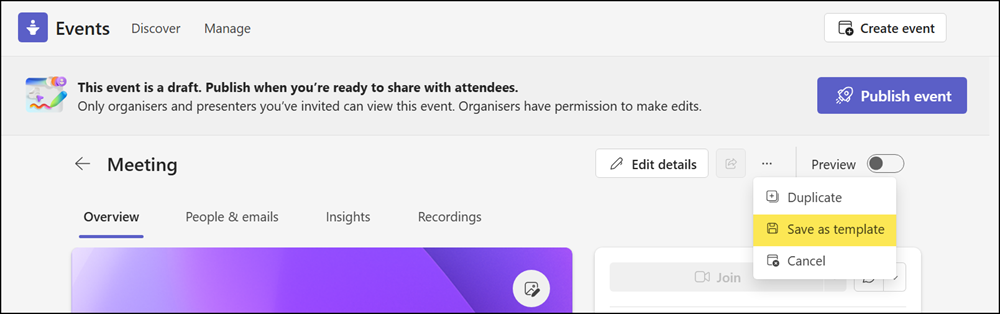
Once saved, a template captures the event’s details, participants, branding, and configuration settings, meaning organizers no longer need to recreate the same setup from scratch each time they plan an event. When creating a future event, they can select a saved template as the starting point and adjust it as needed.
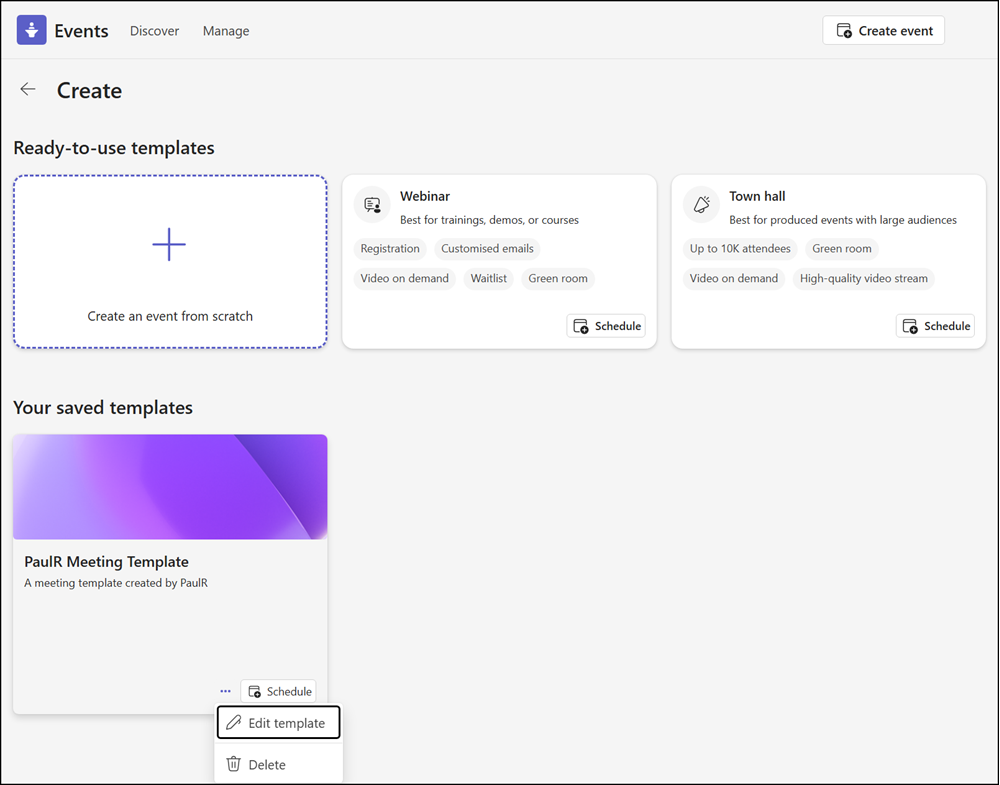
This enhancement is particularly useful for organizations that run recurring events such as town halls, webinars, or training sessions, where consistent structure and branding matter. By reusing a template rather than configuring each event individually, organizers can work more efficiently and reduce the risk of missing key settings or overlooking branding elements.
What you should also know:
- A template is personal and connected to the creator. It’s not available to other users, even if they are listed as a co-organizer in the template.
- Templates provided by the organization are not yet supported in the Events app. These templates are available in the Teams Calendar.
- Templates from the Events app are not available in the Teams Calendar.
- The rollout for templates in the Teams Events app should be completed by July 2026.
