Meeting organizers in Teams can now select Transcribe only as a standalone automatic meeting option when scheduling meetings. Previously, only the combined “Record and transcribe” option was available, giving organizers more granular control in environments where recording is restricted by compliance or privacy policies.
This update has no impact if meeting transcription is disabled in the organization and does not affect existing recording policies.
Timeline
The rollout should be completed in May 2026.
Updated 20 May 2026:
The rollout should be completed in June 2026.
How does this affect your meeting organizers?
The existing Record and transcribe automatically toggle is replaced by a three-option selector in the meeting scheduling form:
- Off: No automatic recording or transcription starts. This is the default selection for new meetings.
- Record and transcribe: Both recording and transcription start automatically, equivalent to the previous behavior. This option was introduced in September 2022.
- (NEW) Transcribe only: Transcription starts automatically; no recording artifact is created or stored.
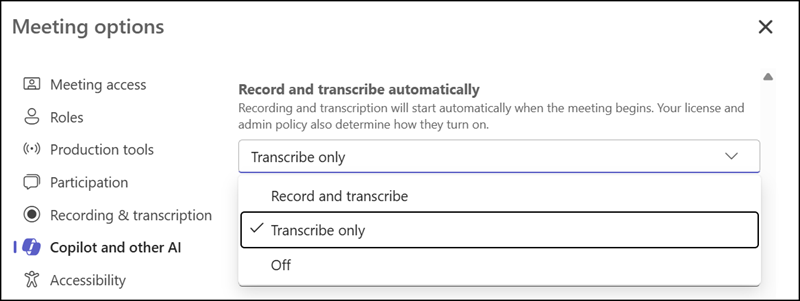
When Transcribe only is selected, the transcript is generated and made available after the meeting. Transcription supports accessibility features for Microsoft Copilot and Intelligent Recap without producing a recording.
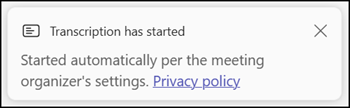
As with recordings, Teams notifies participants when transcription has started automatically.
A Teams admin should know the organizers’ meeting policy requirements for Transcribe only meetings and how to limit them.
- AllowTranscription
The Transcribe only option does not appear when the AllowTranscription setting for the organizer is set to False. - AutoRecording
The AutoRecording setting in meeting policies must be enabled; otherwise, the Record and transcribe automatically section is hidden entirely, including the Transcribe only option. To prevent recording while keeping Transcribe only available, disable the AllowCloudRecording setting instead.

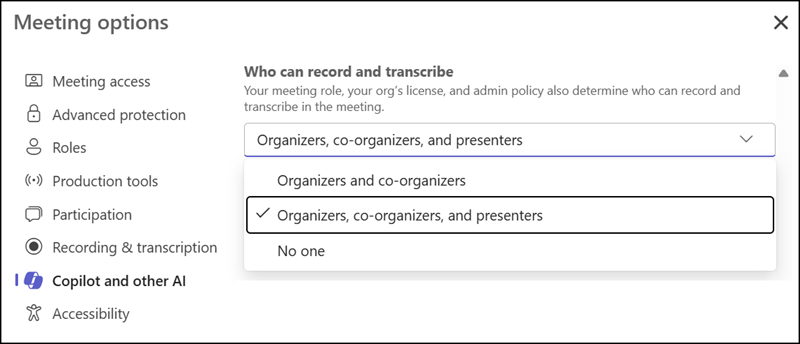
- If Who can record and transcribe is set to No one in meeting options, all automatic transcription options, including Transcribe only, are forced off. The “Who can record and transcribe” setting is a Teams Premium and Microsoft 365 Copilot Premium feature.