
Microsoft is updating how spoken language is handled in multilingual Teams events, replacing manual language selection with automatic, real-time detection. This change applies when Interpreter is enabled or when multilingual speech recognition is turned on in event options.
For organizers and co-organizers:
Organizers or co-organizers need either a Teams Premium or Microsoft 365 Copilot license to enable multilingual speech recognition in the event options. Attendees do not require the license if multilingual speech recognition is enabled.
For attendees:
Attendees with a Microsoft 365 Copilot license should enable the Interpreter agent to get automatic language detection for live captions and transcripts (only required if the organizer has not enabled the event option). It’s recommended that the event organizer enable multilingual speech recognition.
Timeline
The rollout should be completed soon.
How does this affect your organization?
Until now, an event organizer or presenter had to manually update the spoken language in multilingual meetings.
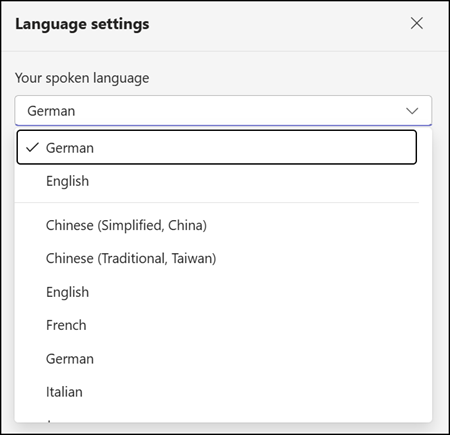
Teams can now automatically detect each speaker’s language during multilingual events and update captions and transcripts in real time.
The feature activates when a licensed user enables Interpreter, or when an organizer or co-organizer with a Teams Premium or Microsoft 365 Copilot license turns on multilingual speech recognition in the event options.
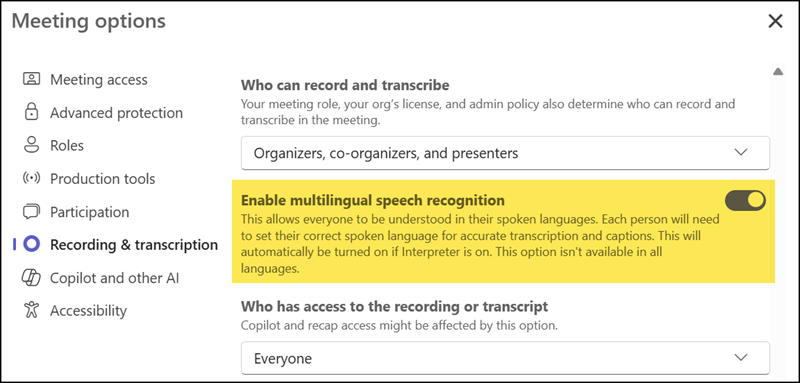
When multilingual speech recognition is enabled, the manual spoken language selection is removed in supported multilingual events.
Multilingual speech recognition is available in Meetings, Town halls, and Webinars. All event formats now support automatic language detection. The option should be enabled before the event starts.
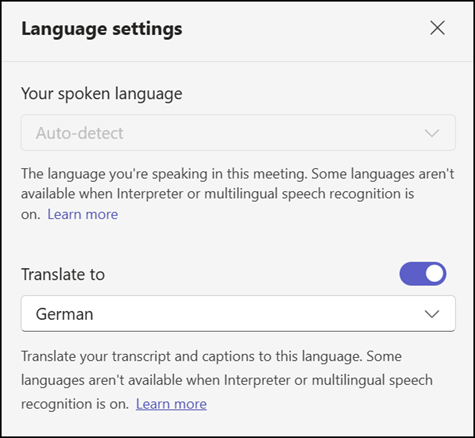
Live captions and transcriptions are automatically translated in events when multilingual speech recognition or the Interpreter agent is enabled. With live translated captions and transcripts, participants can see multilingual conversations translated into a language they understand. The translation language can be configured in the language settings.
Additional notes:
- Multilingual speech recognition supports English, Spanish, Portuguese, Japanese, Simplified Chinese, Italian, German, French, Korean, and now also Traditional Chinese. Language detection is limited to the languages supported by Interpreter, live captions, and transcripts.
- The Interpreter agent will now apply the organization’s Custom Dictionary configured in the Microsoft 365 admin center, improving recognition of names and organization-specific terminology.
- Meetings conducted entirely in a single language or not using Interpreter or multilingual speech recognition are not affected by this change.
