When Microsoft introduced webinars in Teams in 2021, a registration option was also introduced for normal meetings. The registration option is still available in meetings today if the AllowMeetingRegistration property is enabled in a meeting policy. By default, it is active in the global policy.
Here is an illustration of the relevant option when planning a new meeting.

The AllowMeetingRegistration property in a meeting policy.

AllowMeetingRegistration
Controls if a user can create a webinar meeting. The default value is True.
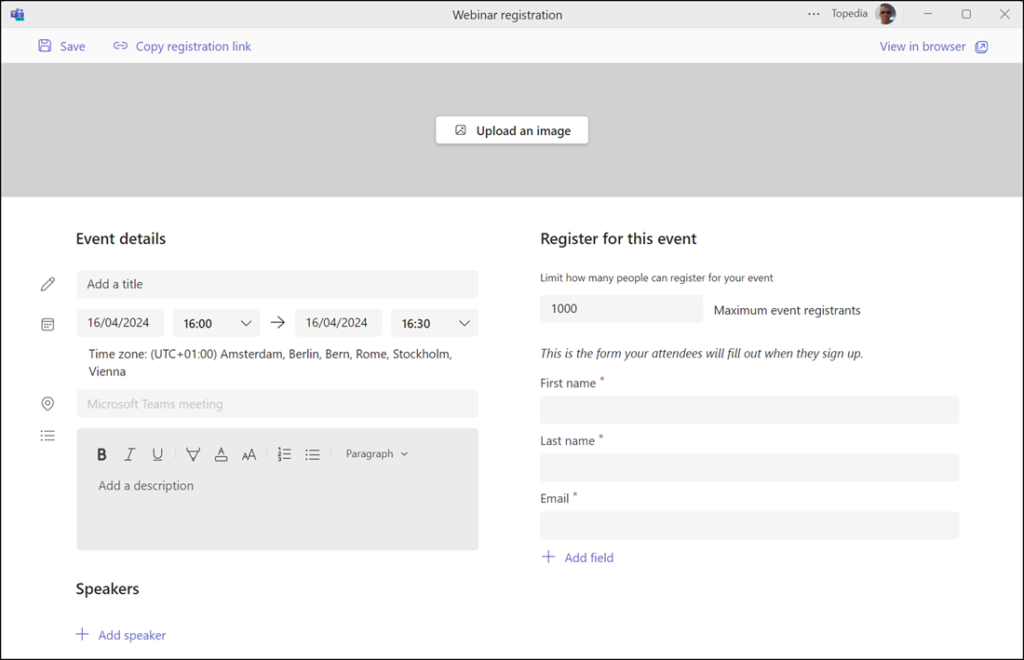
With this option, an organizer is redirected to an old webinar registration. The form was active for webinars before December 2022.
As of December 2022, Microsoft has introduced a new Webinar Experience.
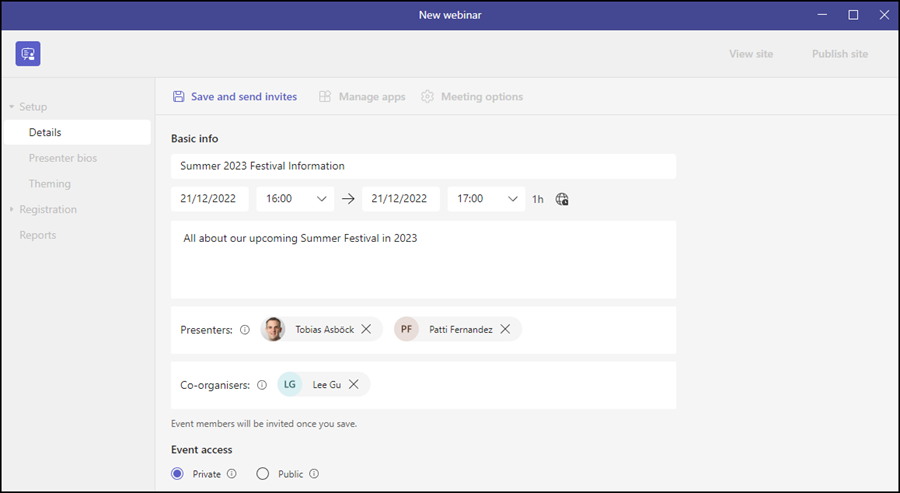
There are still two types of registration.
- Webinars with the new Webinar Experience since December 2022.
- Teams Meeting, with the option to request a registration and the old Registration Experience.
From 1 July, 2024, Microsoft will remove the Webinar Classic Registration, and the AllowMeetingRegistration property will no longer be considered.
If users create a meeting today and enable registration, Teams will still show both options.
- Create a Webinar; schedule a new webinar instead of the meeting. This option will be available only from 1 July 2024. The account must have permission to schedule a webinar.
- Display Registration Form; shows the form for Webinar Classic Registration. The option is available until 30 June 2024, if an account is activated with AllowMeetingRegistration enabled.