
Microsoft has introduced an updated file download experience in Teams, designed to make managing files simpler and far less disruptive. Instead of remaining on screen indefinitely, download notifications will now automatically dismiss after roughly 4 seconds, reducing pop-up clutter while you work. The updated experience looks familiar because it’s similar to the download manager already used in Microsoft Edge.
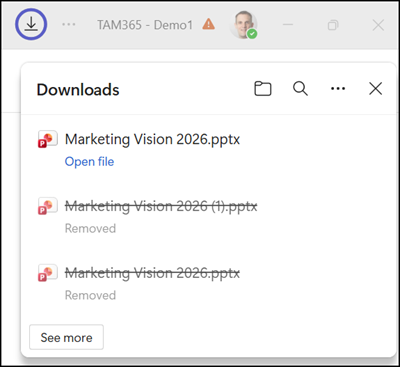
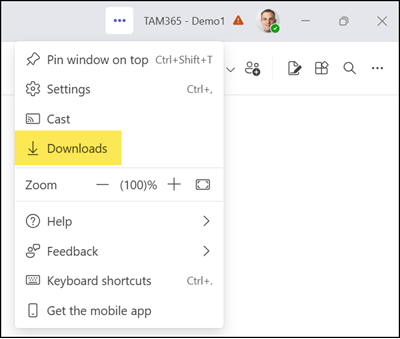
Even though notifications clear out of the way much faster, you won’t lose track of your files. You can easily open or locate any downloaded item as soon as it finishes. To view the recent history, simply navigate to the Teams menu and select Downloads.
The updated file download manager is rolling out globally and should be available to all users on both the Teams desktop app and web client by the end of June 2026.
Updated 8 July 2026:
The rollout should be completed by the end of July 2026.
