
Microsoft is updating the port and domain requirements for RTMP-In in Teams Events, the protocol letting organizers stream content into meetings, webinars, and town halls using external hardware or software encoders. The change is intended to improve reliability and scalability for Teams streaming scenarios.
This update does not change how RTMP-In streaming works for organizers.
The ability to stream from external hardware or software encoders into Teams remains the same; only the network path to the streaming endpoint changes.
Timeline
The rollout should be completed by 15 July 2026.
Updated 18 July 2026:
Microsoft has paused the rollout for now.
How does this affect organizations?
Administrators responsible for Teams meetings, webinars, and town halls, and organizers who stream with external encoders, need to update their network configuration to keep RTMP-In working.
New events created once the rollout reaches a tenant will need the updated ports and domain to connect. If the firewall rules are not in place, event creation or streaming may begin failing in mid-July 2026. Events already configured with RTMP-In are not affected immediately and will continue to work under the current network requirements through the end of 2026.
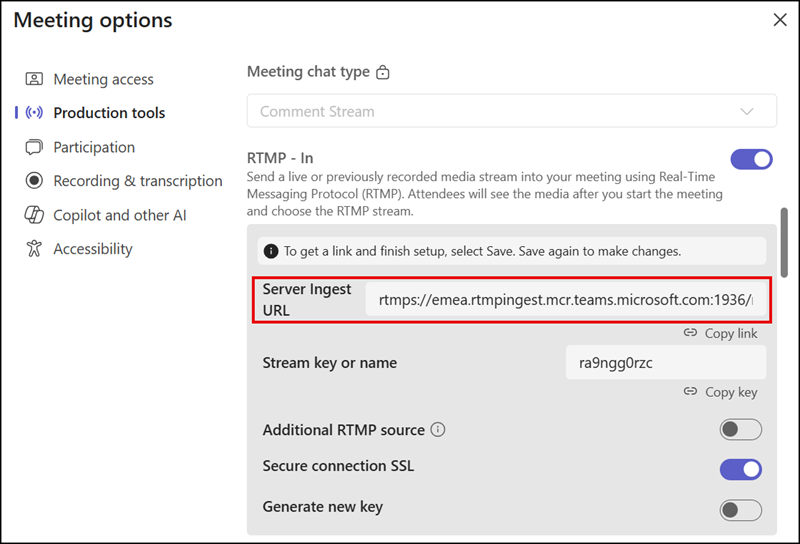
The required network endpoints for RTMP-In are:
- Ports:
- Required starting 15 July 2026: Allow outbound access to the ports 50118 (RTMP) and 50119 (RTMPS)
- Current: Allow outbound access to the ports 1935 (RTMP) and 1936 (RTMPS)
- Domain:
- Required starting 15 July 2026: Allow outbound access to the endpoint *.rtmpingest.mcr.teams.cloud.microsoft
- Current: Allow outbound access to the endpoint *.rtmpingest.mcr.teams.microsoft.com
- Validate connectivity against the official Microsoft 365 endpoint and firewall guidance.
Organizations using RTMP-In streaming for Teams Events should talk with their network team to implement the firewall rules.
