
Microsoft is improving how code blocks work when composing messages in Teams, making it easier for users to read, share, and reference code in their chats and channels. These changes are aimed at anyone who works with code in Teams and bring the experience closer to other tools commonly used by developers and engineers.
Here is a sample of the previous code block integration.
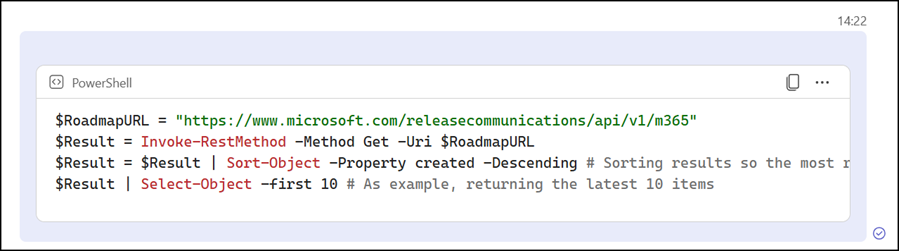
Users will notice four improvements to code blocks in Teams messages. These improvements are automatically enabled in existing code blocks.
- When a user inserts a code block, line numbers are now automatically visible. This makes it easier to point to a specific line when collaborating on or reviewing code.
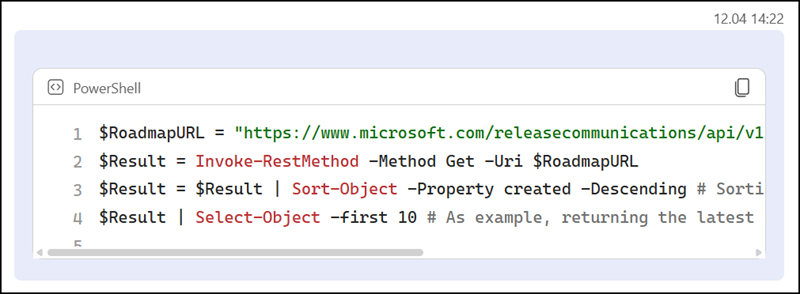
- Keyboard navigation within code blocks has been improved, allowing users to move through their code more easily with keyboard commands. This is helpful for everyone, and particularly for those who rely on a keyboard rather than a mouse.
- Teams now remembers the last programming language a user selected for syntax highlighting, so the language no longer needs to be set again each time a code block is added.
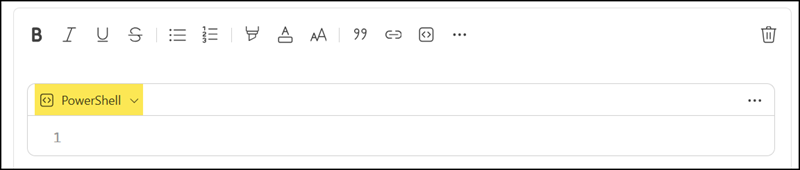
- For situations where people want to work on code together, a code block can be converted into a Loop component before it is sent, allowing others to edit it collaboratively. This option requires Loop components in Teams.
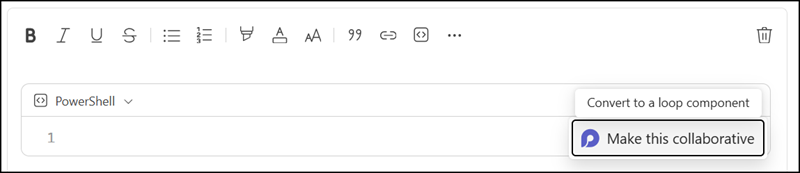
The familiar ways of inserting a code block remain available, including slash commands, keyboard shortcuts, and Markdown, so users can continue working in their preferred way.
This update applies to Teams on Windows, Mac, and the web, and is available to all Teams users. The rollout should be completed in May 2026.

Why is a Loop component added *the moment* I paste some code into a codeblock? I don’t want to collaborate here, I just want to send a code snippet.
Also the Loop component is so slow as to basically freeze Teams. Please make this configurable.
Hi Andy, sorry, but I’m not able to reproduce it on my end. When I insert a code block and paste code into it, it stays a code block; it doesn’t get converted into a Loop component.
This happens to me when I paste a very large text into the code block. It changes to a loop code block. Is there a way to set it as a regular code block when it’s in a loop? If I click the trash icon to delete the loop component it deletes the whole code block also.