
As recently posted, Microsoft is rolling out shorter Teams meeting URLs for all users.
This rollout introduces a new URL format in meeting invitations.
Previously, invitations included a clickable “Join the meeting now” link.

Once the shorter meeting URL feature is enabled in your tenant, invitations will display the full shortened URL instead of the “Join” text.
This change also applies to all newly scheduled meetings. Existing meetings created before the rollout retain their original link format and are not subject to the new URL lifecycle policies.
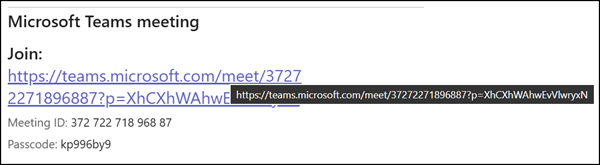
Note:
This also works if you include multiple language blocks in your invitation emails (up to two different languages are supported).
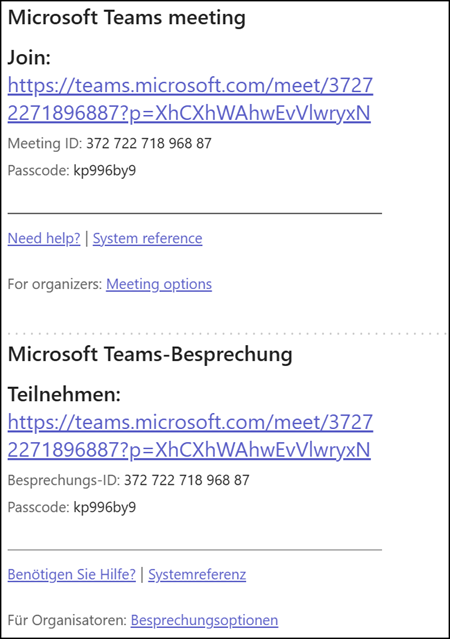
However, there’s an inconsistency in how Microsoft Teams handles these URLs:
- New scheduled meeting invitations now display the shorter URL format automatically.
- When you use the “Copy meeting link” option to share via chat or other channels, the system still copies the original long URL format.
The example below was copied using the “Copy meeting link” option from a meeting that displays the shortened URL format in emails. The URL has been shortened for readability.
https://teams.microsoft.com/l/meetup-join/19%3ameeting_Mjc1OTI3NGYtMGY2Yy00YjVlLTlmMjgtNzI0OGMzODQxNzc5%40thread.v2/0?context=...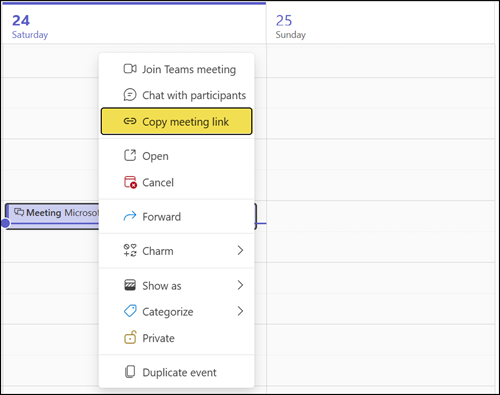
In summary, while scheduled meetings now use shorter URLs in email invitations, the long format remains when copying links directly from the Teams interface.
Reminder about the updated Teams meeting URL lifecycle policies:
- Scheduled meeting URLs expire 60 days after the meeting ends. Updating the meeting before expiration extends the URL’s validity for another 60 days.
- Meet now meeting URLs expire 8 hours after creation.
