
Teams currently includes two Copilot Chat entry points.
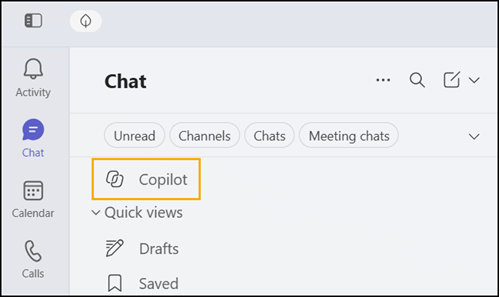
1) Copilot at the top of the Teams Chat list.
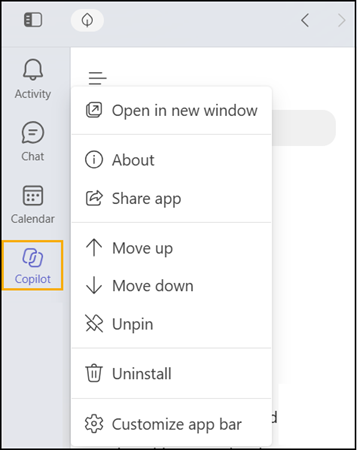
2) The Copilot app in Teams.
I was always confused about why Teams needs two Copilot Chat entry points. I classified it as one of Microsoft’s Copilot everywhere marketing initiatives.
Now Microsoft will remove the first one, Copilot at the top of the chat list. Teams is already informing users about this change.
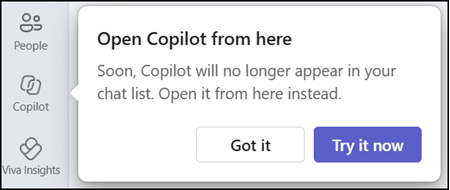
The Copilot app in Teams offers the full set of Copilot capabilities, while the chat list entry point offers only a limited experience. Having one consistent place for Copilot should make it easier for users to find and return to it, and it keeps the Teams interface less cluttered.
- The Copilot app itself remains available and unchanged in the Teams app bar. If a user has unpinned the Copilot app, Teams guides them to the app overflow menu in the app bar, where they can find it again.
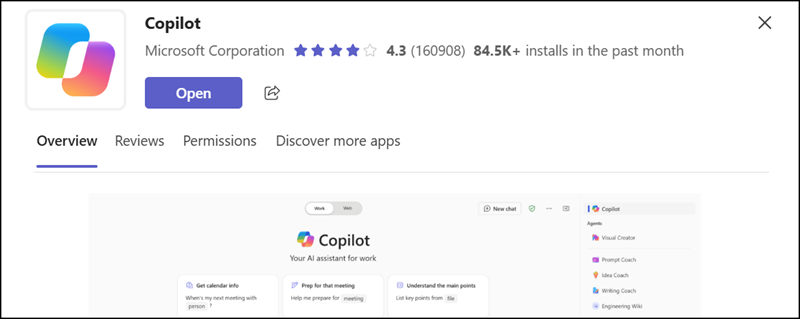
- If users cannot find the Copilot app in Teams, then one of their Teams administrators has disabled the app. Users can open the direct link to check whether the app is available to their account.
- Users keep their existing Copilot conversations, prompts, chat history, and notifications, and supported links to Copilot continue to work as before.
At least I now understand why my recent test to disable Copilot Chat did not work in Teams. The Copilot entry point in the chat list did not support the configuration. The Copilot app was the required app.
The change should be completed by late October 2026 for Teams on desktop and on the web. Teams Mobile is not affected by this change.
