
In April 2025, Microsoft introduced an Outlook setting to choose whether a comma should be used as a recipient separator or allowed as part of a contact’s name. This setting can be useful for organizations that use the “Last name, First name” format for contacts.
The default setting is to use a comma as a separator. Until recently, users needed to manually change the default setting if they wished to allow commas in a contact’s name.
An Exchange Online administrator can now set the default value for the “Use commas as recipient separators” setting in Mail > Compose and Reply.
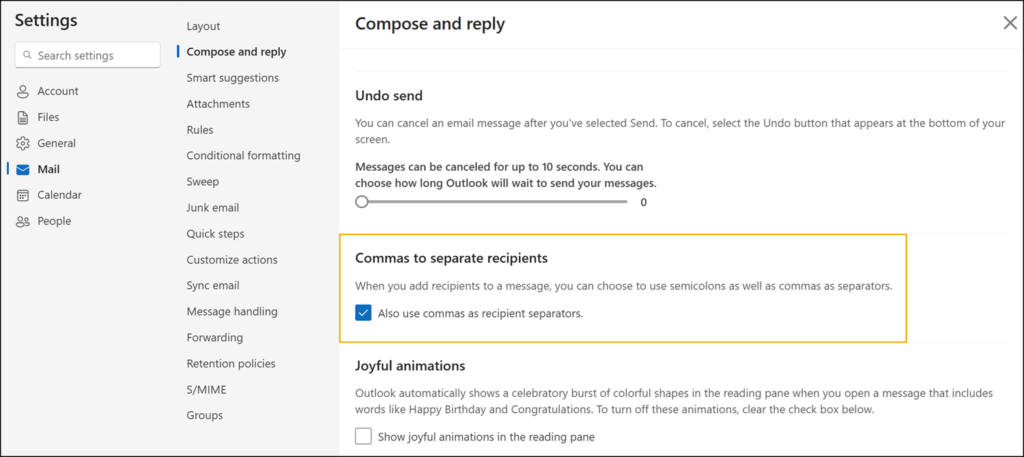
Outlook is now using the new Exchange Online property RecipientDelimiters. This property defines the default value for “Use commas as recipient separators” for unchanged user settings. It is still True by default, meaning commas are used as a separator.

- Tenants retain their existing behavior unless an Exchange administrator actively configures the new setting.
- If an Exchange administrator updates the global setting, any user who does not already have a per-user override configured will inherit the administrator’s chosen default. Users who have manually configured their own setting are not affected by this update.
Connect-ExchangeOnline
Set-OrganizationConfig -RecipientDelimiters $false
- Users can still toggle the setting themselves within Outlook after the policy has been applied. The administrator default acts as a starting point rather than a fixed restriction.
