
Microsoft now offers a configurable recovery window for Microsoft 365 Backup, letting backup administrators set recovery windows at the policy level to 3, 6, 12, or 24 months.
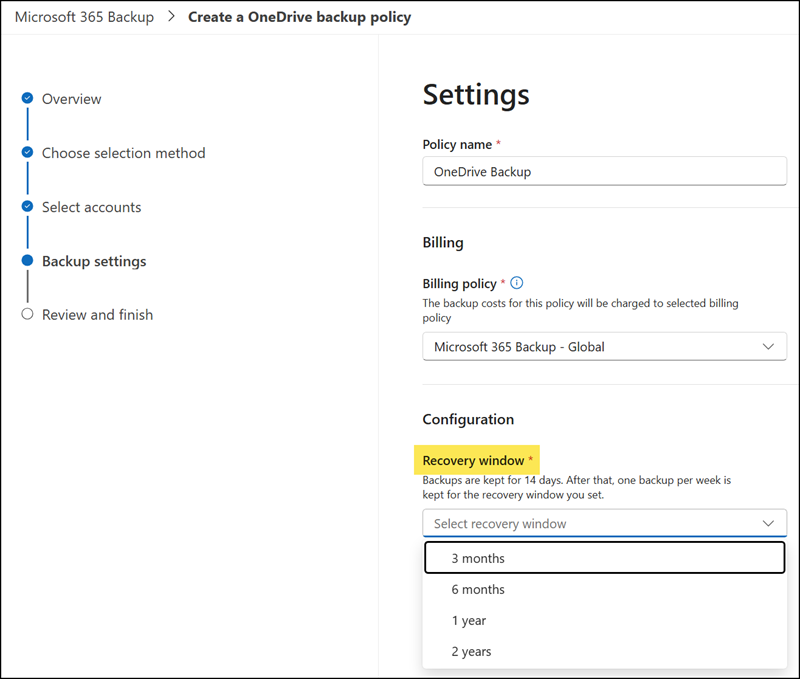
Previously, the recovery window was fixed at one year for all backup policies. This change should give administrators greater flexibility to align data protection practices with organizational compliance requirements, cost considerations, and business continuity strategies, improving overall control over backup lifecycle management.
- Administrators can configure the recovery window per backup policy, either during policy creation or by updating an existing policy.
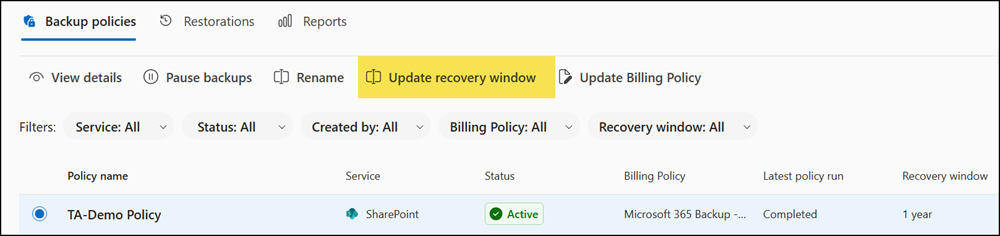
- The default recovery window remains one year unless an administrator changes it. This rollout does not automatically modify existing policies.
- Administrators should be aware that reducing the recovery window on an existing policy permanently deletes backup data outside the new window, with deletion applied after a defined grace period.
To configure the recovery window, backup administrators can go to the Microsoft 365 admin center, navigate to Microsoft 365 Backup, select a backup policy, open “Update recovery window,” set the desired window between three months and two years, and review and confirm the changes.
