
Microsoft Teams now supports apps in Private channels, allowing users to add and use apps, including bots, tabs, and message extensions, directly within a Private channel. This follows the same model introduced for Shared channels in November 2025, providing a unified experience for users and developers.
This update for Private channels is available on Teams for Windows, Mac, and Web. Organizations using custom line-of-business (LOB) apps require developer updates to ensure compatibility with private and shared channels.
Timeline
Teams apps in Private channels are now generally available.
How does this affect your organization?
Previously, only a limited set of tabs was supported in Private channels, as shown in my screenshot from January 2026.
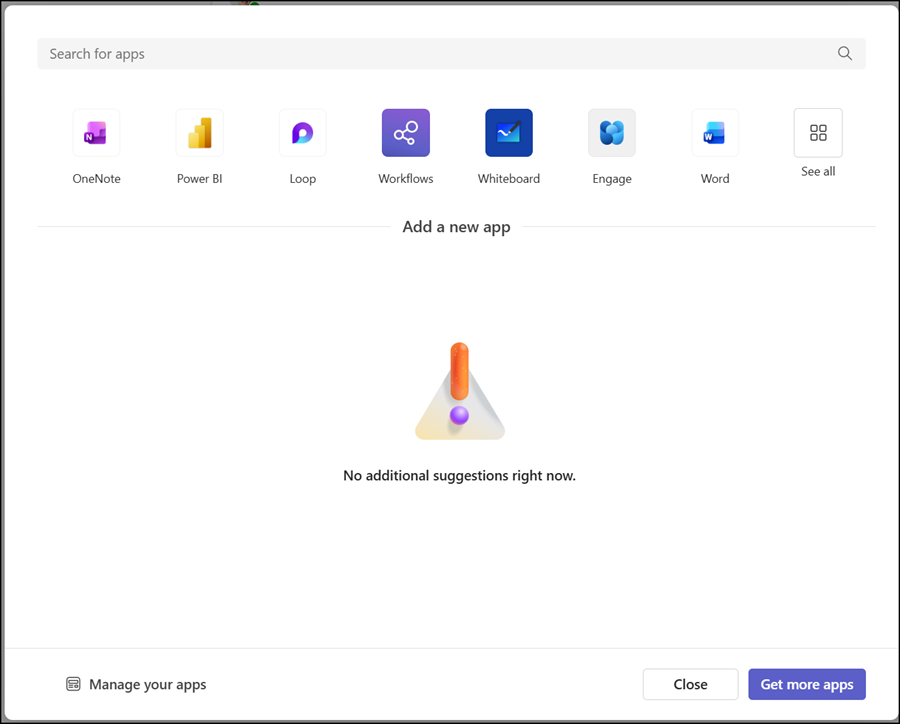
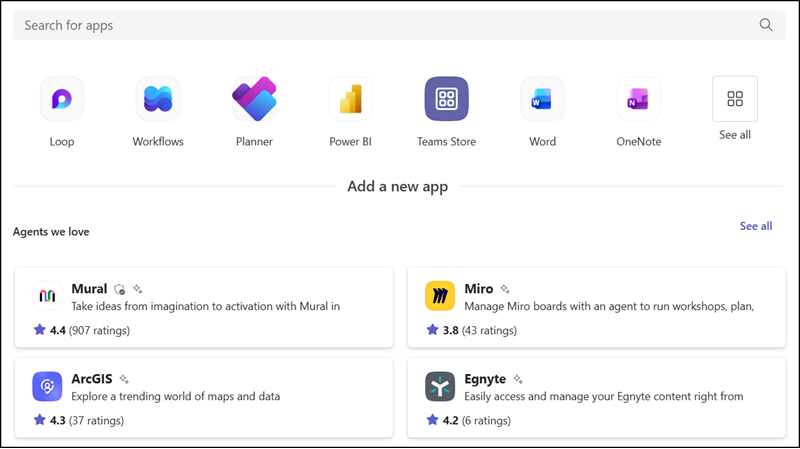
Now, channel owners or members can add apps to a Private channel, with new governance and consent controls. All apps marked to work in Private and Shared channels will be available, provided your Teams admin has configured app availability accordingly.
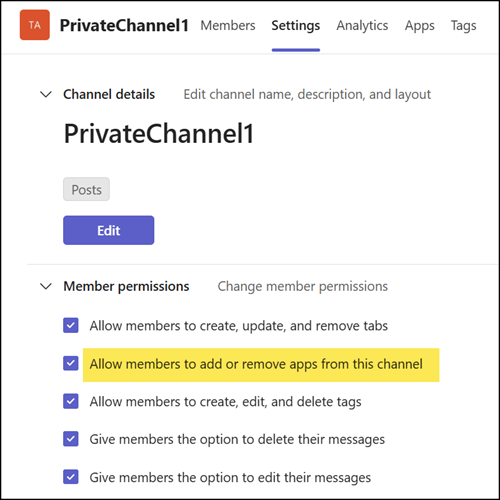
A new setting in Manage channel lets Private channel owners control who is allowed to add apps to the channel.
- Only apps that developers have updated to support Private channel functionality and that are allowed by admins will be available.
- Apps must be explicitly added to each channel.
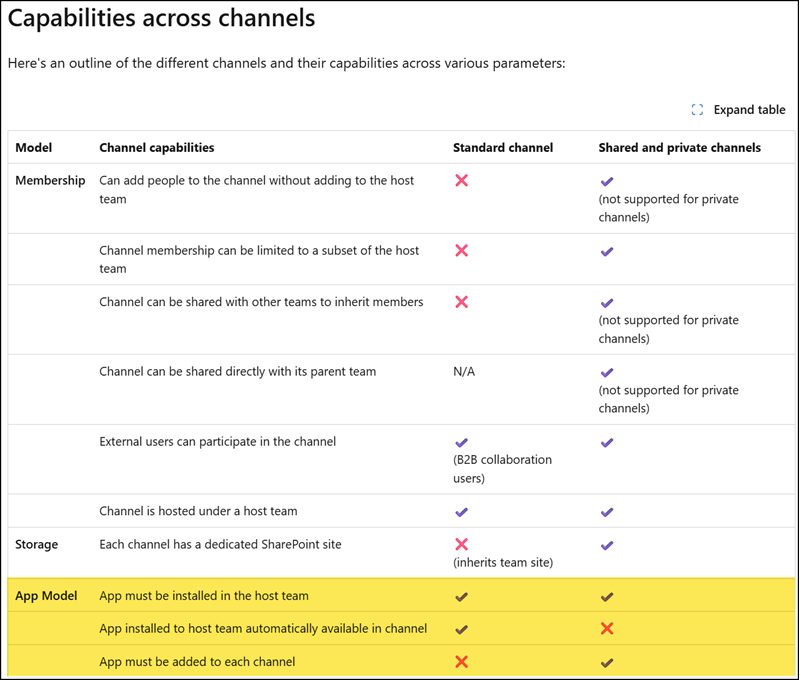
Installing an app at the team level no longer applies it to Shared or Private channels. See the capabilities comparison between Standard and Private/Shared channel apps below.
- Guest users can use supported apps depending on the app and the admin settings in place.
