
Users on iOS can now sign in with more than one MAM-enabled work or school account at the same time within the Teams mobile app. Outlook for iOS should follow.
According to Microsoft, Multiple Managed Accounts is supported in Teams for iOS version 8.10.0 or later or Outlook for iOS version 5.2626.0 or later. The connected tenants must also support it.
The Multiple Managed Accounts (MMA) feature in Intune mobile application management (MAM) enables users to add and manage more than one MAM-enabled account within a single app. With MMA, app protection policies are enforced independently for each account, as defined by the admin.
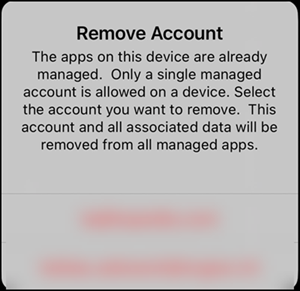
Previously, when I worked with multiple MAM-enabled work accounts, I received the usual message to disconnect one of the accounts. After I updated Teams for iOS to version 8.13.1, the app no longer shows this message. Outlook for iOS still includes the message.
**************
Updated 12 August 2026:
The latest update to the Outlook app for iOS (version 5.2631.0) now also supports more than one MAM-enabled work or school account.
**************
Multiple Managed Accounts support is especially useful for people who work across more than one organization, such as people with more than one MAM-enabled tenant, or who manage more than one mailbox within their organization. Each account is kept separate and protected independently, so switching between accounts in the same app feels seamless while still keeping each account’s data secure.
As documented, with Multiple Managed Accounts support, the app applies the strictest app protection settings in a mixed view experience. In a mixed view, the app displays data from multiple accounts in a shared view, such as a combined inbox or calendar. Outlook is an example of a mixed view app.
Mixed views always enforce a full lockdown (most restrictive behavior), regardless of individual account policies. In a mixed view, cut, copy, and paste are fully blocked (including within the app view), screen capture and screenshots are blocked, and other data protection controls default to the most restrictive behavior. This applies even if a single managed account policy would otherwise allow these actions.
This behavior change also affects scenarios when there’s a single managed account with unmanaged accounts in a mixed view (for example, an Outlook inbox or calendar).
