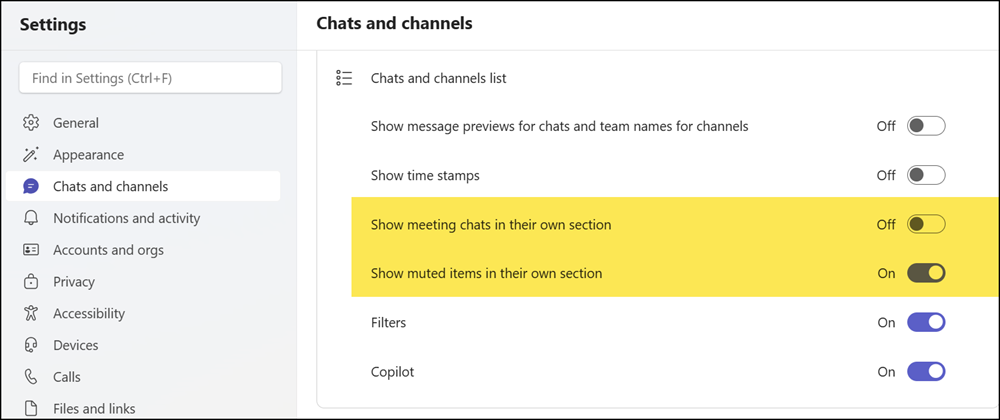
Your users may have noticed that if they mute a Teams chat, Teams now informs them the chat has been moved to a dedicated Muted section at the bottom of the message list. This is a new default setting from May.
**************
Updated 22 July 2026:
Microsoft pulled the update and plans to relaunch the rollout by September 2026.
Updated 23 September 2026:
The rollout should be completed by November 2026.
**************
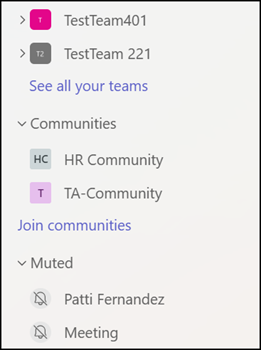
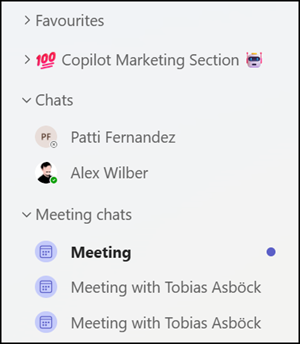
The same setting is available for meeting chats. The difference is that the meeting chats section is disabled by default, unlike the muted chats section.
- Muted chats (including muted meeting chats) are moved to the new Muted section by default.
- Active meeting chats are not automatically moved to the new meeting section.
- You can always reorder the muted or meeting sections as needed.
- Users can update their preference in Teams settings.
- This update is available on all platforms (Windows, Mac, Web, iOS, and Android).