Microsoft will reduce the eCDN analytics data retention from 360 days to 180 days, from the time the data is generated. Existing analytics records older than 180 days are automatically deleted and are no longer accessible.
Timeline
The updated 180-day retention period takes effect on Monday, 27 July 2026.
How does this affect organizations?
Teams administrators and other accounts with permissions can open Microsoft eCDN analytics reporting at admin.ecdn.teams.microsoft.com/analytics, which is used for Teams Live Events, Town Halls, and Viva Engage streaming events.
These analytics data are currently stored for 360 days and will be reduced to 180 days starting on 27 July 2026. Data collection and how analytics are surfaced in the dashboard remain unchanged. Existing analytics records older than 180 days from their generation date are automatically deleted and are no longer accessible. There is no additional setting to extend or shorten the retention window.
Administrators should export the analytics data if older data is needed. The analytics dashboard offers a CSV export, by default limited to 1,000 records.
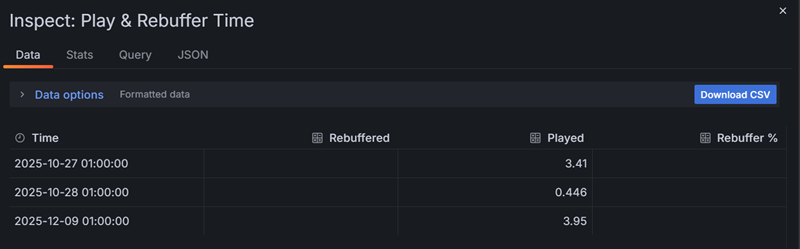
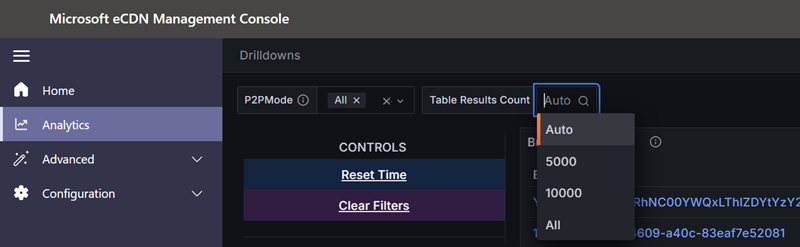
This 1,000-record limit can be increased using the Table Results Count setting in the Drilldowns view.
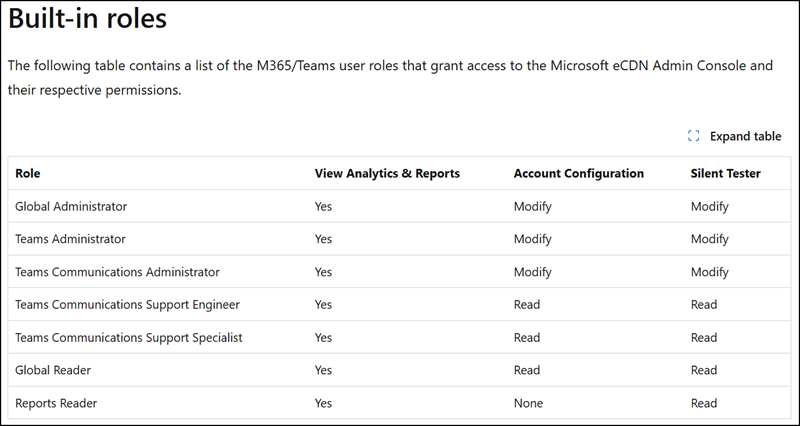
As Microsoft notes, administrators with built-in roles can access the eCDN Admin Console by default.
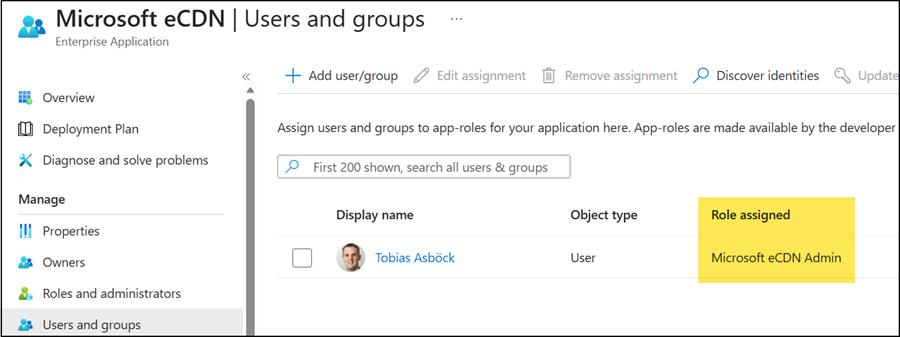
Alternative access to the Microsoft eCDN Admin Console (including analytics) is managed via role assignments (Admin, Writer, or Reader) in the Microsoft eCDN Enterprise app (app ID 4b84634b-ff80-426f-bdc2-4299b1584916). The Admin and Writer roles currently have the same permissions.