
Outlook Mobile will give users more control over what happens to meeting invitations after they respond. With this update, users can decide whether meeting invitations stay in their inbox or are removed automatically once they have replied. This brings Outlook Mobile in line with the behavior already available in Outlook on the web and the new Outlook, making the experience more consistent across platforms.
Users will find the new option in Outlook Mobile under Settings > Calendar > Delete Invite after RSVP.
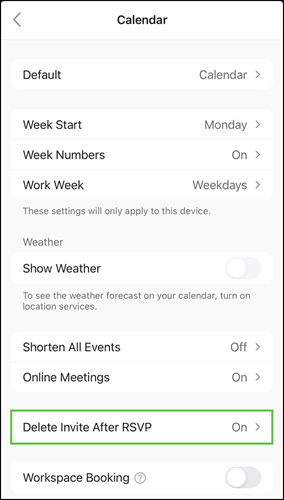
Users can choose to keep meeting invitations in their inbox after responding, or have them automatically deleted, which remains the current default for all connected mailboxes. Shared mailboxes are also supported.
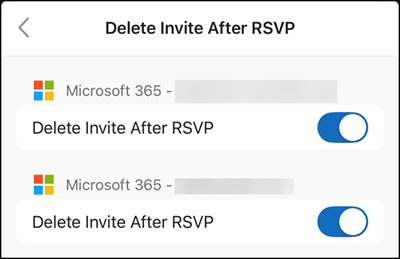
The setting follows users across Outlook Mobile, Outlook on the web, and the new Outlook, so the choice only needs to be made once.
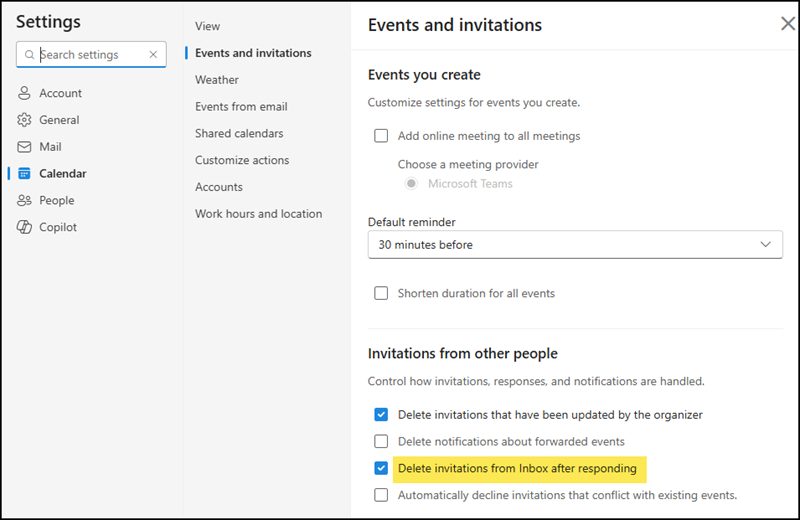
The rollout should be completed in May 2026 and applies to all Outlook users.
