
Microsoft has released a new cloud policy setting, allowing administrators to prevent the creation of tenant-owned Loop workspaces via the Loop web or mobile app.
When this setting is enabled, the “New workspace” option in the Loop app becomes unavailable, and the only valid way to create workspaces is through standard channels in Teams, which are connected to and managed by existing Microsoft 365 Groups.
- The new policy is “Not configured” by default, meaning users can create a new Loop workspace via the Loop apps.
- When enabled, it affects new workspaces created via the Loop web and Loop mobile app. The policy has no impact on existing Loop workspaces.
- Due to a current bug or incomplete rollout, the new policy should not be enabled for now, as it will block new Loop workspaces in Teams Standard channels too; read the details below.
Timeline
The rollout of the new cloud policy should be completed in May 2026.
How does this affect your organization?
This update builds on the capability released in April 2025, which allows Teams users to create a new group-connected Loop workspace.
Administrators now find a new Office Cloud policy “Require Existing Microsoft 365 Group for New Loop Workspaces“.
This policy controls how member rosters are created when setting up Loop workspaces. It determines whether an existing Microsoft 365 Group is required for roster management, lifecycle governance, and compliance, or if independent tenant-managed rosters are allowed.
- If you enable this policy setting, users cannot create Loop workspaces directly in the Loop app. The Create workspace button is disabled and displays a tooltip directing users to create workspaces within Teams channels. Workspaces created in Teams channels are always associated with a Microsoft 365 Group and are managed as group-based workspaces.
- If you disable or do not configure this policy setting, users can create workspaces from Teams channels, which are Microsoft 365 Group-managed, or create shared Loop workspaces with independent rosters. Independent roster workspaces are lifecycle-managed similar to SharePoint communication sites, but are not managed by a Microsoft 365 Group.
With the new policy enabled, end users can no longer create tenant-owned workspaces directly from the Loop web app or mobile app.
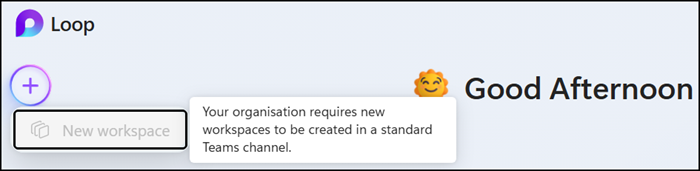
Workspace creation must instead be initiated from the Loop app within Teams Standard channels, where the workspace inherits the management and ownership of the associated Microsoft 365 Group. Visit the support page for more information.
Administrators can use this to ensure new Loop workspaces are governed consistently with existing SharePoint Team site processes.
However, when the policy is enabled, there is a bug, or part of the rollout is still missing. Users are not allowed to create a group-connected Loop workspace via a Teams Standard channel.
Can’t create workspace
Your organization requires new workspaces to be created in a standard Teams channel.
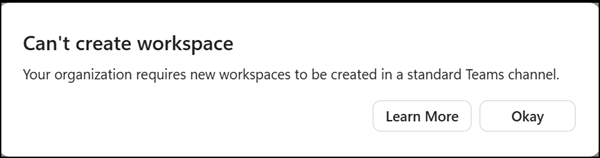
So far, I haven’t found a cause or solution to this issue. Recommended Loop settings for Teams are enabled in the SharePoint tenant.

It is really frustrating, as users keep creating a new, empty Loop Teams tab, only to get the same error.
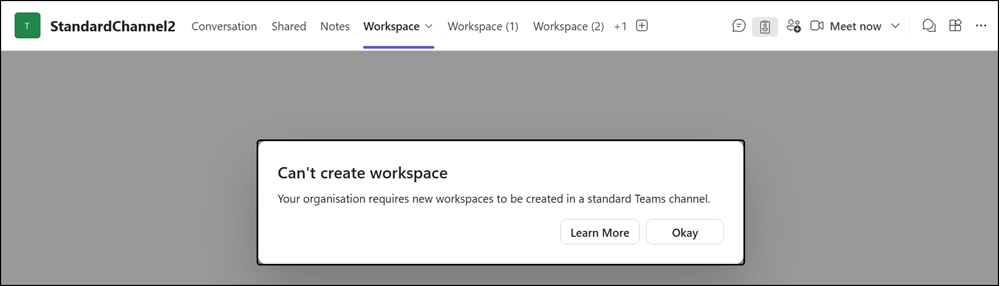
Disabling the policy restores workspace creation in the Teams channel. An update to the policy can take up to 8 hours.
Two additional remarks:
- Enabling the new cloud policy also affects other Loop use cases, such as automatically created workspaces for Teams meeting content.
- Team owners still cannot delete group-connected workspaces, but SharePoint administrators can. Microsoft never mentions this option for SharePoint admins.
