
Microsoft has released independent admin settings for Viva Engage Communities and Storylines in Teams. These new settings allow administrators to enable or disable each experience within Teams separately, while existing settings in the Viva Engage admin center remain unchanged.
Teams administrators should review and configure their preferred settings before Communities in Teams reaches general availability in June 2026. If no action is taken, both features are enabled by default.
Timeline
The updated Teams settings should be available on 26 May 2026.
How does this affect your organization?
Until now, Teams administrators had a single setting for Viva Engage in Teams.
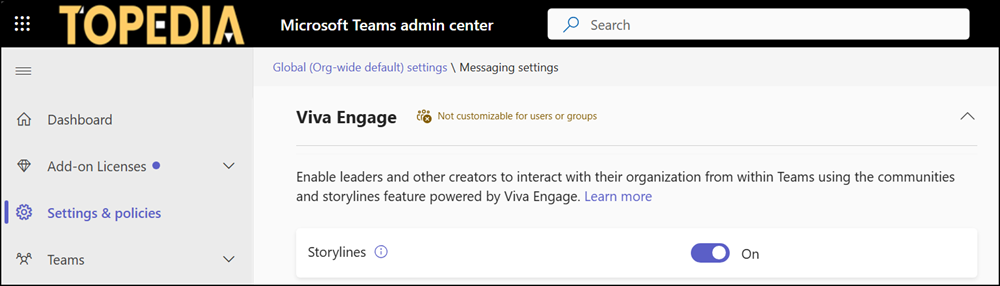
That setting controlled both Storylines and Communities within Teams.
- Storylines in Teams are available since July 2025.
- Communities in Teams have been in Public Preview since February. General availability is scheduled for June 2026.
Microsoft has now separated the two features with an additional setting, making each one independently manageable.
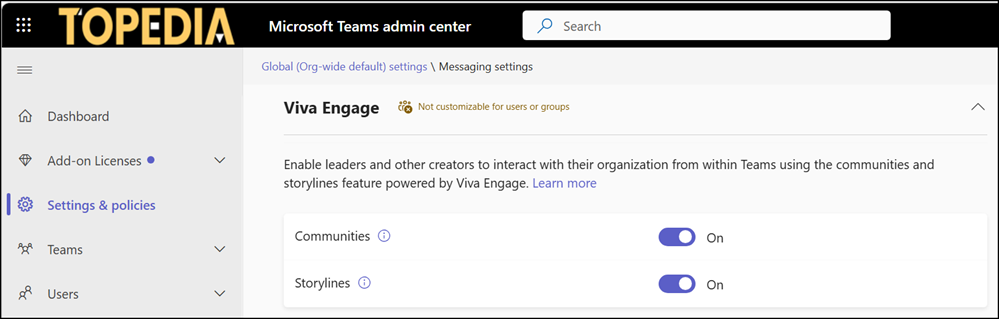
Both settings, Storyline and Communities (new), are also available in the Teams Messaging Configuration. Both are enabled by default and still undocumented.
- Communities: Controls visibility of Viva Engage Communities within Teams. Enabled by default.
- Storylines: Controls visibility of Viva Engage Storylines within Teams. Enabled by default.

The matrix below shows how the settings behave across Teams and Viva Engage.
| Feature | Teams setting | Viva Engage setting | Result in Teams | Result in Viva Engage |
|---|---|---|---|---|
| Communities | Enabled | N/A | Available | Available |
| Disabled | N/A | Not available | Available | |
| Storylines | Enabled | Enabled | Available | Available |
| Disabled | Enabled | Not available | Available | |
| N/A (ignored) | Disabled | Not available | Not available |
