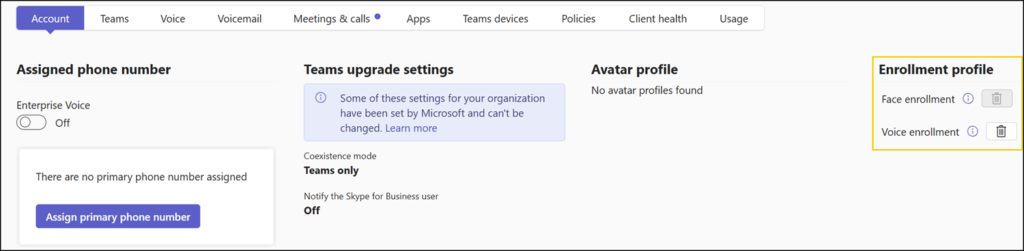
Microsoft has added a new report in the Teams Admin Center to provide admins visibility into user voice and face enrollment data over the last 180 days.
There is no change to the default enrollment behavior. Existing policies and user controls remain unchanged.
Timeline
The rollout should be completed.
How does this affect your organization?
Microsoft has been offering the Voice and Face enrollment feature in Teams since Q4 2024.
Voice and Face enrollment let Microsoft 365 services recognize individual users during meetings and in shared spaces, enabling more personalized, accurate AI-driven experiences.
By default, both options are enabled. Users must manually enroll their voice and/or face. A Teams administrator can disable voice and face profiles for users.
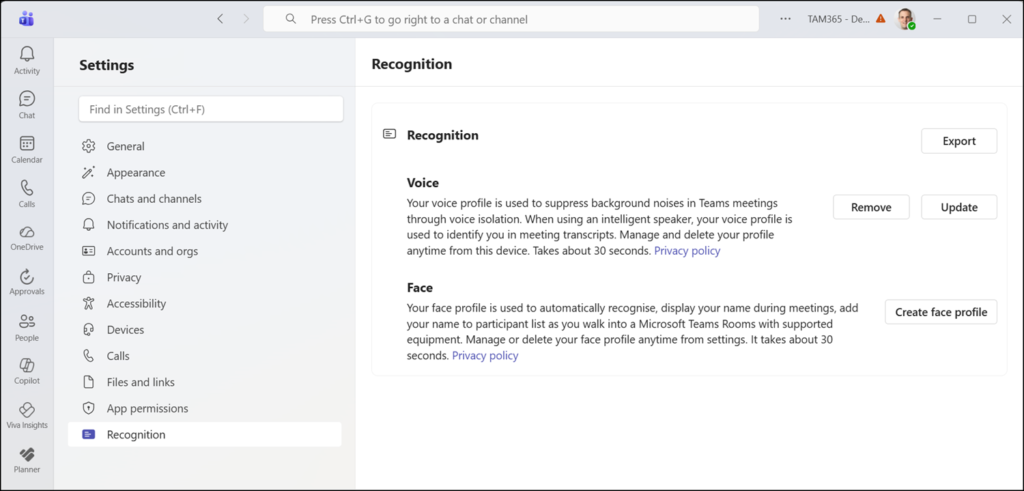
A Voice and Face enrollment report is now available in the Teams admin center.
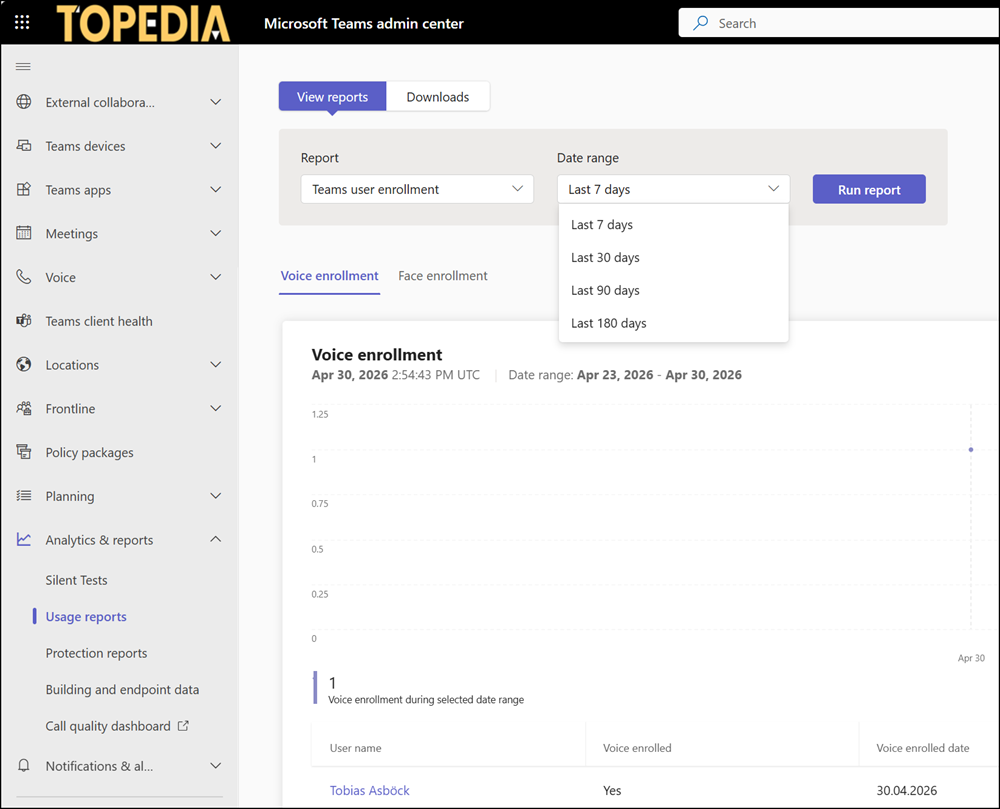
The report surfaces enrollment status, counts, and aggregate metrics across the tenant for the last 180 days, giving admins insight into the adoption of features that depend on voice or face profiles.
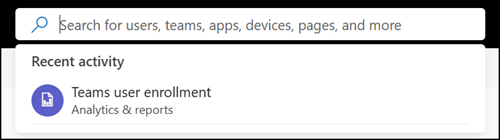
Navigate to the Teams admin center > Analytics & Reports > Usage reports and select the “Teams user enrollment” report, or use the Teams admin search to locate it directly.
I enrolled myself to verify the report behavior in my test tenant. The report updated surprisingly fast. A new enrollment was included almost immediately.
Admins can select enrolled users to remove their voice or face enrollment data. As a reminder, a voice and face profile that hasn’t been used for one year is automatically removed.
Deleted enrollment data is permanently removed. Affected users must re-enroll to continue benefiting from features such as speaker attribution or personalized AI meeting experiences.