
Microsoft is retiring the Require verification by participants (CAPTCHA) setting for meeting join across Teams desktop, web, and mobile experiences.
- This retirement aims to improve accessibility, reduce friction at meeting join, and modernize protections against automated participants.
- A new bot-detection capability will give organizers increased visibility and control during the join process. The transition from CAPTCHA challenges to bot detection is staged to ensure no gap in baseline bot protection.
Timeline
- Starting in May 2026: The CAPTCHA setting will be locked in meeting policies and can no longer be enabled.
- End of July 2026: The CAPTCHA setting is removed in meeting policies (from PowerShell).
- End of August 2026: The CAPTCHA setting is removed in meeting policies (in the Teams Admin Center).
The timeline may be postponed depending on the rollout of the new bot-detection capability.
How does this affect your organization?
Currently, when anonymous users and guests from untrusted organizations join a Teams meeting or webinar, they may need to complete a CAPTCHA challenge before being admitted.
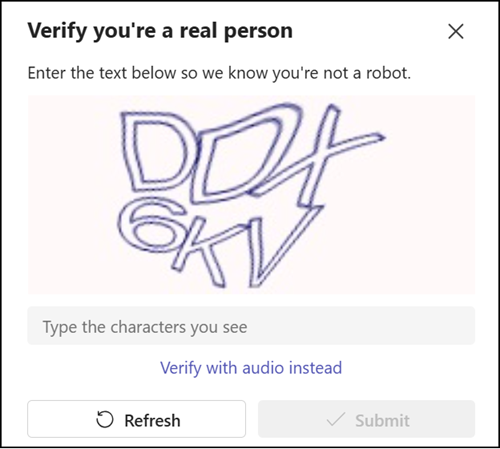
This CAPTCHA challenge will be retired and replaced by a new bot-detection capability, as announced in MC1251206 / roadmap ID 558107, scheduled for May to June 2026. The bot detection capability will provide baseline protection, and bots will require organizer approval to join meetings.
With the CAPTCHA meeting policy setting retired, CAPTCHA challenges will no longer appear during meeting join.
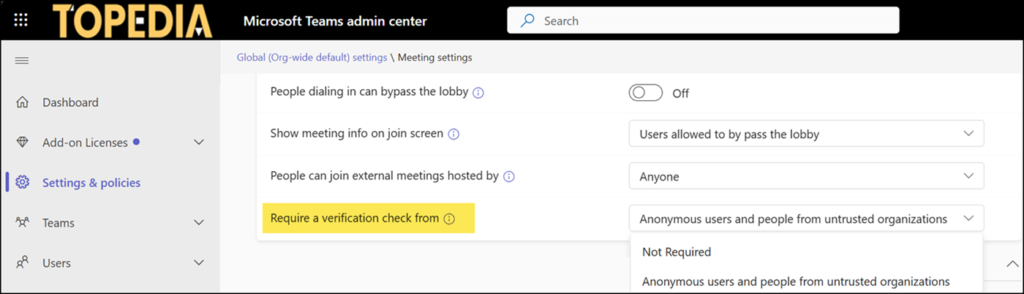
The affected property is CaptchaVerificationForMeetingJoin in your meeting policies.
CaptchaVerificationForMeetingJoin
Require a verification check for meeting join.
Possible values:
- NotRequired: CAPTCHA not required to join the meeting. This is the default value.
- AnonymousUsersAndUntrustedOrganizations: Anonymous users and people from untrusted organizations must complete a CAPTCHA challenge to join the meeting.

The meeting policy setting is “Require a verification check from” in the Teams Admin Center.
Organizations should use the upcoming bot detection capability to manage automated participants without adding friction for human attendees. The capability identifies external meeting assistant bots during join and prompts organizer approval where appropriate.
