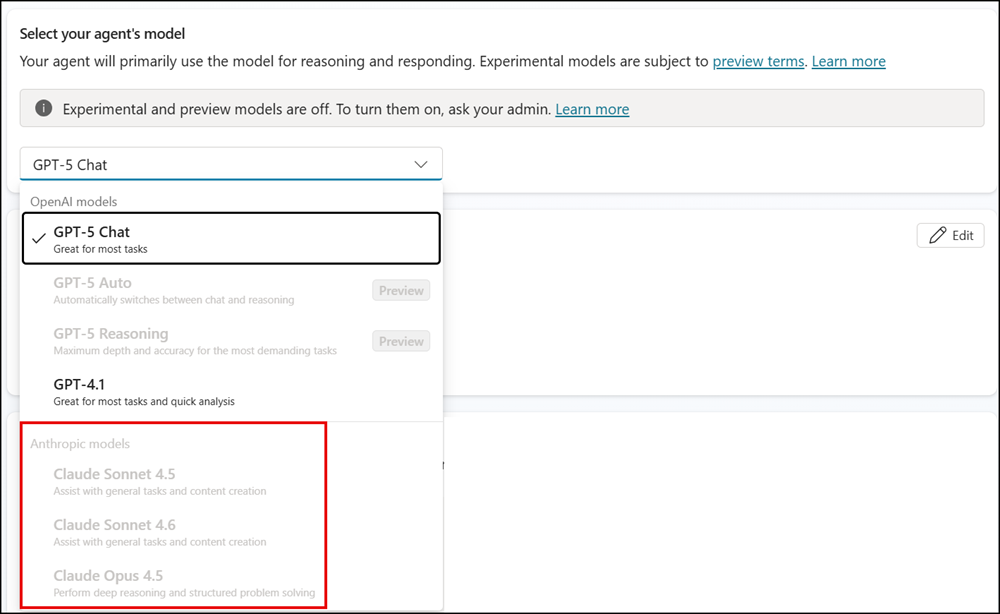
Currently, third-party model access providers (such as Anthropic) in Microsoft 365 Copilot and Copilot Studio can be toggled on or off at the tenant level. This update adds a new control that lets admins assign access to specific users or Entra ID groups.
This update applies to organizations using third-party model providers (Anthropic or xAI) in Microsoft 365 Copilot or Copilot Studio. xAI is available only in the US.
Timeline
The rollout should be completed in April 2026. Government clouds are excluded from this rollout.
How does this affect your organization?
AI Administrators can now use the Microsoft 365 Admin Center to assign third-party model provider access to specific users or Entra ID groups. The assignment applies at the provider level, not the individual model level, and is enforced across Microsoft 365, Power Platform environments, and Copilot Studio.
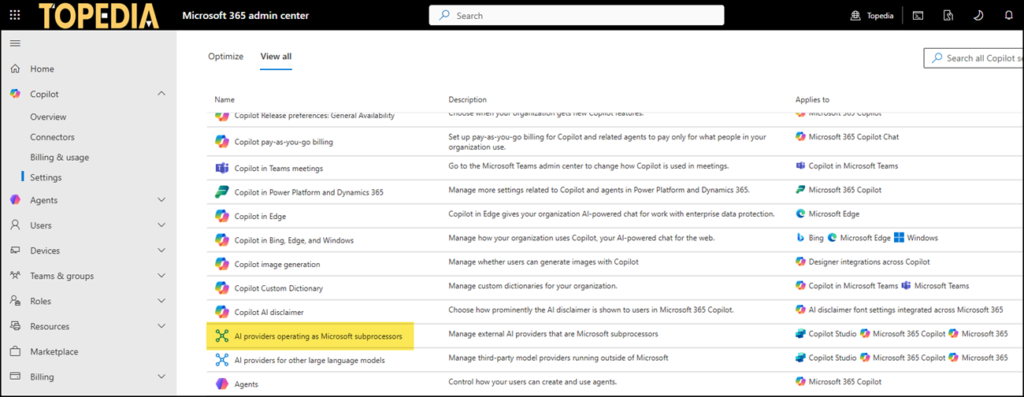
Admins should verify their existing configuration:
- If Anthropic was previously enabled, the setting has been updated so that “All users” can use it.
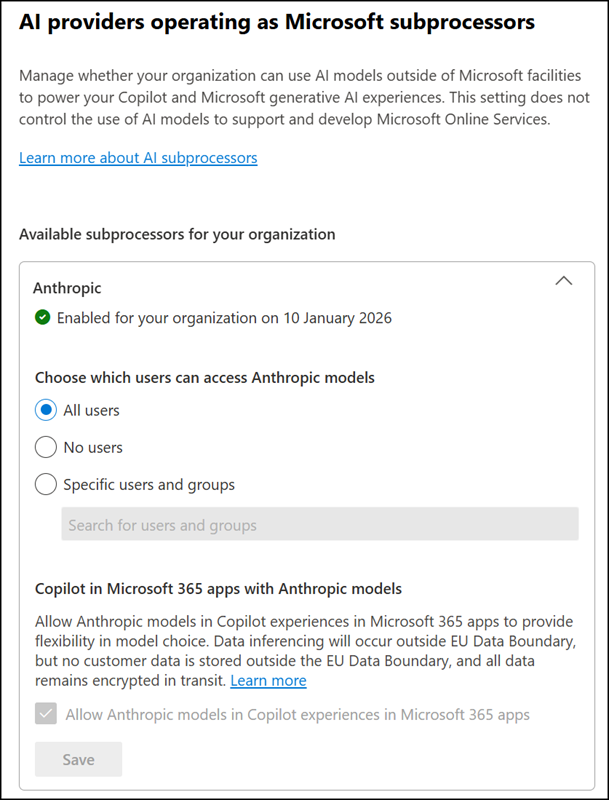
- If Anthropic was previously disabled, the setting has been updated so that “No users” can use it.
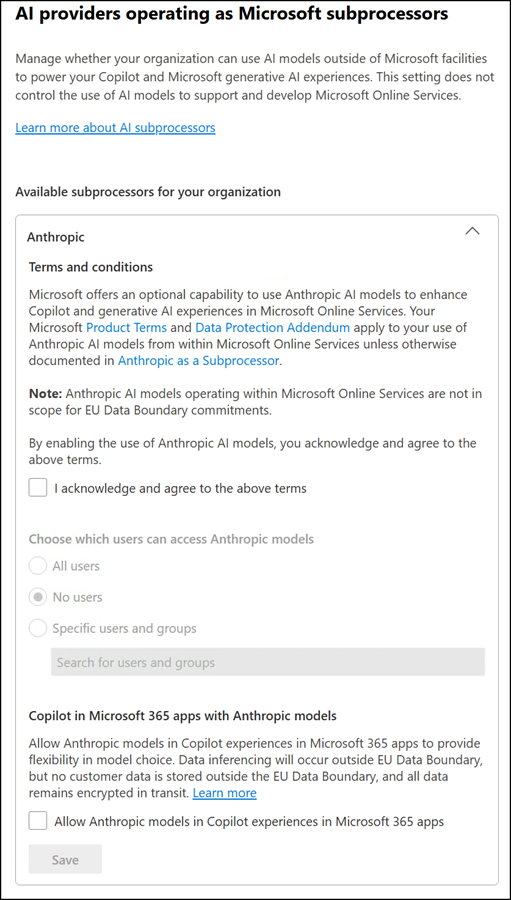
- Changes to these settings can take several hours to take effect. The 15-minute timeframe shown in the UI shouldn’t be taken as a reliable estimate.
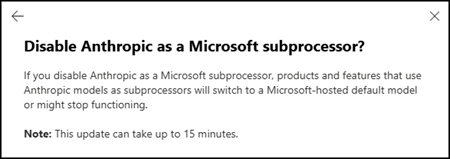
Other tenant settings are not automatically migrated to user or group assignments. Admins who want to restrict access must configure assignments manually.
- Access can be assigned to users or groups, granting or restricting access to a specific third-party model provider for selected users or Entra ID groups rather than the entire tenant.
- Entra ID nested groups are supported; up to 999 users and groups in combination can be assigned per provider.
- Assignments apply at the provider level; all models from a given provider are affected; per-model control is not available.
- Anthropic models deployed in Microsoft offerings are still excluded from the EU Data Boundary and from in-country processing commitments.
AI Administrators should review their current Anthropic and xAI provider settings in the Microsoft 365 Admin Center and determine which users or groups should retain access. Any agents or Copilot Studio experiences that could be affected by scoping access to a security group should be updated accordingly.
If Anthropic has been disabled in the M365 Admin Center, the Power Platform Admin Center will display an information notice stating Anthropic is unavailable as a model provider.
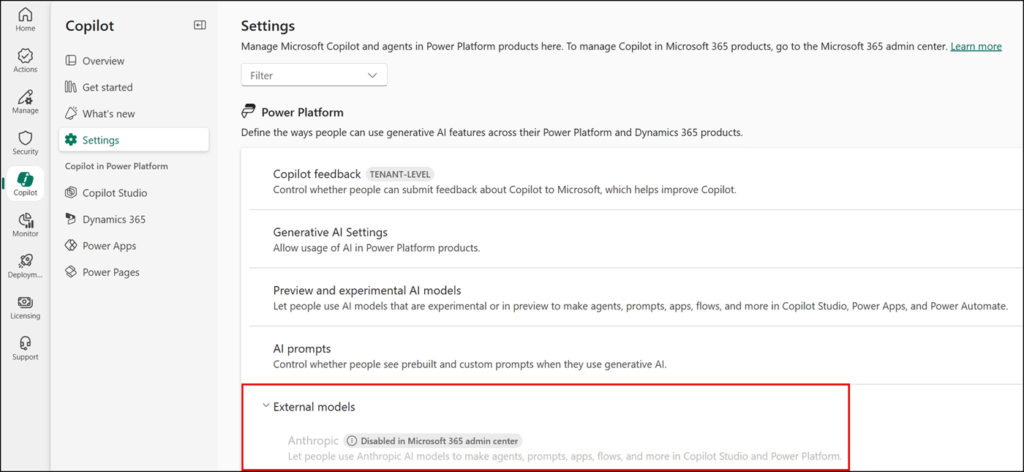
This also affects any Copilot Studio agents configured to use Anthropic models, as those models will no longer be available.