
Microsoft will enable Teams user reporting in Defender for Office 365. With user reporting, users can report suspicious messages, calls, and meetings in Teams, helping detect phishing, spam, impersonation, malicious content, and other threats. The updated setting collects the reported submissions in the Defender portal and, depending on the configuration, submits them to Microsoft.
This update will affect tenants with Defender for Office 365 Plan 1 or Plan 2 that have not already enabled the Teams user reported setting in the Defender admin portal.
Timeline
- 7 October 2026: Microsoft moved the Teams user reporting setting in Defender to a dedicated settings page and enabled it by default.
- Between 7 and 15 October 2026: Updated user reporting settings may not be reflected during the transition phase.
- Starting 25 October 2026: Defender will use the updated user reporting setting unless an administrator has updated or disabled it manually.
How does this affect your organization?
Microsoft moved the Teams user reported settings from Email settings to a new Teams settings page.
Security administrators can find the setting in the Defender admin portal under Setup & configuration > Settings > Email & collaboration.
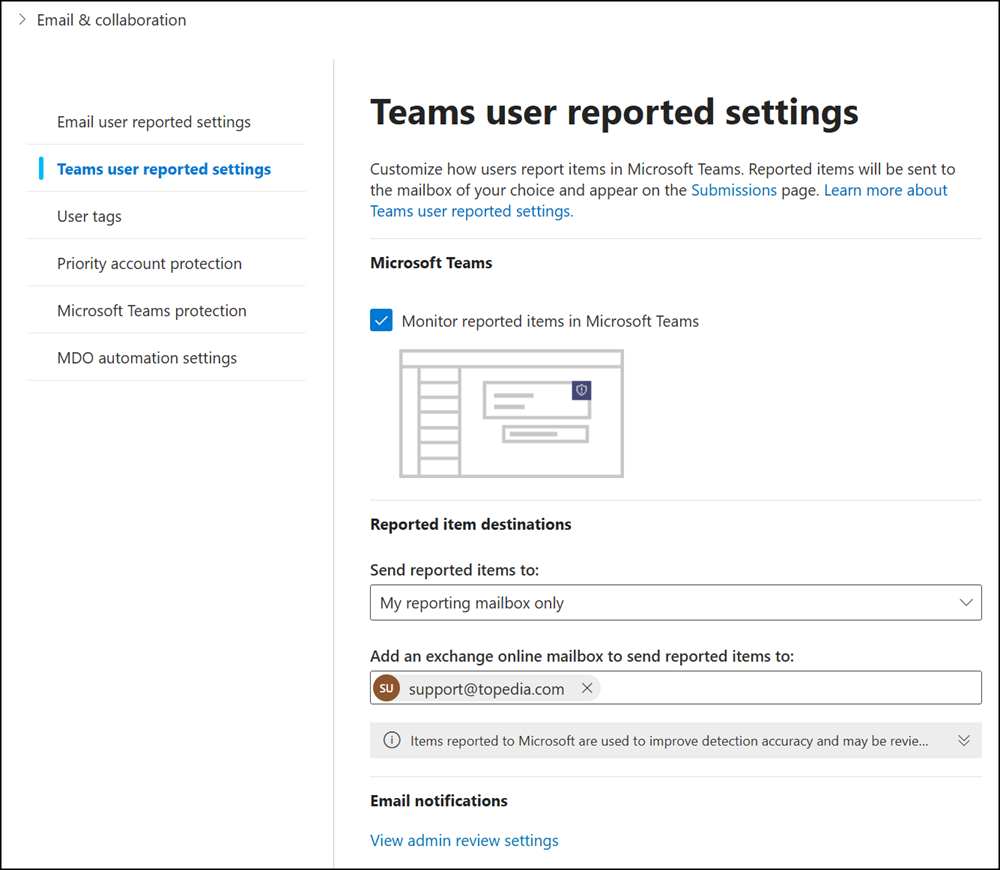
- If this setting was already enabled, Microsoft moved the previous settings to the new page. No changes are needed for your organization. The setting is already enabled in newly created tenants.
- If the setting was previously disabled, Microsoft moved it to the new page and enabled the configuration in all existing tenants. The setting was disabled in older tenants. Microsoft uses the default configuration, so reports will be sent to Microsoft.
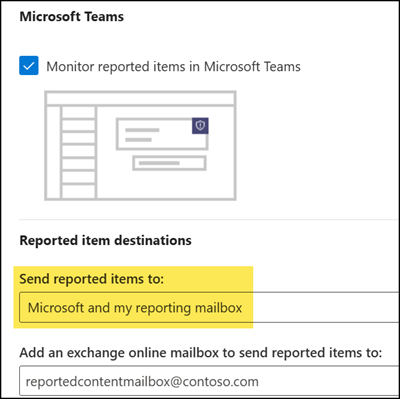
- Organizations should also review all the user reported settings in Teams policies, as described in User reported settings in Teams – Microsoft Defender for Office 365. The user reported setting in Defender only enables Defender to collect these user submissions.
The Teams policy settings are already enabled by default, including:- Report a security concern in messaging policies
- Report incorrect security detections in messaging policies
- Report suspicious calls or group calls in calling policies
- NEW: Report suspicious meeting participants in meeting policies
Users can report suspicious messages, calls, and meetings directly from Teams. Reportable security risks include phishing, spam, impersonation, malicious content, and phishing URLs.
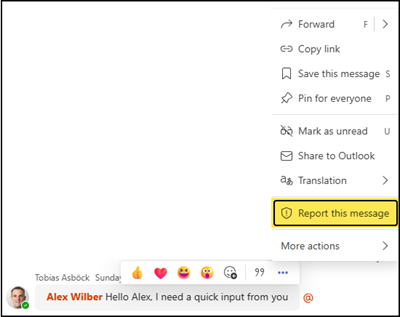
Reported content is submitted to the destination an admin has configured (and to the Microsoft default destination) and is then available for security analysis.
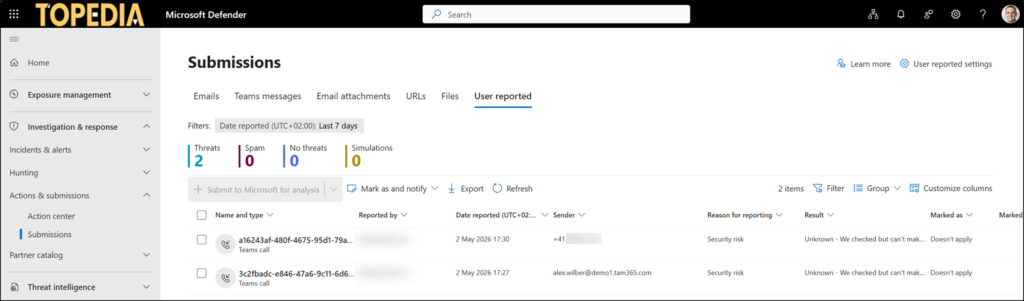
Organizations that do not want Defender user reporting enabled must opt out before 25 October 2026.
Administrators who keep the default should review the reported destination and how the security team wants to receive submissions.
Note:
If user reporting is disabled in Defender but enabled in Teams policies, these submissions are also available in the new Teams Security Detection Report, introduced in August 2026.
