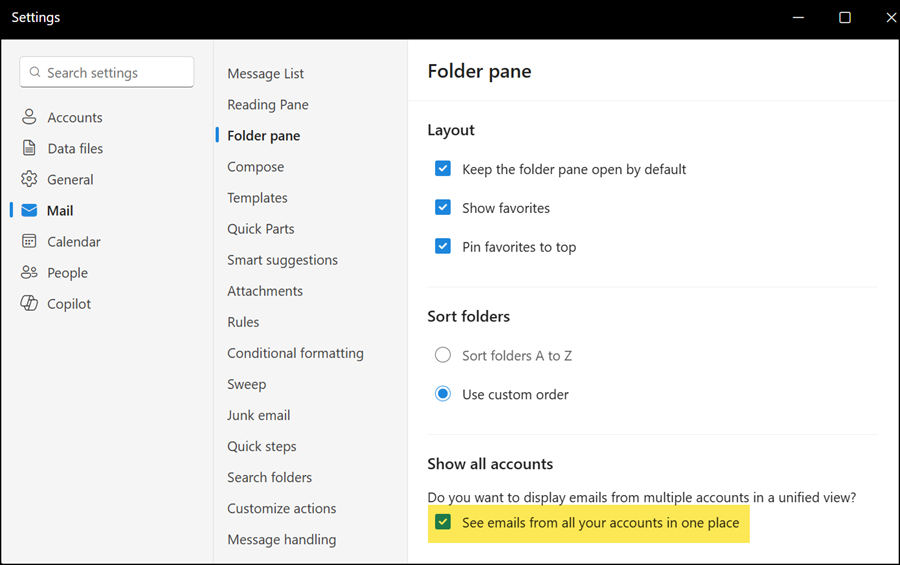
Microsoft is enabling a new unified Inbox view in the new Outlook for Windows. Users may already be familiar with the unified Inbox in Outlook Mobile.
The unified Inbox lets users view emails from multiple accounts in a single inbox, without merging their mailboxes. Each account’s inbox stays separate, but the unified view brings them together so users can triage email in one place. Users can read, delete, move, archive, and mark messages across accounts without switching between mailboxes.
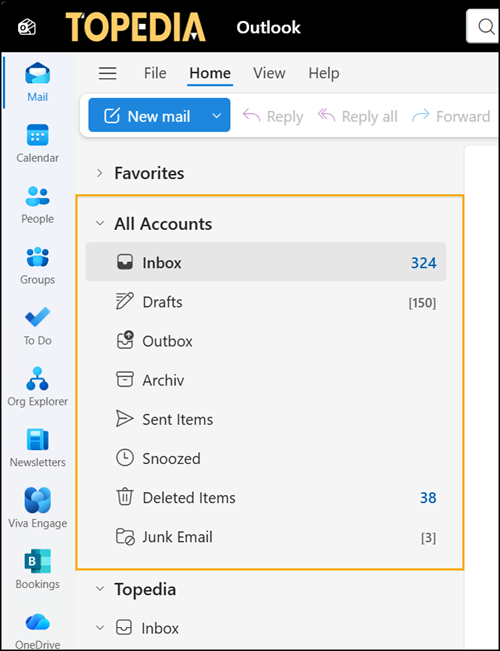
- The unified Inbox supports Copilot for AI-assisted email workflows, but search currently finds messages only in the primary account.
- The unified Inbox does not yet include emails from a shared mailbox.
- Cross-account search and shared mailbox support should follow in later releases.
- The unified Inbox is not available in Outlook Web.
Unified Inbox in the new Outlook is enabled by default. Users can disable it if preferred.
Open Outlook Settings > Mail > Folder pane and disable the option to show all accounts.