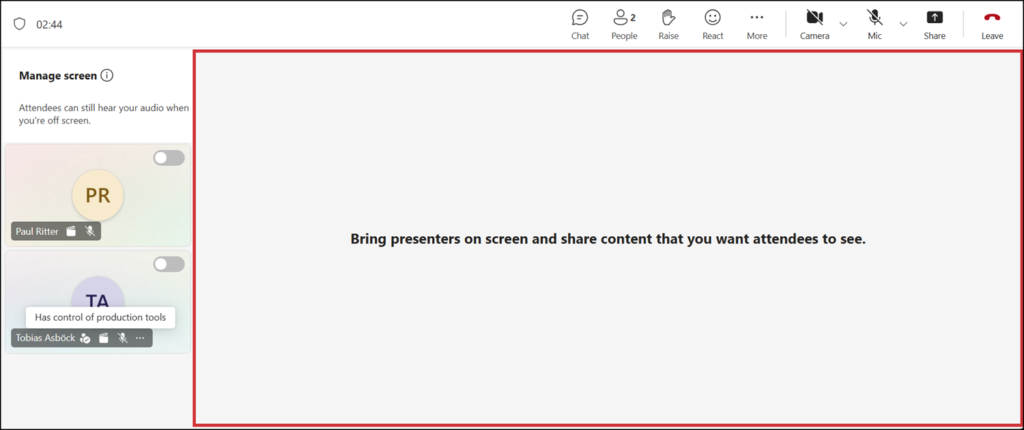
Microsoft is extending the Who has control of production tools option in Teams. This option has been available for town halls since July 2025 and is now also rolling out to meetings and webinars.
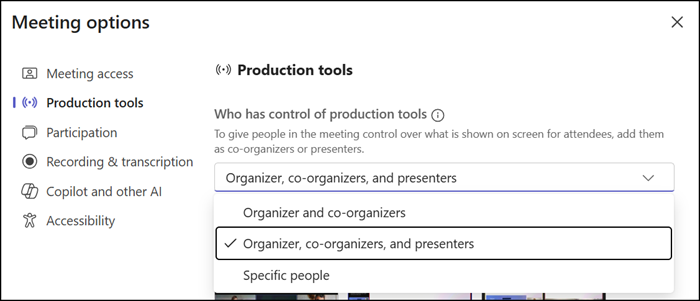
Also, Microsoft is adding support for assigning production control to guest users. Organizers can now designate who manages production during an event, including federated (B2B) users and guest users.
This update does not change existing events or automatically modify configurations.
Timeline
- The rollout for guest user support in production tools should be completed in August 2026.
- The extension for “Who has control of production tools” in meetings and webinars should be completed in September 2026.
Updated 15 September 2026:
The rollout should be completed by October 2026.
How does this affect your users?
Microsoft is adding the same option to meetings and webinars that it added for town halls in July 2025. Organizers of meetings with presenters and webinars will see a new option, Who has control of production tools, in meeting options. Organizers can use it to designate specific users to manage production experiences during the event, separating production responsibilities from presenter responsibilities where needed.
The choices are the same as in town halls:
- Organizers and co-organizers
- Organizers, co-organizers and presenters > This is the default
- Specific people
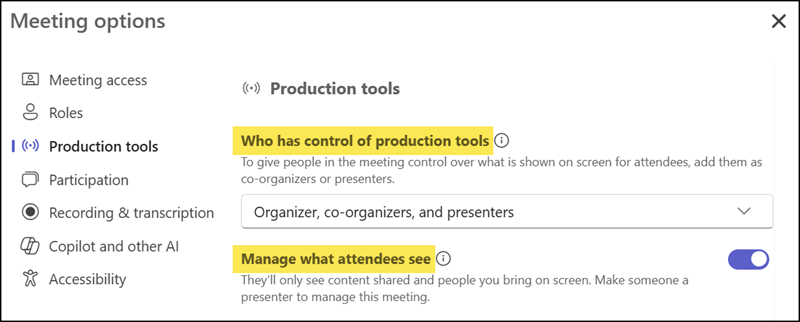
Organizers should not forget the “Manage what attendees see” option, as it relates to the production tools.
- Manage what attendees see controls what content and presenters appear on the live feed during an event, such as bringing people on or off screen and switching shared content.
- Who has control of production tools is the setting that decides who can operate the previous control.
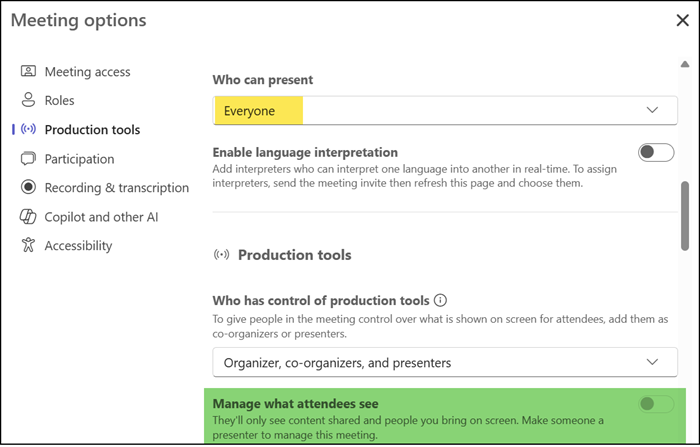
“Manage what attendees” is disabled in meetings if Everyone can present. An organizer must update the presenter setting to enable this option.
Guest user support for production tools
Event organizers who work with external presenters, production vendors, agencies, or trusted partners can now grant production control to federated (B2B) users and guest users through the same Who has control of production tools setting. Authorized external presenters can manage production controls and determine what attendees see during an event, without requiring internal staff to run production.
Below is a sample with both configurations.
I invited a trusted guest user to a meeting. The guest has control over the meeting’s production tools, marked with a production tools symbol.