
Microsoft is updating the “Report a security concern” feature in Teams. The feature will soon be available in Teams meetings and group calls. Both capabilities let users report suspicious, malicious, or potentially fraudulent activity directly from a meeting or group call. The feature is intended to help organizations identify and investigate threats such as phishing, impersonation, and scams.
Report a security concern is available for organizations with a Defender for Office 365 Plan 1, Plan 2, or Microsoft Defender XDR.
Timeline
The rollout should be completed in October 2026.
How does this affect your users?
Users can now report suspected phishing attempts, impersonation, social engineering activity, scams, or other security concerns within Teams meetings or group calls.
Teams meeting:
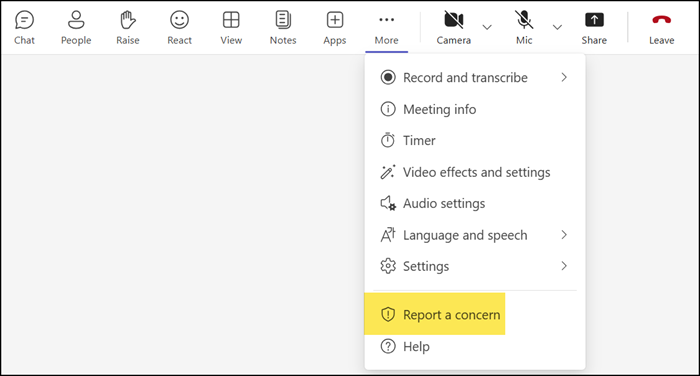
Users will find the new Report a concern option in the More actions (…) menu during an active meeting…
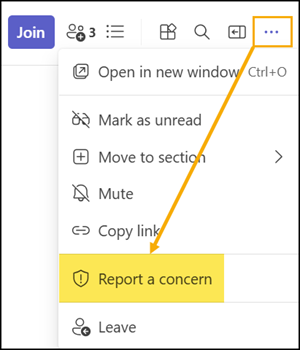
…and the meeting chat header for both scheduled and Meet now meetings.
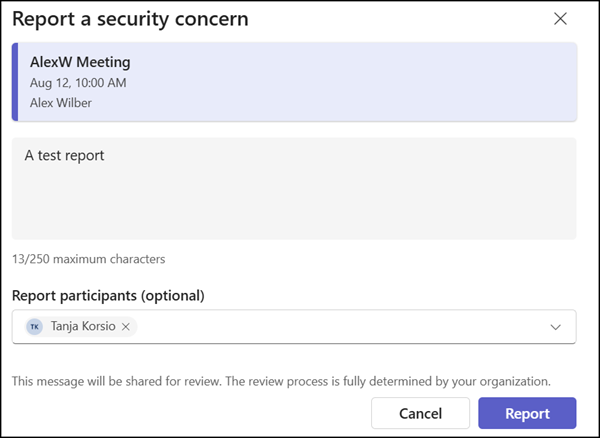
Users can enter a short note about the concern and optionally report the suspicious participants.
Group call:
In May 2026, Microsoft introduced the option to report a suspicious Teams call. Group calls were not yet supported at that time.
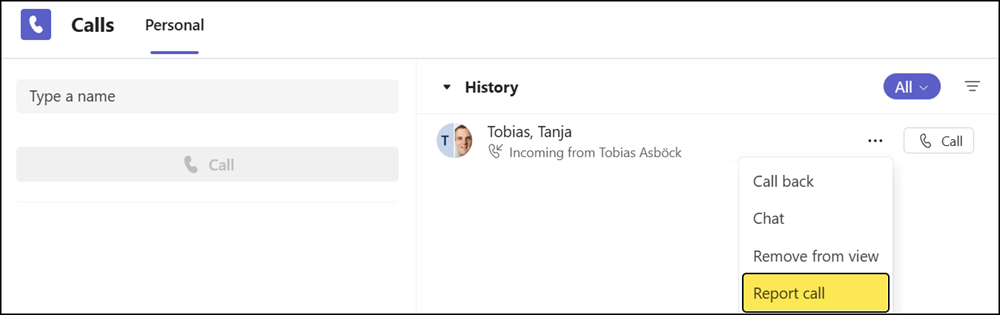
This update extends the reporting capability to group calls. Users will now also find the Report call option for group calls in the call history of their Teams client.
For both meeting and group calls, when a report is submitted, relevant meeting or call metadata and limited contextual information are collected to support investigation and remediation.
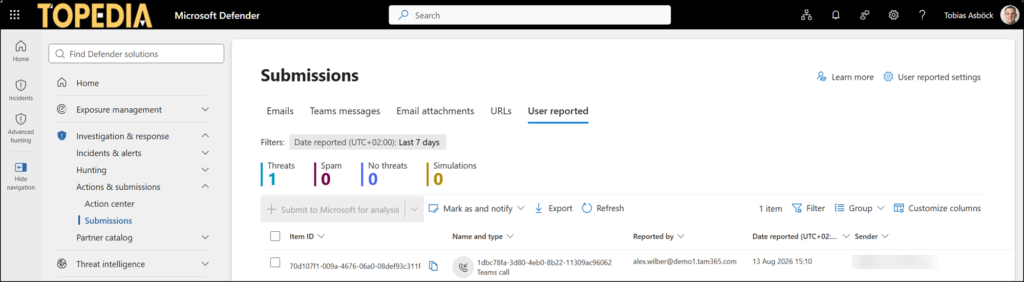
Security administrators can investigate reported meetings and calls in the Defender security portal at Investigation & Response > Submissions > User reported, and act according to their organization’s own security processes and policies. The meeting reports are not yet available.
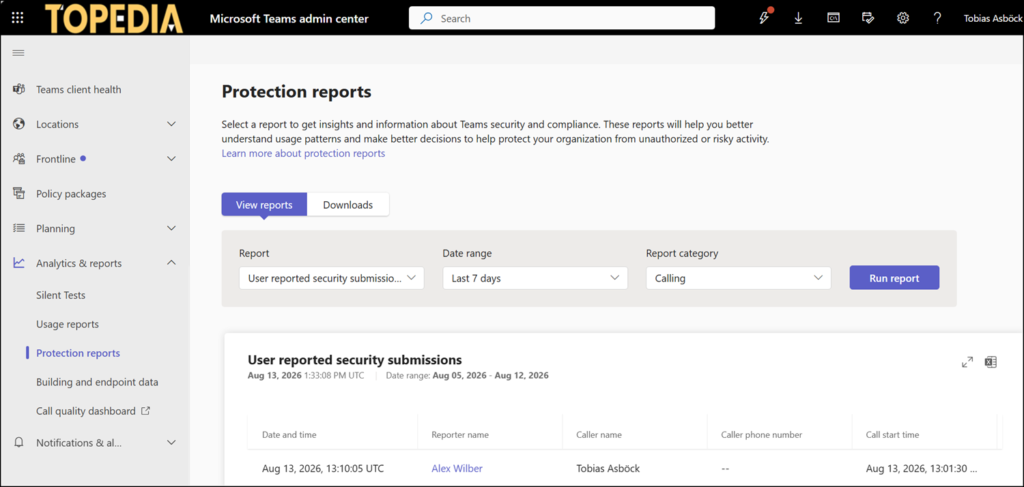
Also, a Teams administrator now finds these submissions in the Teams admin center as a report under Analytics & Reports > Protection reports > User reported security submissions, currently in preview. Meeting reports are not yet available. The report can be exported to obtain more details about the submission.
Reminder:
User-reported submissions for Teams must be enabled in the Defender admin portal and in the Teams admin center. Read the documentation on how to configure it: User reported settings in Teams – Microsoft Defender for Office 365 | Microsoft Learn
