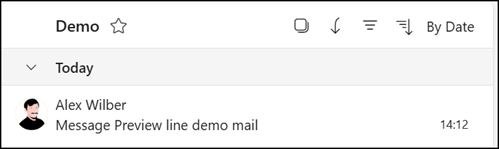
Variable number of message preview lines in Outlook

Outlook on the web and the new Outlook now include an option to define the message preview lines.
Until now, the default was one line per message preview.
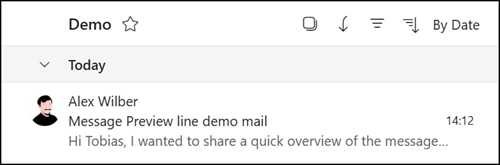
Message preview with one line

A new setting now lets users show no line, one line (default), or two lines.
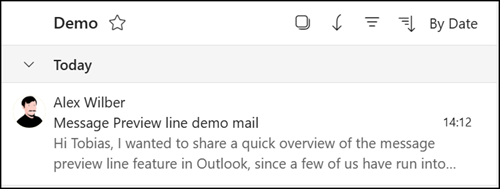
Message preview with two lines
Message preview with no lines

Users can change this either in the Outlook settings > Email > Message List…
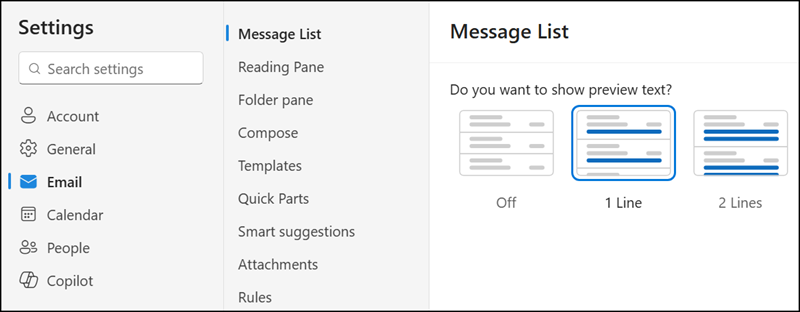
Update the Outlook settings

…or in the ribbon bar under View > Messages > Message preview.
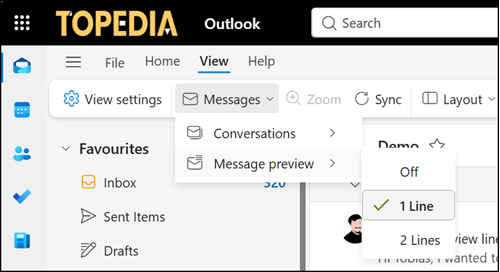
...or change the view settings
…or change the view settings
Avatar photo

Tobias Asböck

Tobias is a Senior System Engineer with more than 10 years of professional experience with Microsoft 365 products such as SharePoint Online, SharePoint Premium, OneDrive for Business, Teams Collaboration, Entra ID, Information Protection, Universal Print, and Microsoft 365 Licensing. He also has 15+ years of experience planning, administering, and operating SharePoint Server environments. Tobias is a PowerShell Scripter with certifications for Microsoft 365 products. In his spare time, Tobias is busy with updates in the Microsoft 365 world or on the road with his road bike and other sports activities. If you have additional questions, please contact me via LinkedIn or [email protected].

Leave a Comment