
Microsoft has improved how users attach files in Teams chats and channels. When using the attach file picker during the quick sharing experience, users can now search for cloud files directly within the picker, rather than browsing folders to find what they need.
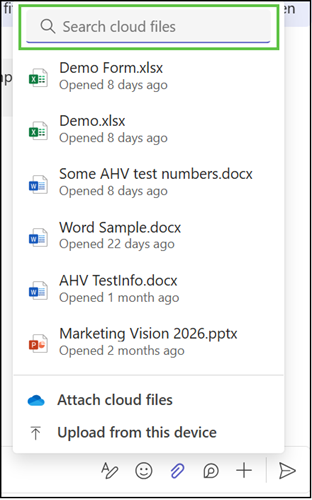
This change should make it faster and easier to find the right file when sharing. Instead of navigating through OneDrive or SharePoint folder structures, users can type a search term and find the file they need right away.
- Search results only show files users already have access to, so existing permissions and visibility for others remain unchanged.
- The improvement applies only to cloud files already stored in OneDrive or SharePoint.
The rollout should be completed in June 2026 on Teams for Windows, Mac, and Web. Teams Mobile is not included.
Updated 8 July 2026:
The rollout should be completed in July 2026 on Teams for Windows, Mac, and Web. Teams Mobile is not included.
Updated 2 September 2026:
The rollout should be completed in September 2026 on Teams for Windows, Mac, and Web. Teams Mobile is not included.
