
Microsoft is improving how @mentions, shared contacts, and @tags behave when users copy and paste messages across Teams chats and channel conversations. Previously, pasting a message containing mentions could strip their interactivity and convert them to plain text.
This improvement applies to Teams for Windows, Teams for Mac, and Teams for the web.
Timeline
The rollout should be completed in June 2026.
Updated 15 July 2026:
The rollout should be completed in July 2026.
Updated 3 September 2026:
The rollout should be completed in September 2026.
How does this affect your users?
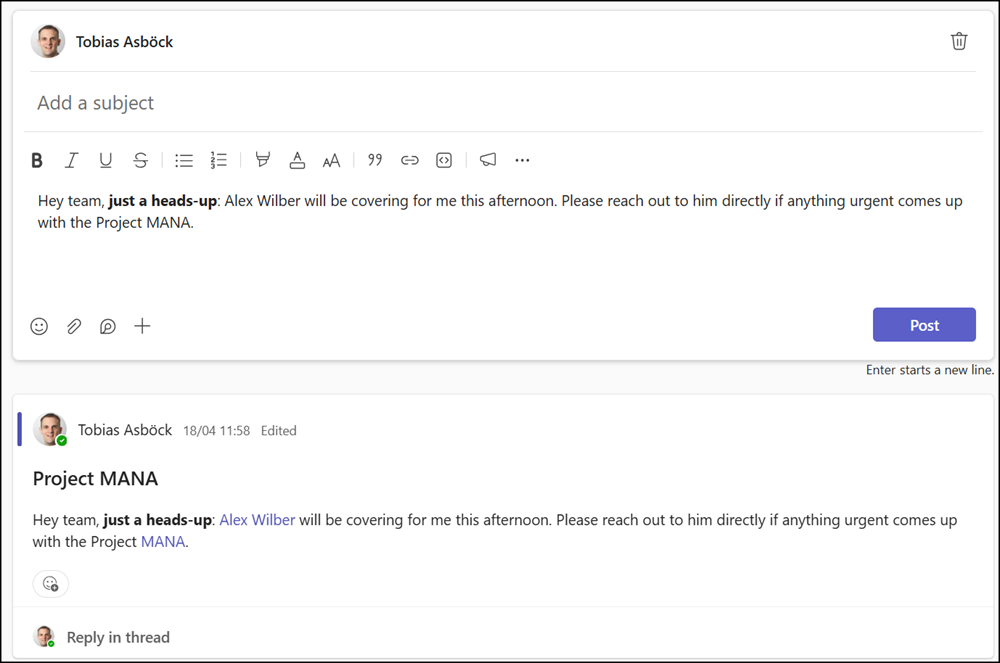
Previously, copying and pasting a Teams message pasted it as plain text, meaning @mentions, @tags, shared contacts, and other formatting were removed, as shown in the sample from April below.
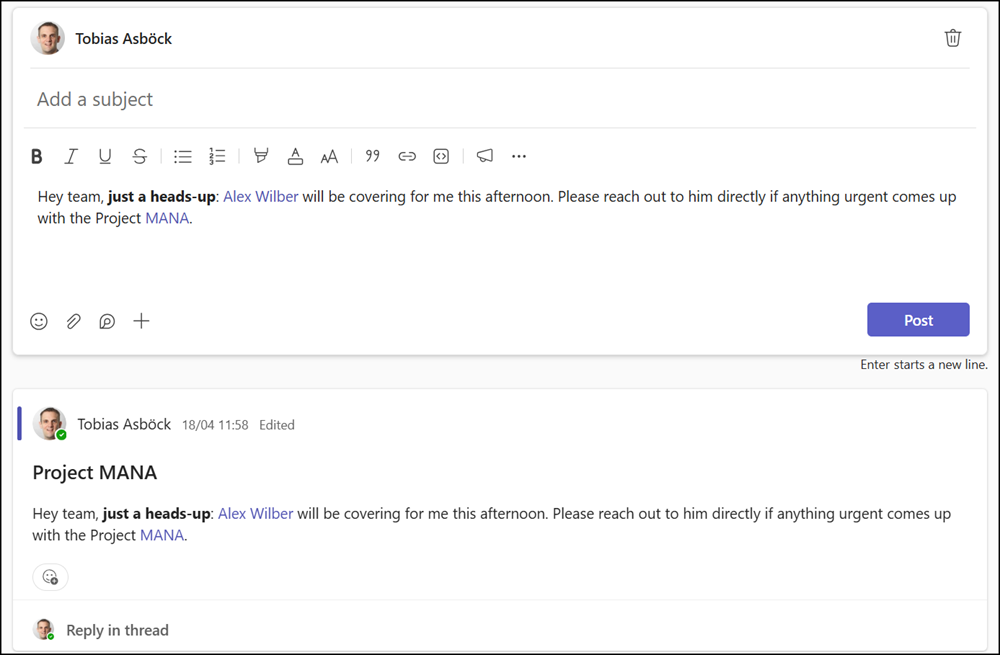
Using CTRL+C and CTRL+V today preserves all these formats in both chats and channel conversations.
Three additional details worth noting:
- To revert to the previous behavior, use CTRL+Shift+V, which always pastes as plain text.
- When a tag is valid in the destination conversation, the tag is preserved as interactive and behaves identically to how it was originally authored.
- When a tag cannot be used in the destination context (due to membership, permissions, or scope limitations), the tag falls back to plain text while retaining the original display text.
