
Microsoft is adding a built-in mechanism to let users flag suspicious or unwanted one-to-one Teams calls directly from their call history. Call metadata and limited contextual information from submitted reports are shared with the organization and Microsoft, enabling security teams to investigate and act on potential threats.
- Report a suspicious call is available on Windows, Mac, and web clients.
- A Defender for Office 365 Plan 1 or Plan 2 is required.
Timeline
The rollout state is unclear, as some settings and reporting parts have not yet been implemented.
How does this affect your organization?
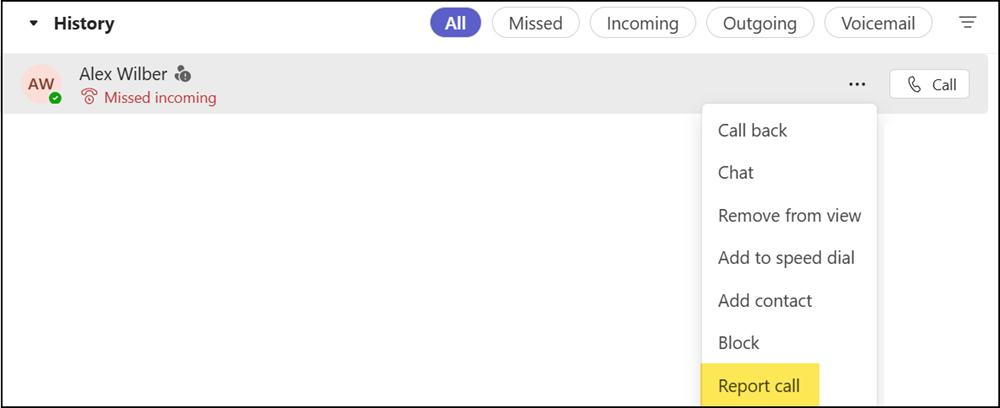
The “Report call” option is enabled by default in Teams clients and appears in the call history context menu for one-to-one calls. Users access it by selecting More next to any call entry, then choosing Report call. Group calls are not supported.
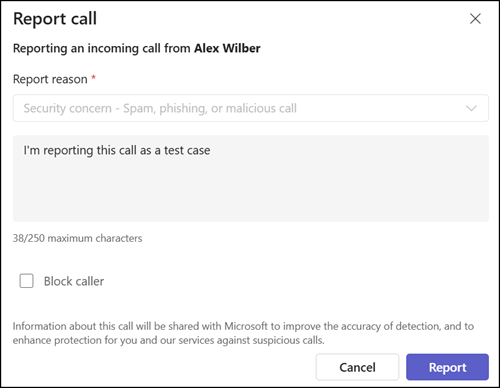
Users can provide a brief reason and, optionally, block the caller.
Submitted reports are available in two locations:
- Microsoft Defender portal
Security members find reported call instances in the Defender admin portal under User-reported submissions, alternatively by email (if configured).
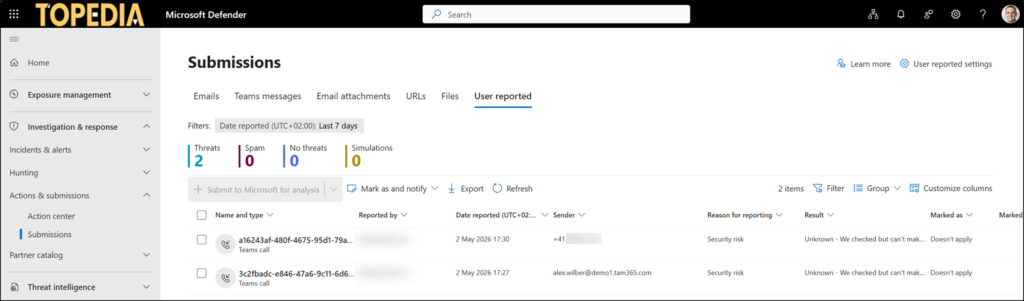
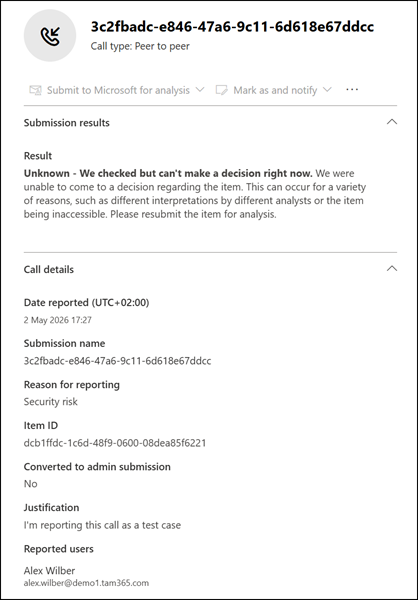
Additional details, such as the reporting reason, are also available there.
- Teams Admin Center (pending)
According to Microsoft, security admins should be able to enable or disable call reporting in the Defender portal, but this option is still missing. Without it, the Teams admin center does not include submission data in the Analytics & Reports > Protection Reports > User-reported security submissions report. The report is missing.
Report a suspicious call is enabled by default in the global Teams calling policy. Look for the property ReportCall, which is currently undocumented.

It is unclear whether Microsoft has actually completed the rollout or forgot a part of it.
