
The Frontier Admin Control is being updated to unify how administrators manage access to experimental Frontier features across all Microsoft 365 apps, platforms, and agents. This change replaces per-app enrollment with a single control point.
- The update relates to the new three-tier release model, as posted a few days ago.
- This update is also relevant to organizations with users in the Microsoft 365 Apps release channels Beta Channel, Current Channel (Preview), or Current Channel.
- The update currently applies to users with a Microsoft 365 Copilot license.
Timeline
The rollout should be completed in April 2026.
How does this affect your organization?
Frontier access is now managed through a single enrollment control, replacing any previous per-app or per-platform configuration.
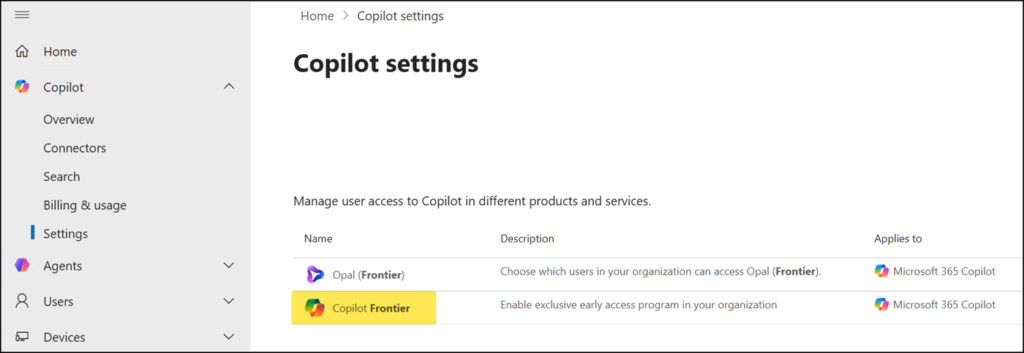
Administrators should know the following behavior changes after rollout:
- Only individual users enabled in the Frontier Admin Control can find, install, and use Frontier features. No other admin control manages access to Frontier features. Entra ID groups are not supported.
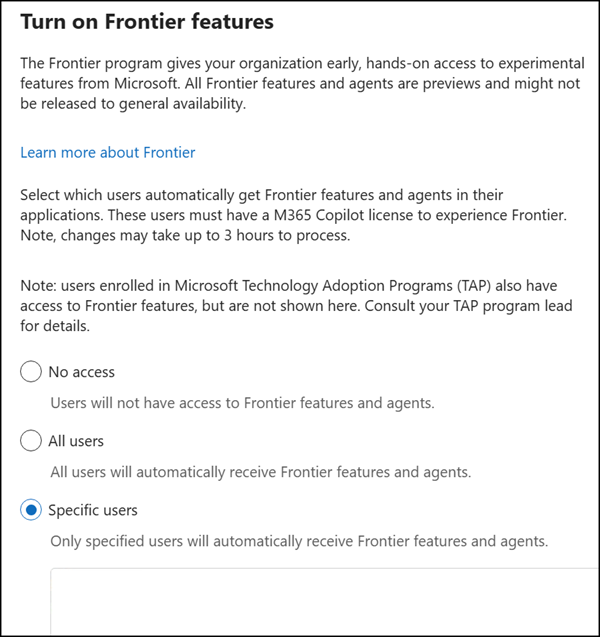
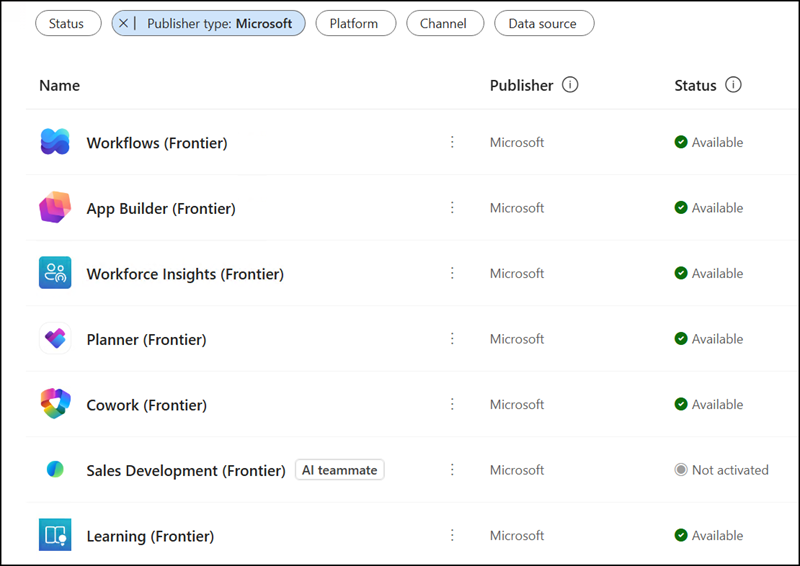
- Agents in Frontier mode published after rollout require Frontier enrollment to be accessible.
Agents published before rollout remain available to all Microsoft 365 Copilot-licensed users without additional enrollment.
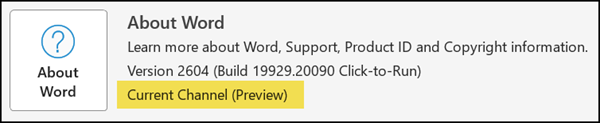
- Users in the Beta Channel are enabled for Frontier features by default (but just in Microsoft 365 desktop apps), regardless of their state in the Frontier Admin Control.
- Users in Current Channel (Preview) or Current Channel are enabled for Frontier features only if they are added to the Frontier Admin Control.
- Frontier features in Microsoft 365 Apps apply to the Word, Excel, and PowerPoint desktop apps. As a reminder, a Microsoft 365 Copilot license is required to use Copilot Frontier features.
Admins should review current Frontier Admin Control assignments to confirm that the intended users are enrolled, particularly if agents published after rollout are expected to be available to specific groups.
