Microsoft is rolling out simplified 8-digit numeric-only Teams meeting passcodes to reduce friction when participants must manually enter a passcode. The setting is off by default and must be explicitly enabled by a Teams administrator.
Timeline
The rollout should be completed in May 2026.
Updated 16 June 2026:
The rollout should be completed in July 2026.
How does this affect your organization?
By default, Teams generates a complex alphanumeric passcode when a meeting is scheduled, which can be difficult for users who need to enter it manually.
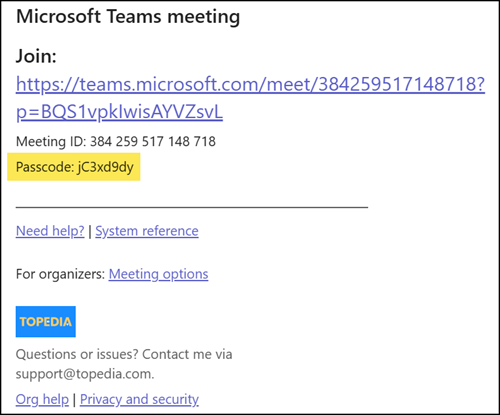
When do I have to enter a meeting passcode?
A passcode is required for security reasons along with meeting id for users to join a Teams meeting.Microsoft Techcommunity
- Meeting ID and Passcode: Users can join a Teams meeting by entering the meeting ID and passcode. This can be done through the Teams app or the web interface.
- Joining via Teams App: Open the Teams app, click on the “Join with ID” option, enter the meeting ID and passcode, and click “Join Meeting”.
- Joining via Web: Users can also join a meeting through the web by clicking on the meeting link, entering the meeting ID and passcode, and selecting their audio and video preferences.
With this update, a Teams administrator can switch from an alphanumeric passcode to an 8-digit numeric-only passcode, making manual entry easier at the cost of increased risk of unauthorized access.
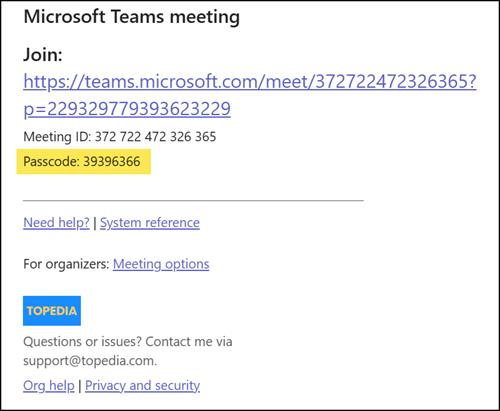
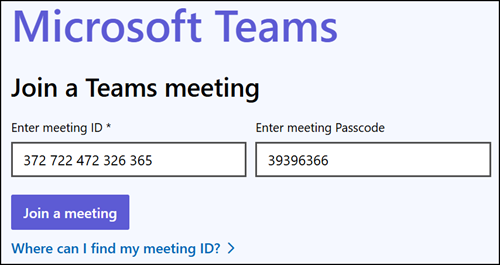
Joining via the Teams web UI using a meeting ID and numeric passcode.
As mentioned, the new numeric passcode setting is off by default.
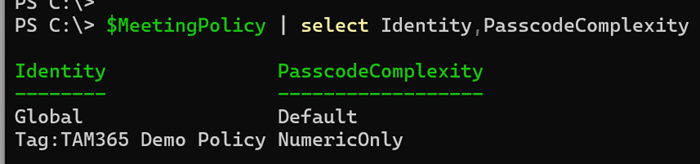
A Teams administrator must update the PasscodeComplexity property in a meeting policy.
PasscodeComplexity
Controls whether meeting passcodes use the system‑default complexity or a reduced complexity using numeric‑only digits. When enabled, meetings scheduled by users to whom this policy applies will use 8‑digit numeric‑only passcodes. Changes apply only to meetings scheduled after the setting is enabled. Existing meetings are not affected. This setting is disabled by default.
Possible Values:
- Default: Alphanumeric passcodes with 8 characters (system default).
- NumericOnly: 8‑digit numeric‑only passcodes with lower complexity for meetings scheduled by users to whom this policy applies. Numeric‑only passcodes increase the risk of unauthorized access compared to the default setting and do not align with Microsoft’s recommended meeting security best practices.
For testing purposes, I created a new policy to enable the numeric passcode. All assigned users will use the numeric passcode for newly scheduled meetings. Teams does not update existing meetings.
Set-CsTeamsMeetingPolicy -Identity <PolicyName> -PasscodeComplexity <Default | NumericOnly>