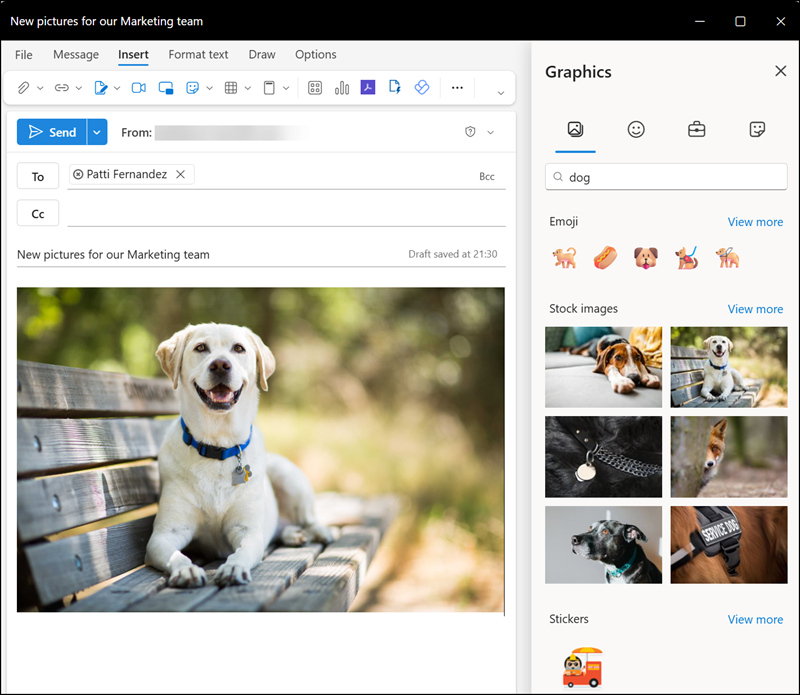
Microsoft is rolling out a new Graphics button in the new Outlook and Outlook on the web, as published on the roadmap in May 2025.
Previously, when composing or replying to an email, you could only insert Pictures.

After the update, Outlook will also offer a Graphics menu with options to insert Emojis, Stock images, or Stickers. Pictures from your organization’s asset library are not yet available. If you’re still using Outlook Classic, you’ll already be familiar with these options, as they exist there in a similar form.
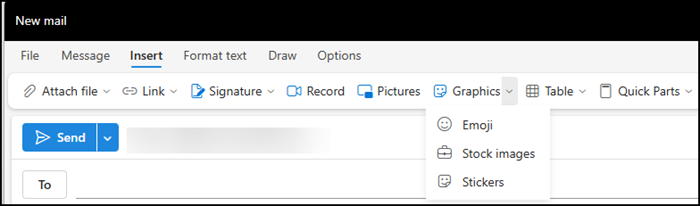
Users can filter by Emojis, Stock images, or Stickers, or search for specific graphics, similar to the experience in Microsoft Teams. Simply click a graphic to insert it into your email.