
Microsoft is rolling out an update to email signatures in Outlook on the web and the new Outlook.
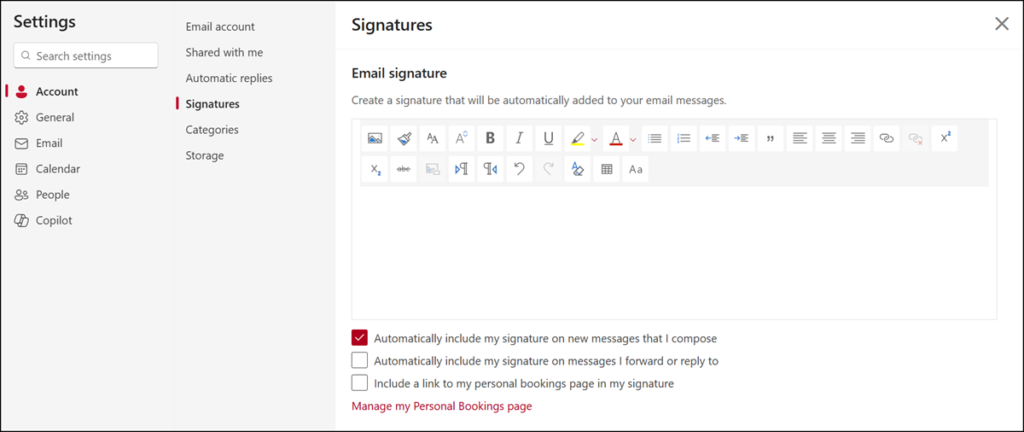
Previously, users could configure only one signature, which was applied to new messages, replies, and forwarded emails. Below is an example of the previous signature experience.
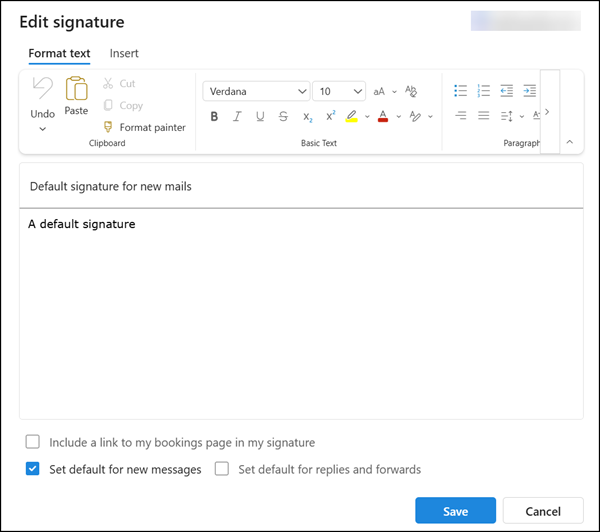
The updated version is similar to the signature experience known from Outlook Classic.
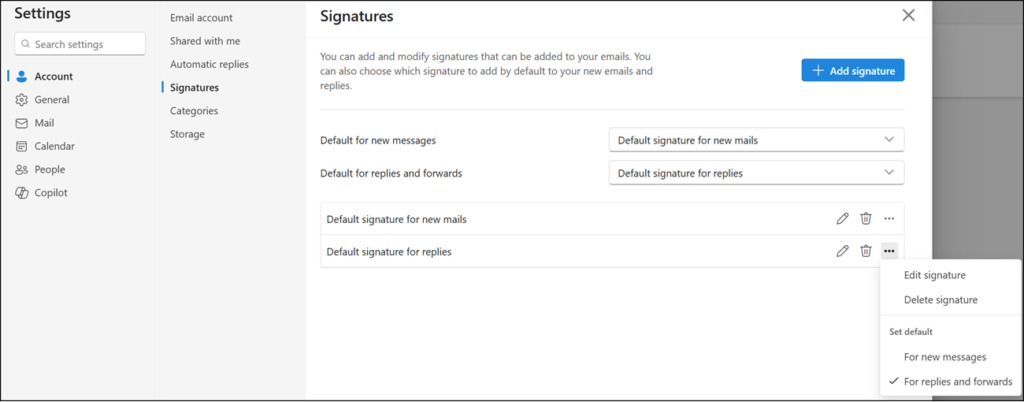
- Users can create and manage multiple signatures.
- Different default signatures can be defined for new messages or replies/forwards.
- A new signature editor allows rich formatting and supports additional elements such as links, images, and tables.
- Users can now add their personal bookings link per signature, provided Microsoft Bookings is enabled for the user. Previously, this setting was limited to a Yes/No option and could not be configured per signature.
All signatures are synchronized with the new Outlook for Windows.
- Users can create or update signatures in either Outlook on the web or the new Outlook. A restart of Outlook for Windows is required to trigger signature synchronization from the web version.
- If users have multiple Exchange accounts connected, they can create and manage multiple email signatures per account.
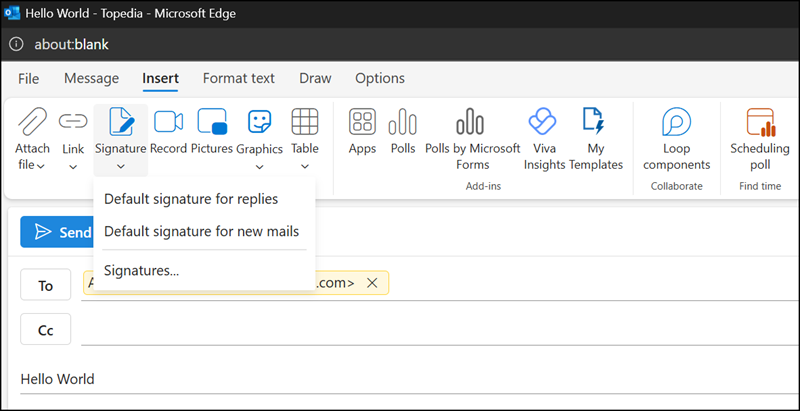
As expected, users can insert any of their predefined signatures directly into an email.
Shared mailbox
- If users reply from a shared mailbox within Outlook (for example, by opening it from the left navigation pane), the predefined signatures from their primary mailbox are available.
- If users open and use the shared mailbox directly in Outlook on the web, the updated signature experience is not yet supported.
Outlook Mobile Apps
The new email signatures are not yet synchronized with Outlook mobile apps. They cannot be selected when composing new messages or replies. As a workaround, users can save the message as a draft and add the signature later using Outlook on the web.
