
Microsoft is rolling out an enhancement that lets users forward multiple messages in Teams. Users can select up to five messages in a chat or channel and forward them together as a single message, while preserving context and order.
This update applies to Teams for Windows, Teams for Mac, and Teams for the web. In the Teams Mobile app, users can read multi-forwarded messages, but cannot forward multiple messages yet.
Timeline
The rollout should be completed in February 2026.
What is changing?
Teams now offers a new option to forward up to five messages at once. This enhancement to message forwarding is useful when several messages are required to fully understand the context of a conversation.
The Forward menu includes a new selection mode for multiple messages. This option is available in chats and channels (only if the channel uses the Threads layout).
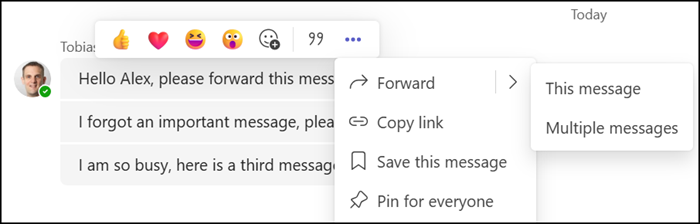
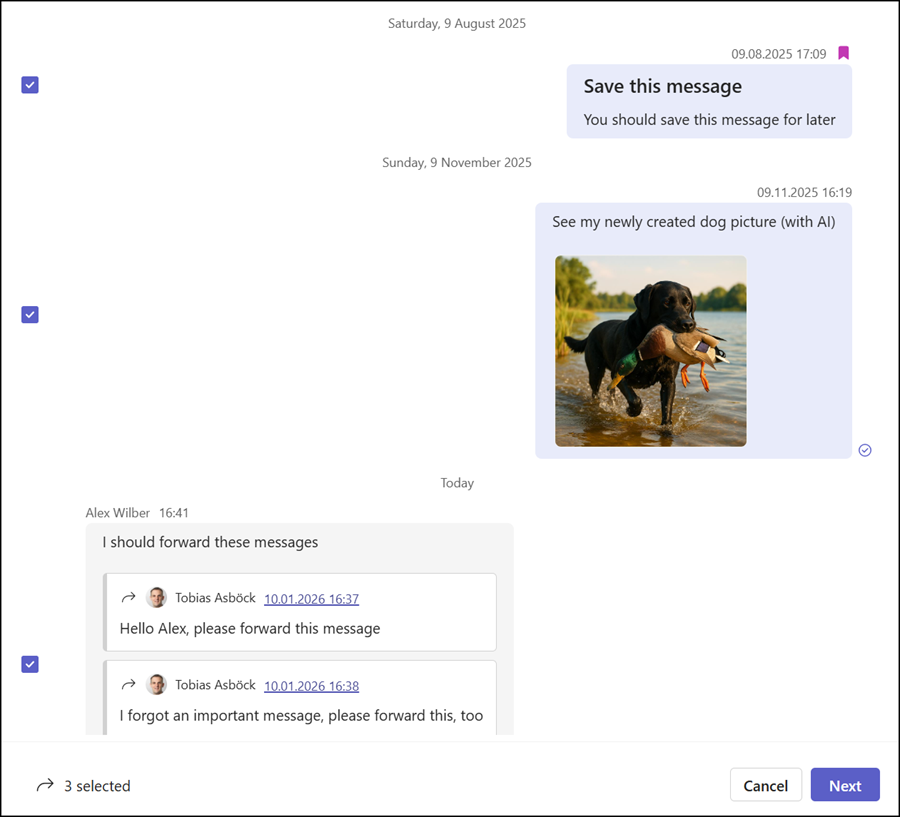
Select up to five messages in a chat or conversation.

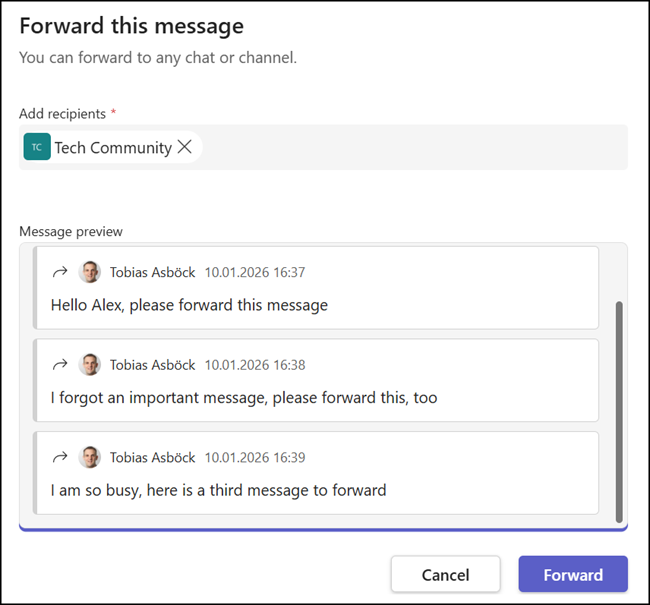
All selected messages are attached to the forwarding assistant, preserving context and order. You can then add recipients, such as a single person, multiple people, or a Teams channel.
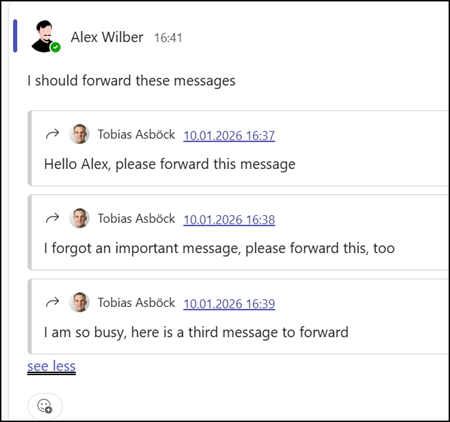
When posted, as introduced in October 2025, all forwarded messages include a link to the original message.
Note for Teams channels:
Multi-forwarded messages are not supported in Teams channels when using the Posts layout. A channel or team owner must switch to the Threads layout to forward multiple messages in a channel conversation.
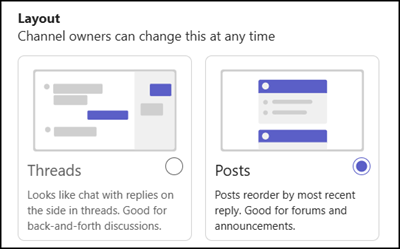
A channel can still receive multi-forwarded messages, but the option to select multiple messages is not available when the channel uses the Posts layout.
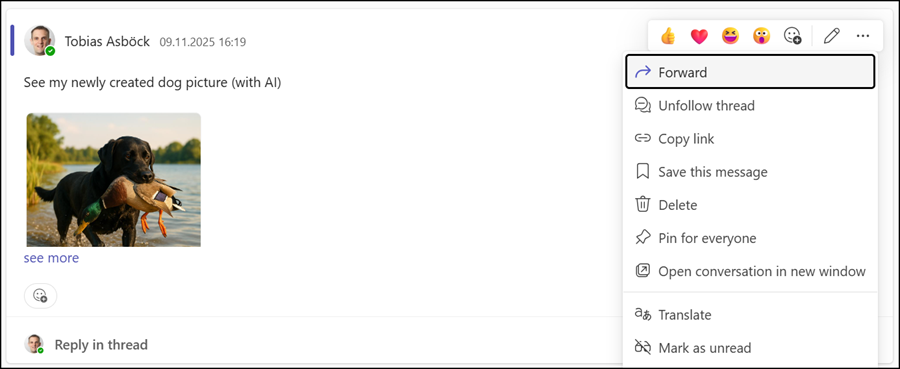
Forwarding multiple messages is supported in Teams channels that use the Threads layout.
- Users can select entire channel conversations and forward multiple conversations at once,
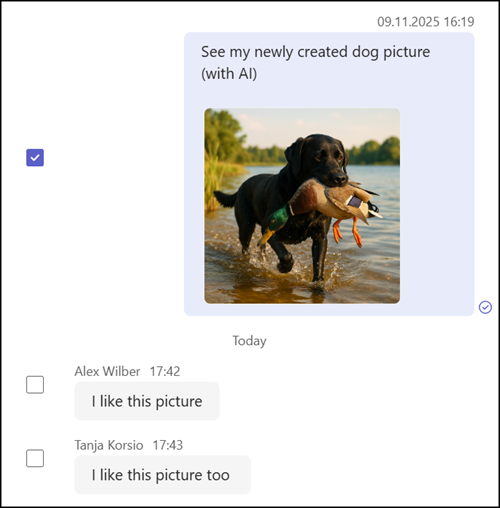
- Or users can select individual replies within a channel conversation to forward the full conversation or only specific replies.
- Users can also forward a multi-forwarded message, although earlier messages in the chain are not included.

