
Microsoft will retire several Planner features to introduce new capabilities, such as a new task chat that replaces the existing user comments.
Content
Timeline
- The retirements and new capabilities are planned for mid-January to February 2026.
- The new capabilities are currently planned for Planner in Teams and on the web. Mobile platforms will not be supported initially.
- Converting a Basic plan to a Premium plan will be (temporarily) unavailable.
Feature retirements
- Viva Goals integration
As Viva Goals will be retired on 31 December 2025, Microsoft will also retire the Planner integration.
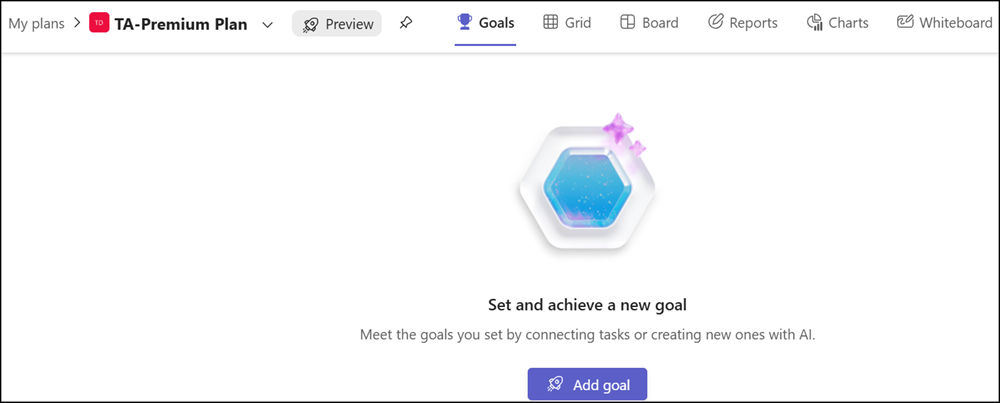
- Whiteboard in Planner Premium plans
The Whiteboard tab in Premium plans, as well as the ability to create tasks from sticky notes, will be removed. Existing Whiteboards will remain available in the Whiteboard app.

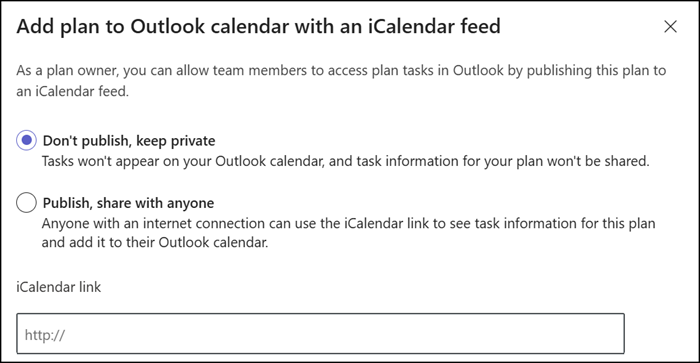
- iCalendar feed integration
The iCalendar feed for Outlook and other calendars for tasks or plans will be retired. Previously created feeds will no longer show tasks.
- Planner plan in Loop pages
Microsoft introduced Planner in Loop in September 2023. The ability to paste a Planner plan URL into a Loop page will be retired.
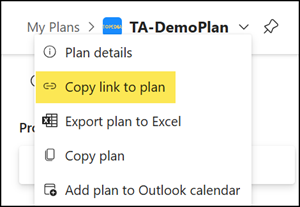
Loop workspaces that use existing Planner plans will only display the Planner plan URL. Tasks remain available in Planner.
Users should use the task list control in Loop to capture tasks. As described, a task list creates a Planner Lightweight plan.
The retirement is planned to begin in January 2026, with no defined end date.
New capabilities
- Task chats in Basic plans
Task chats will replace the current user comments. The new chats will support rich text and @mentions to collaborate directly on tasks, with notifications sent only to mentioned colleagues. Finally, it seems task comments will no longer be stored in the group mailbox. 🎉
However, previously added comments are no longer directly visible on the task. A link in the task details opens an Outlook page (the group mailbox) to view historical task comments (unless a group member deletes them).
This update will be available in Teams and on the web, but not yet on mobile. Mobile apps (iOS, Android, and Teams mobile) will continue to show the previous comments experience. New task chat messages are not visible on mobile at this time.
- Custom Planner layouts
Planner should soon offer reusable, standardized plan layouts that help maintain consistency while still allowing customization.
- Project Manager Agent in Basic plans
Currently available in Planner Premium plans, Project Manager Agent is coming to Planner Basic plans for users with a Microsoft 365 Copilot license. An admin can restrict the Project Manager Agent availability.
Temporarily unavailable
Admins cannot convert a Basic plan to a Premium plan starting January 2026. As a workaround, you should create a new Premium plan and manually copy the tasks. Microsoft plans to make a similar feature available again in the future.
