
The new Outlook for Windows also includes two release modes: a standard (default) mode and a targeted release mode. Unlike in Teams or Loop, users cannot temporarily switch between the modes.
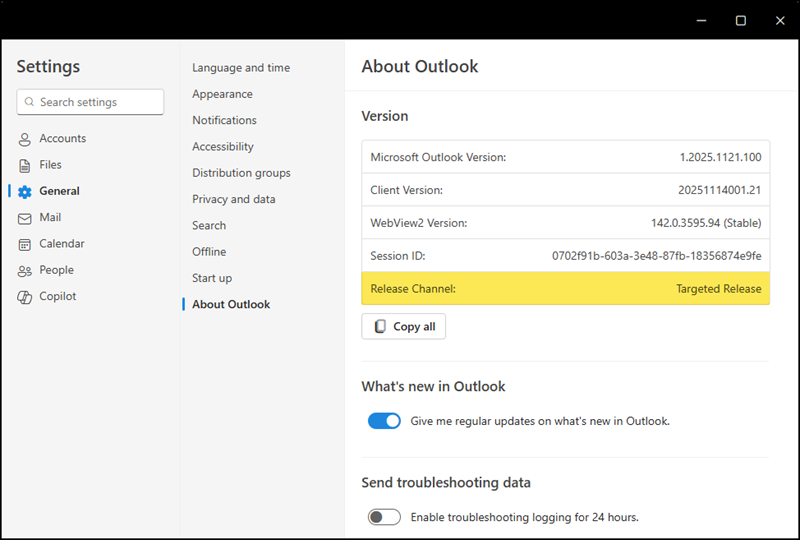
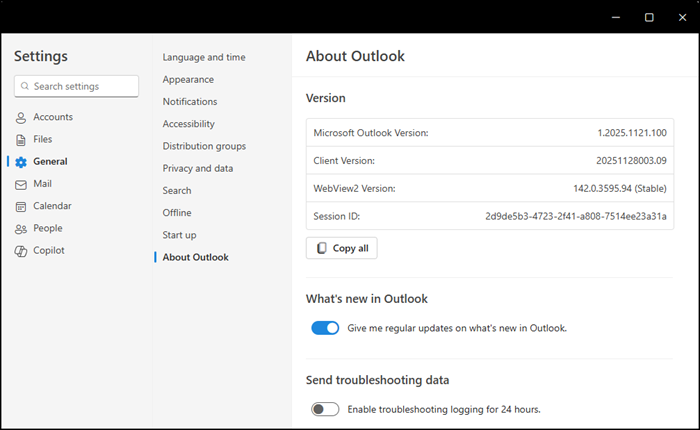
Outlook shows no release channel information if standard release is active.
The release notes for the new Outlook provide insights into the differences between Targeted Release and Standard Release.
Currently, both release modes use the same version numbers, and there doesn’t seem to be a rollout schedule like you know from Outlook Classic. The standard release notes provide more detail, while the targeted release notes tend to be general.
Unfortunately, the release mode in the new Outlook is controlled by the global release preferences in your Microsoft 365 tenant, not the Office Cloud Policy service or the Microsoft 365 Apps Admin Center, which you might expect.
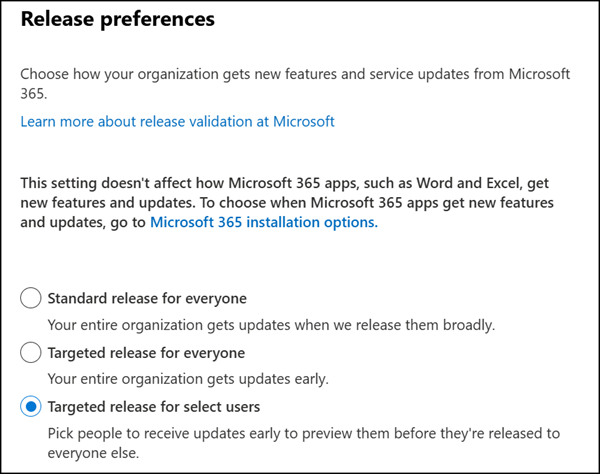
- The first challenge is that this setting applies to the entire Microsoft 365 suite, not just the new Outlook.
- The second challenge is the configuration does not support Entra ID groups; only direct user assignments are allowed.
- The third challenge is your users are locked into either targeted or standard release mode, as there is no easy way to switch between them.
