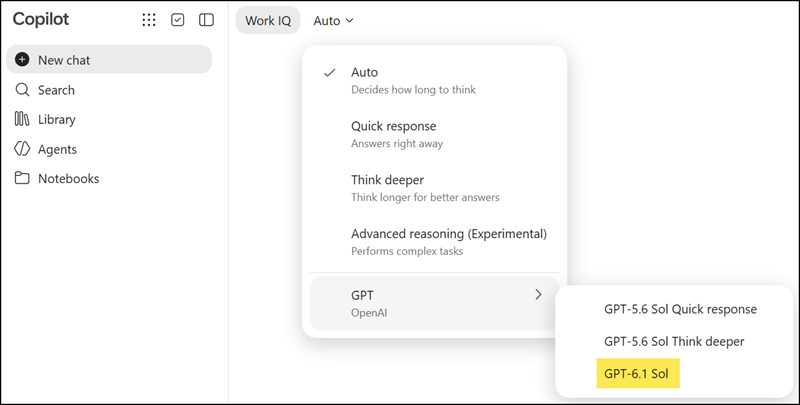
Users now have another AI model to choose from in Microsoft Copilot. GPT-6.1 Sol has been added to the set of available models, giving users more choice and flexibility in how they work with AI. Users can select it from the model selector in supported Microsoft Copilot experiences, and it is turned on by default for eligible licensed users.
- GPT-6.1 Sol is available in Copilot Chat
- GPT-6.1 Sol is rolling out to Copilot in Word, Excel, and PowerPoint
- GPT-6.1 Sol is currently restricted to users with a Microsoft 365 Copilot license. It’s hidden and currently unavailable for Copilot Basic users.
Some usage limits apply to GPT-6.1 Sol. They are designed to support everyday AI use, and the vast majority of users are not expected to reach them. Users who get close to a limit will see a notification in the product and can keep working by switching to Auto mode or selecting another available model.
GPT-6.1 Sol is already available in Copilot Chat through the model picker. The rollout in Word, Excel, and PowerPoint is currently in progress. GPT-6.1 Sol may appear for some users before others.