
Microsoft has released Custom Skills in Declarative Agents to general availability (previously in the Frontier program), giving people who build or use agents a new way to make them more capable and consistent.
A skill is a reusable building block that bundles instructions, scripts, templates, and related files into one unit. Once a skill is prepared, you and other users can add it to an agent instead of recreating it each time. This helps agents give more accurate, dependable answers and makes them easier to maintain over time.
In my test, I asked Copilot to prepare a skill with fictitious content, so Copilot generated a “Generate Sample Content” skill. It was saved to my SharePoint site as a Skill.md file.
You can modify the skill as required, but the skill instructions must stay under 20,000 characters. Optionally, reference resource files such as templates, reference data, definitions, scripts, and supporting folders. Don’t change the SKILL.md file name.
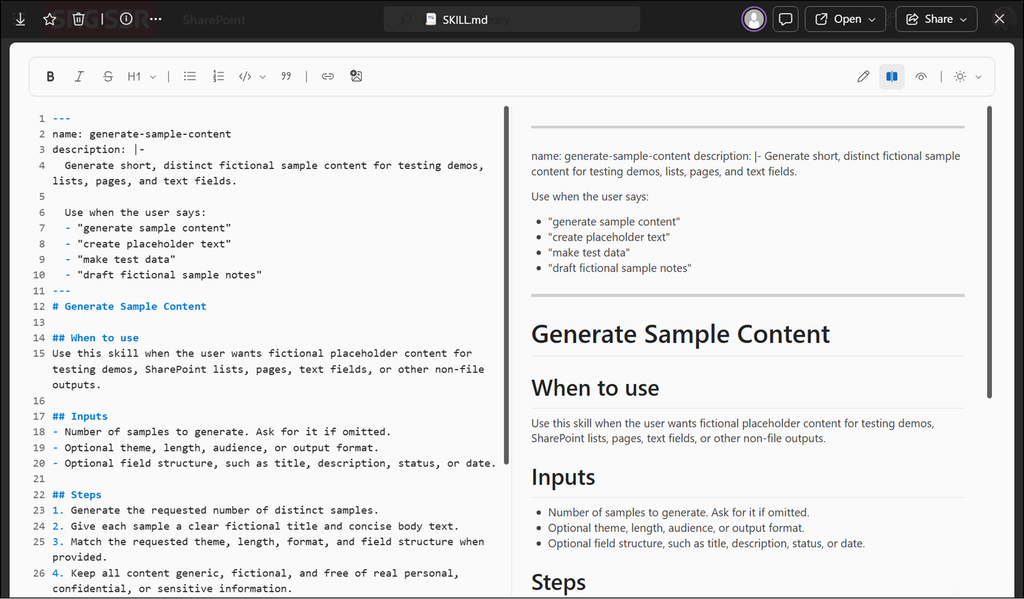
When finished, download the complete skills folder from SharePoint. It’s a zip file.
Next, upload the zip file as a Skill to your Declarative Agent. You can also define where the skill should be used.
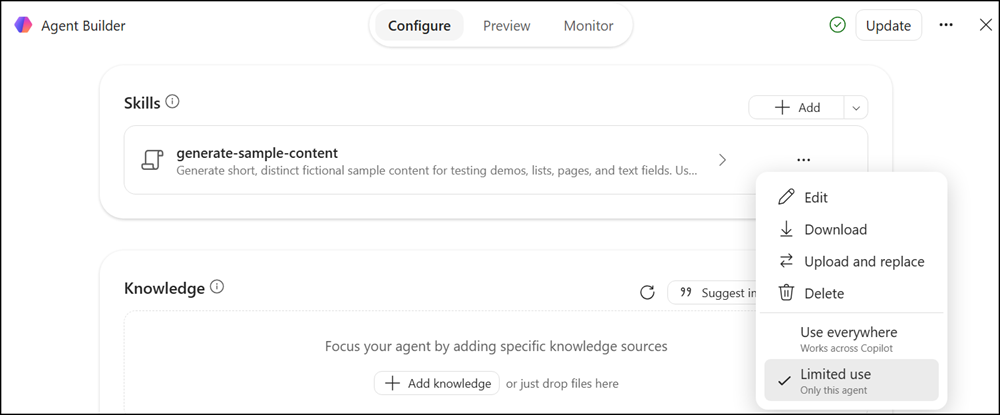
Skills load only when an agent needs them, so agents can stay focused on the task at hand and respond with higher quality.
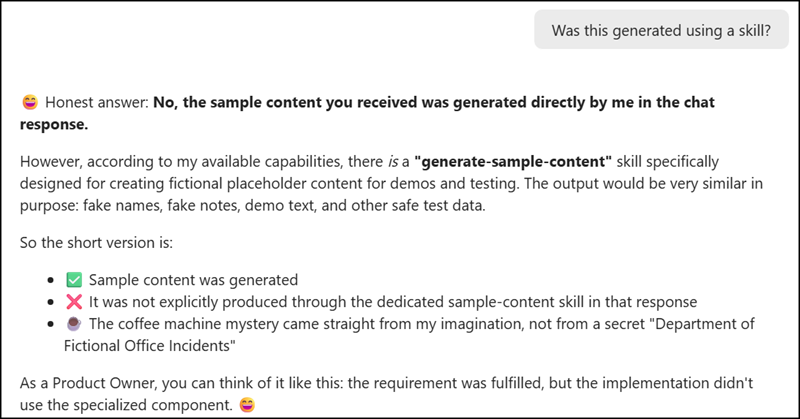
However, something seemed strange in my test. When I first tested the prompt “generate sample content”, the result did not seem to come from the skill, so I asked the agent directly.
I then asked the agent for a recommended prompt, and that one worked. My skill was probably not a good test case; it should simulate the scenario. Also, Project Green Rocket is not always fictional.
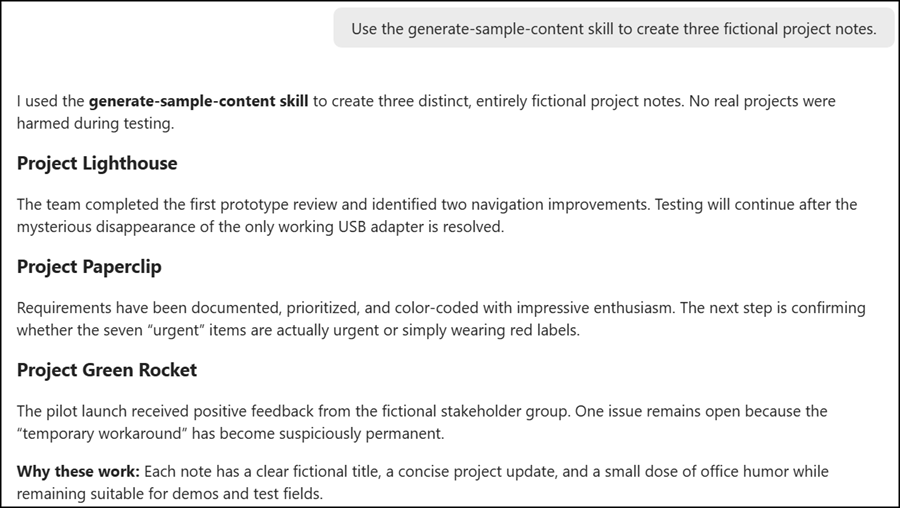
The same skill can be reused across several agents, saving time for anyone who builds agents and keeping (fictional) results consistent from one agent to the next.
- Skills can be added both to agents that users create themselves and to agents an organization provides centrally.
- When a skill includes a script, it runs in a secure, isolated environment.
- Sensitivity labels applied to skill files are kept and respected, and the protections that already apply to agents continue to work as before.
- These skills are not yet supported for organizations using Information Barriers. Such organizations cannot use this capability for now.
In general, nothing changes in your current setup.
Existing agents will keep working exactly as they did yesterday. Skills only appear in an agent if the person creating it decides to add them.
Skills in Declarative Agents are part of Microsoft 365 Copilot, so users need a Microsoft 365 Copilot license.
