
Microsoft is rolling out self-serve sync connectors in Microsoft 365 Copilot Chat, letting individual users connect external data sources using their own credentials. The first connectors are Jira Cloud and Confluence Cloud. Once synchronized, content the user already has access to becomes discoverable in Copilot Chat and Microsoft Search.
************
Updated 29 September 2026:
Microsoft has removed the first synced connectors, Jira Cloud and Confluence Cloud. They are no longer available as connectors. According to Microsoft, this is due to a user experience issue.
************
Timeline
- Public preview should be available for tenants in the targeted release mode.
- General availability is scheduled for October 2026.
How does this affect your organization?
After Federated Copilot Connectors, Microsoft is introducing new Self-Serve Sync Connectors.
With Self-Serve Sync Connectors, each user authenticates to supported external sources with their own identity and consent. Only the content the user personally has access to is synchronized into Microsoft Graph. Self-serve connectors are designed for sources where a tenant-wide deployment is not practical, and only the connecting user can retrieve the synchronized content.
Updated:
Self-serve sync connectors also require a Microsoft 365 Copilot license; see the licensing prerequisites.
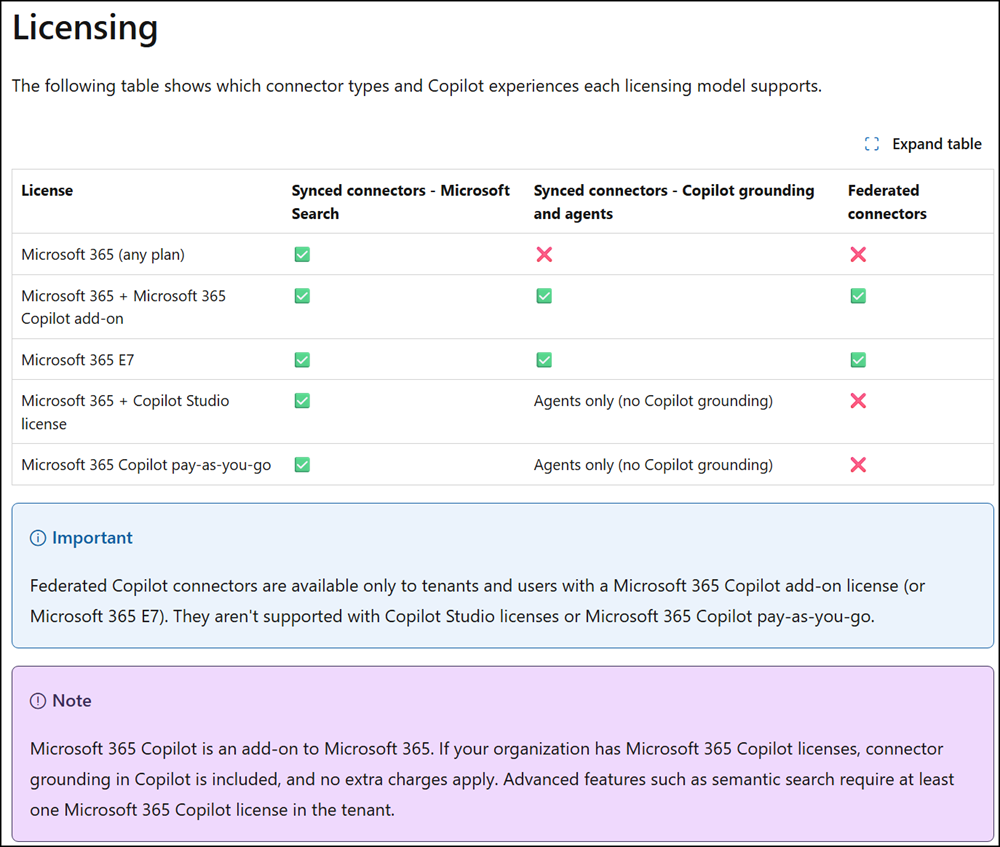
Currently, Microsoft offers two self-serve sync connectors:
- Confluence Cloud: Crawls a user’s complete personal space, plus shared-space content created or modified in the past 90 days.
- Jira Cloud: Crawls work items created or modified in the past 90 days.
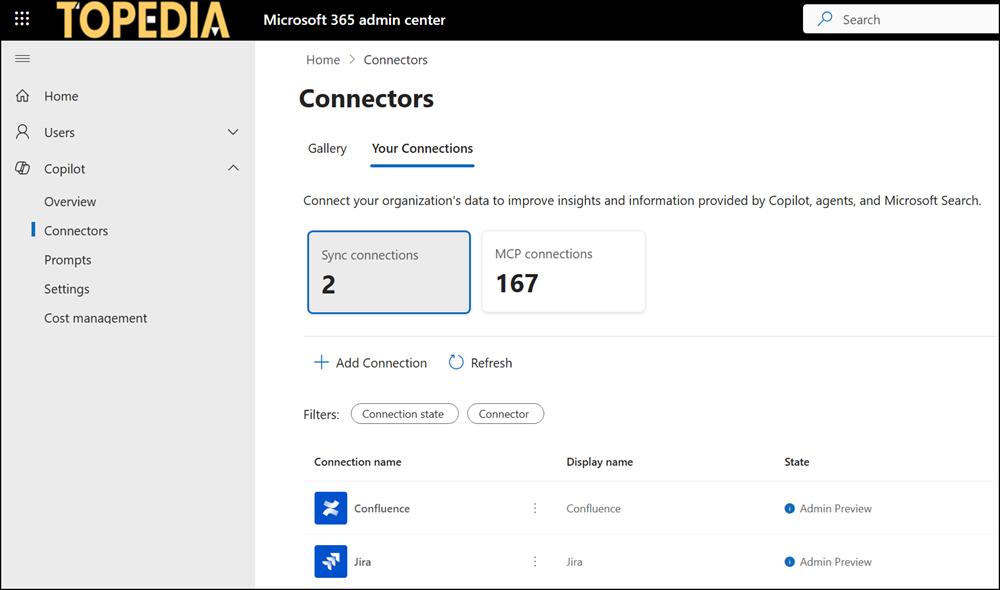
What is the difference between Self-Serve Sync Connectors and Federated Copilot Connectors?
- NEW: Self-Serve Sync Connectors (or synced connectors) index content into Microsoft Graph. The key difference from federated connectors is that the data gets crawled and copied into Microsoft’s index for each connected user account, then served in Copilot Chat and Microsoft Search. Each user authenticates individually; only their own accessible content gets indexed. If users or administrators disconnect or disable the connector later, the system also deletes all indexed user data.
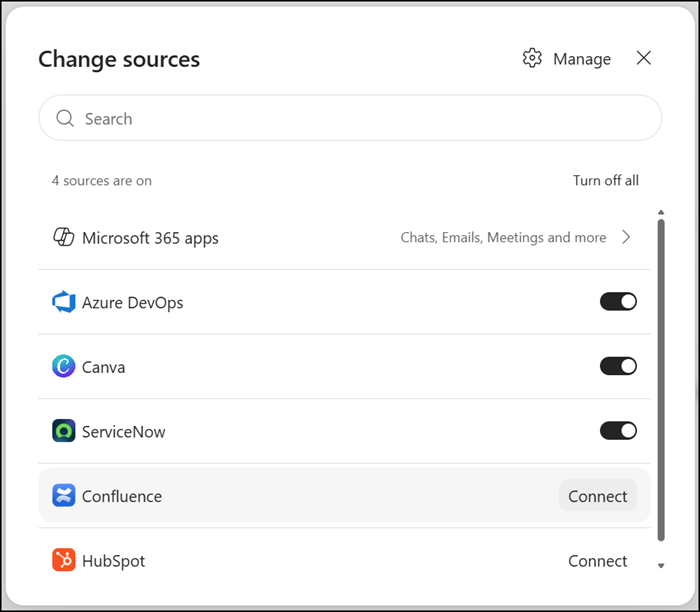
- Federated Copilot Connectors, introduced in March 2026, use Model Context Protocol (MCP) to read content in real time rather than crawling and indexing it, so nothing is stored or copied into Microsoft Graph. Copilot always queries the external system live, fetches only what is needed for that specific request, and discards it after use.
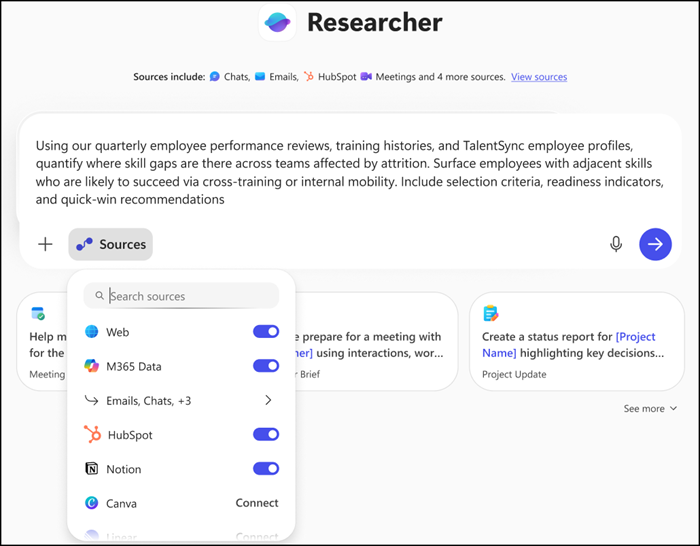
According to Microsoft, Self-serve connectors are pre-enabled by default at the tenant level.
Before a newly available connector is visible to users, it goes through a seven-day admin review period. Administrators can use this window, or act at any point afterward, to make a connector visible, hide it, or disable it in the Microsoft 365 admin center. Administrators receive no proactive information or notification.
At least for Confluence Cloud and Jira, it’s unclear how “pre-enabled by default” should work, since both connectors require initial configuration. The system cannot enable the connector without the preconfiguration. An admin also needs to accept privacy agreements.
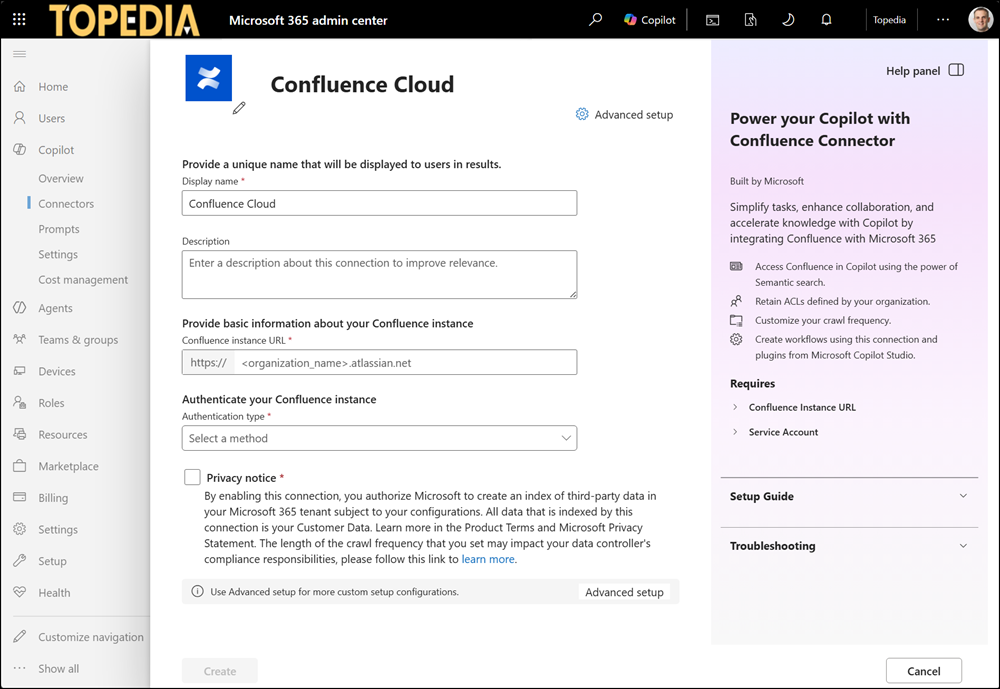
Maybe there is an exception:
Self-Serve Sync Connectors may use the same configuration as Federated Copilot Connectors. If the default setting was previously changed to Disabled, review whether the next Self-Serve Sync Connectors are also disabled by default. Unfortunately, Microsoft retired the PowerShell cmdlet as of 25 August. It’s no longer working.
Starting in October 2026, Federated Copilot Connectors should honor the “Allowed agent types” settings in the tenant. I expect it’s the same for the new Self-Serve Sync Connectors, but with Microsoft, you never know.
Updated 19 September 2026:
All Self-Serve Sync Connectors are enabled by default, regardless of the previous Federated Copilot Connectors configuration. The required initial connector configuration does not stop Microsoft from forcing activation anyway, which returns an error for an AI admin. Self-Serve Sync Connectors also ignore all default settings configured in Agent 365.
